AI at work inside
a real operation.
Documented workflows showing the pain, connected systems, operating steps, authority bounds, and outcomes behind each implementation.
Capability level
Showing 71 of 71 workflows
 On-trigger
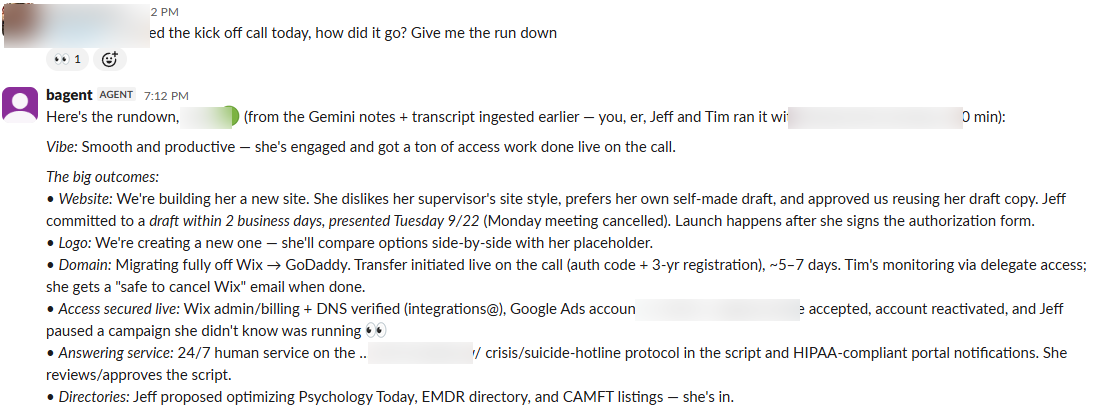
Call Notes Ingestion: AI meeting notes → client record of truth
Every client call generated an AI notes doc that lived and died in someone's Drive. Decisions, owed items, and deadlines from calls never made it into the client's standing record, so the next person touching the account worked from memory or re-read a 100KB transcript. Duplicate ingestion and missed follow-ups were routine.
AI meeting notes (docs)Client project recordsTeam chatView workflow →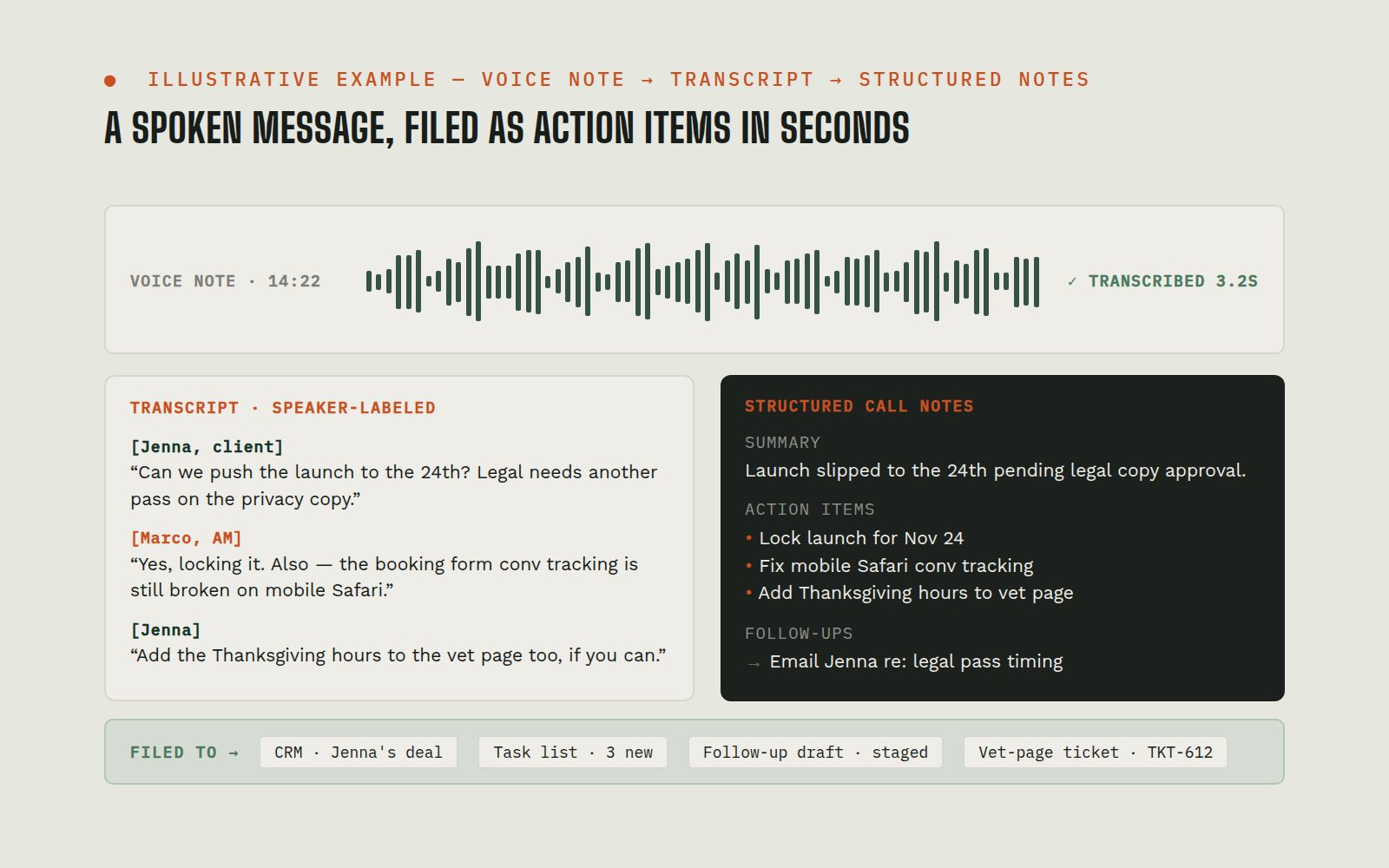 On-trigger
Voice-Note & Call-Recording Transcription
Team members think out loud: voice notes in chat, recorded discovery calls, drive-time braindumps. That audio was write-only: nobody transcribed it, so instructions got half-remembered and recordings were never mined for detail. Discovery-call recordings in particular held client wording that never reached the people building the deliverables.
Team chat (voice notes)Speech-to-text APIClient project recordsView workflow →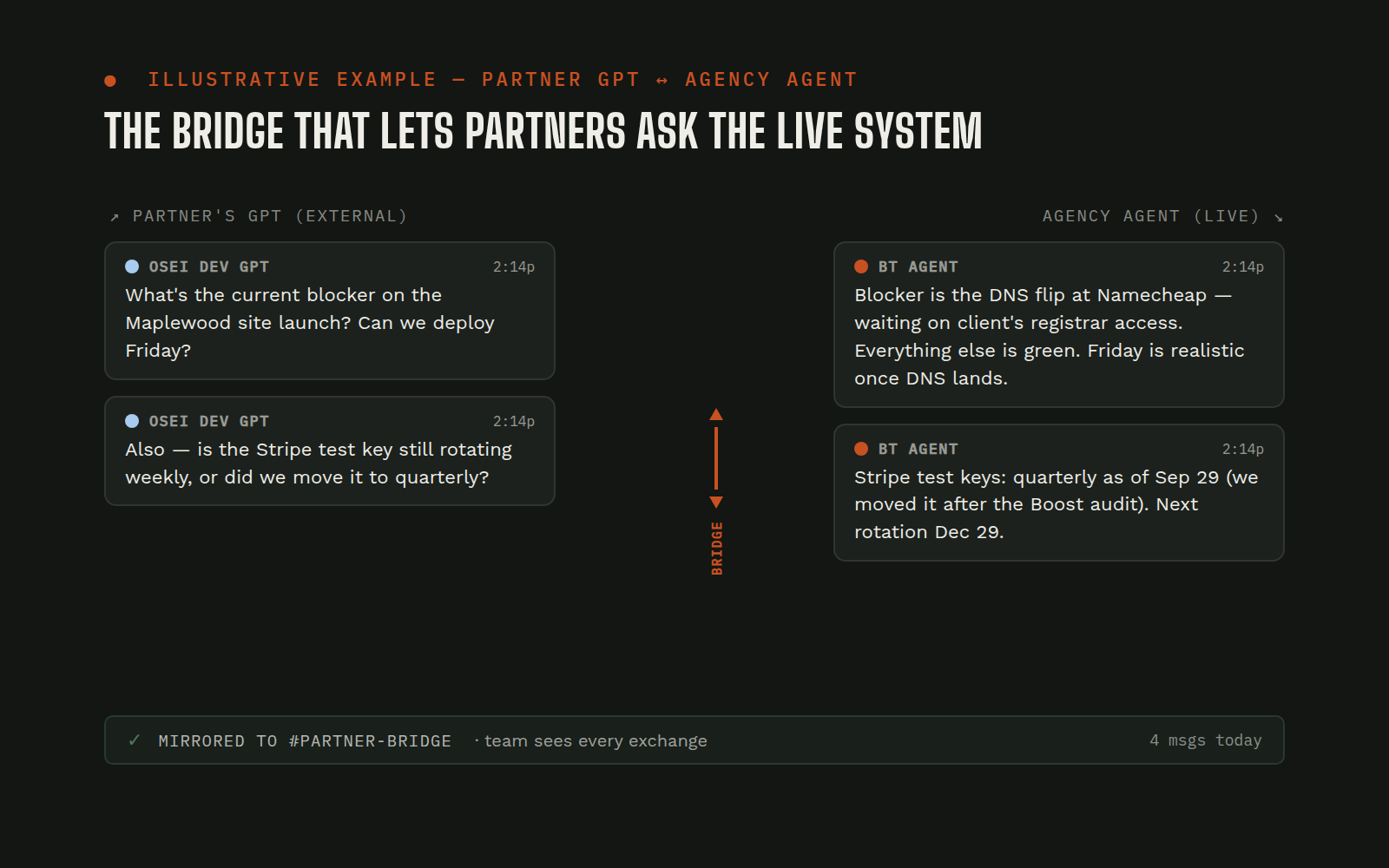 Continuous
External-GPT Bridge: partner/client GPTs talk to the agency’s agent
Partners and stakeholders live in ChatGPT, but the agency’s operational brain (project state, client context, tooling) lives inside the agency’s agent. Answering partner questions meant a human relaying context back and forth, and the partner's GPT was always working from stale, second-hand information.
ChatGPT (external GPTs)Secure bridge serverMarketing team AI agent sessionTeam chatView workflow →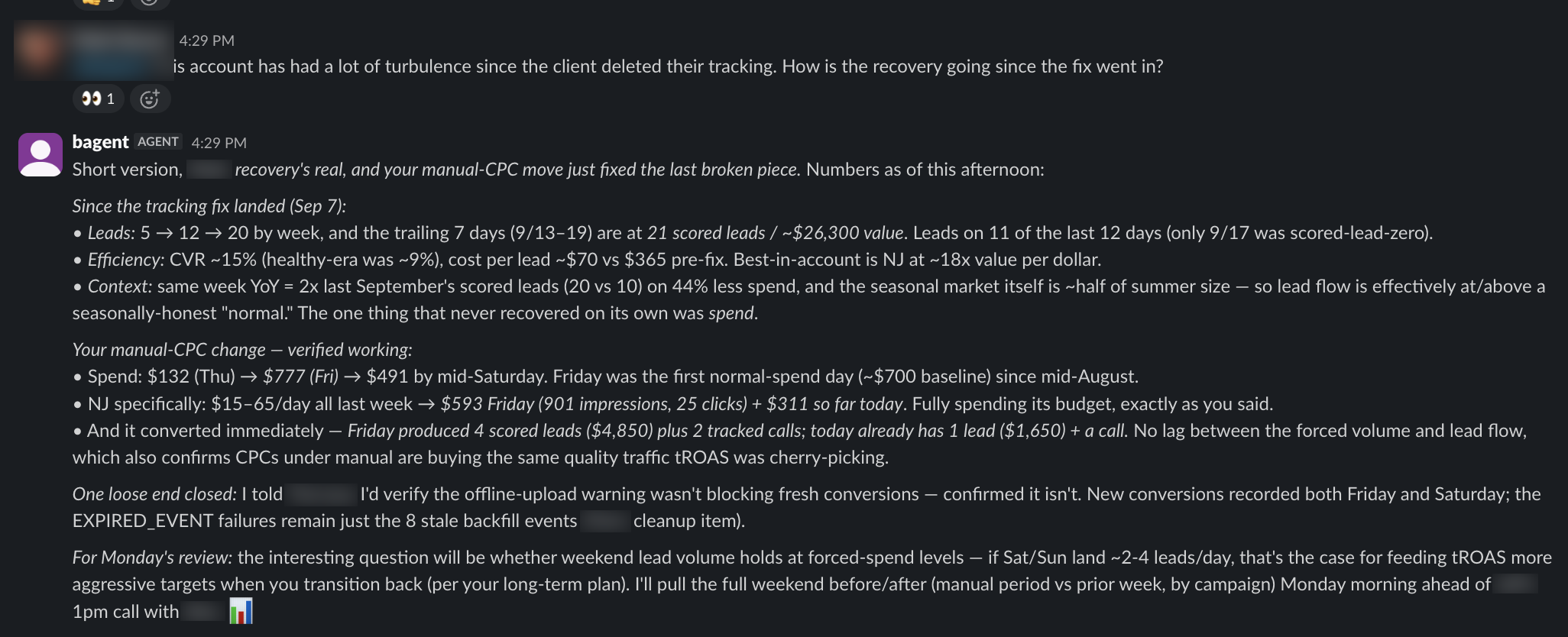 On-trigger
On-Demand Reporting: analytics, ads, and CRM funnel answers in minutes
"How's this account actually doing?" used to mean logging into four dashboards, exporting CSVs, and an hour of spreadsheet work, so it happened less often than it should. Funnel questions ("did that lead tier ever produce a proposal?") required joins across CRM objects nobody had time to run. Numbers quoted from memory crept into client conversations.
Web analyticsAd platforms (search + local services)CRMSpreadsheetsView workflow →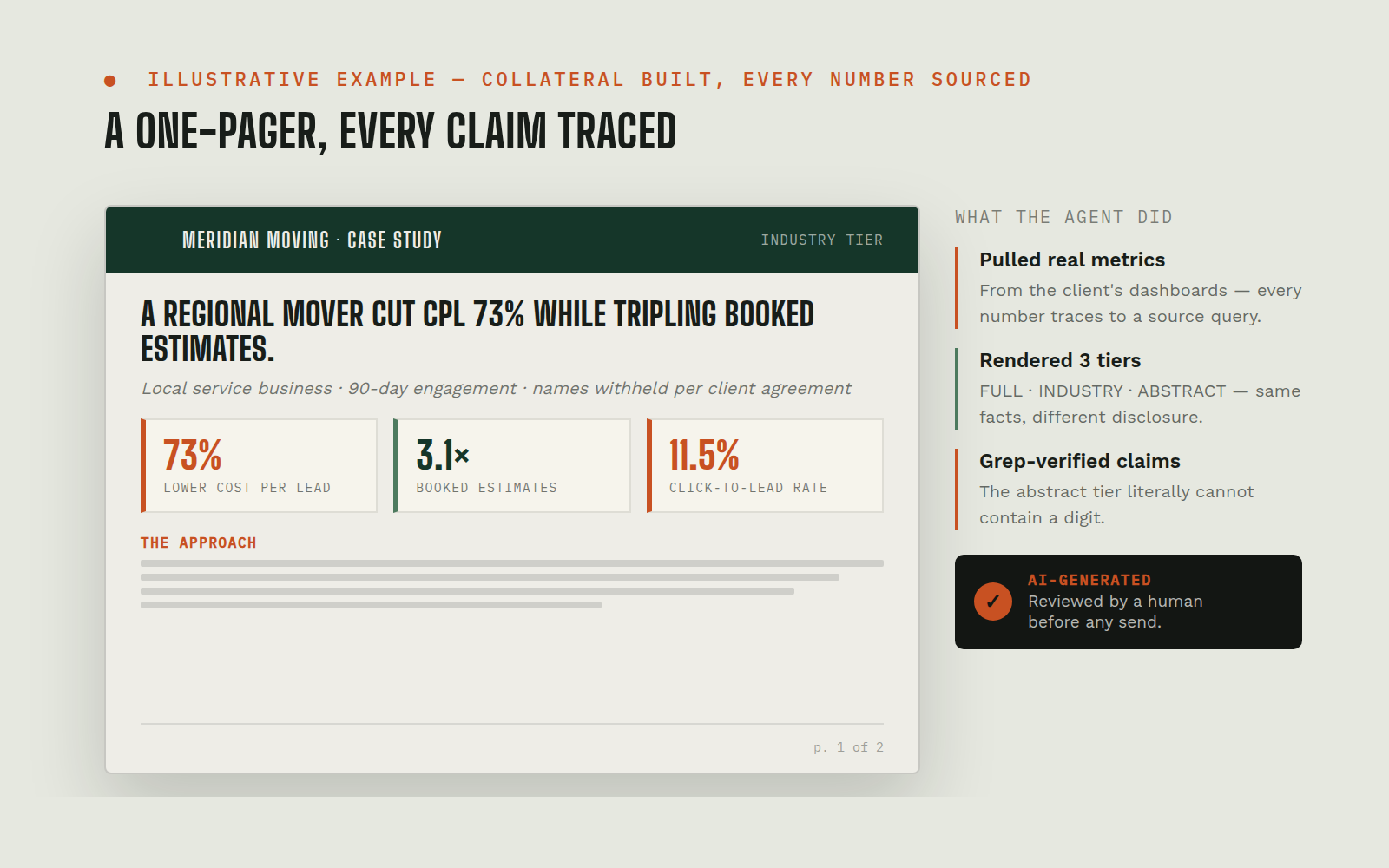 On-trigger
Sales Collateral Drafting: branded one-pagers, tiered case studies, generated imagery
Sales collateral was a bottleneck: a branded one-pager meant a designer's queue, and case studies stalled on the question "what are we allowed to disclose?", so they mostly didn't get made. Different prospects need different disclosure levels, and hand-maintaining multiple versions of the same story was untenable.
Brand asset libraryPDF/web build toolingCase-study catalogImage generationView workflow →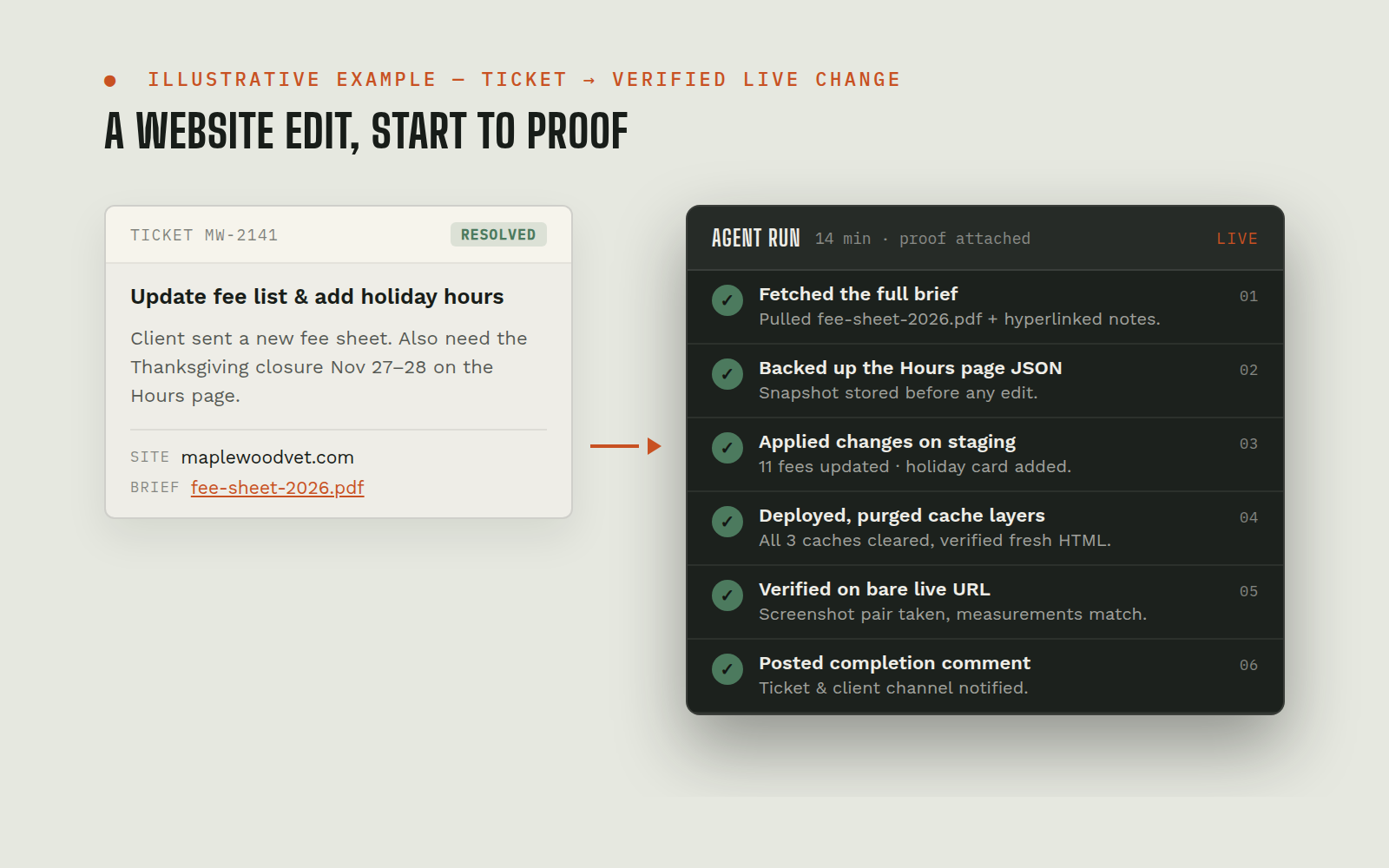 On-trigger
Website-Edit Task Execution: project-management ticket → live verified change
Small website edits ("update the fee list," "add holiday hours," "fix that heading") queued behind developer availability for days. Each one carried the same overhead: find the right hosting install, dig the actual brief out of linked docs, make the change without breaking a page-builder layout, and prove it's live, so tickets aged and clients chased.
Project management toolWebsite hosting (managed WordPress)Shared docs (edit briefs)Team chatView workflow →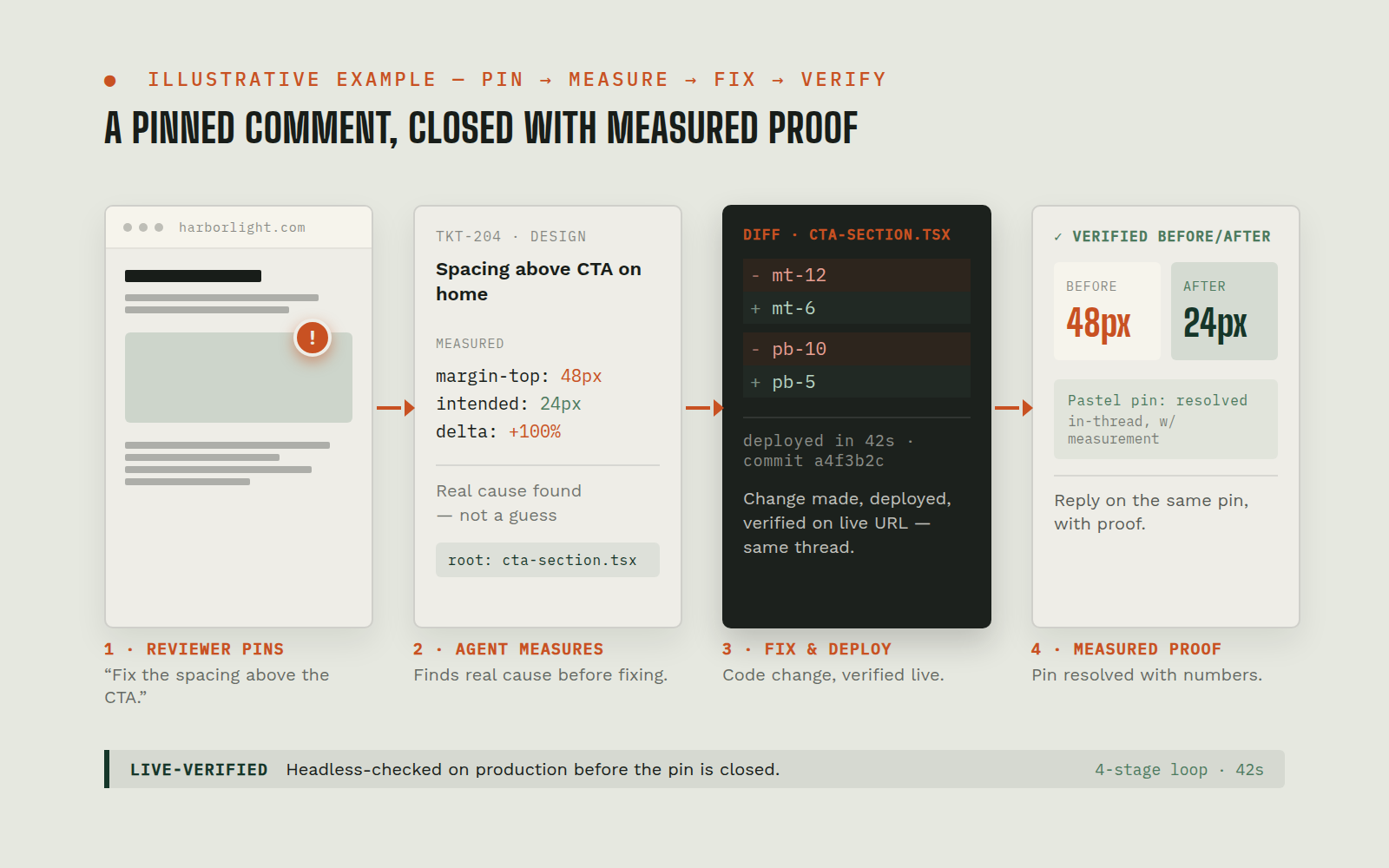 On-trigger
Design-Feedback Fix Loop: pinned comment → fixed, deployed, verified, replied, resolved
Visual feedback ("fix the padding") arrived as pins on a review canvas, but turning a pin into a shipped fix meant a developer reverse-engineering what the reviewer saw, guessing at the intended geometry, and a slow reply loop. Feedback rounds with dozens of comments could stall a launch for days.
Visual feedback canvasCode repositoryWebsite hosting/deployStakeholder progress logView workflow →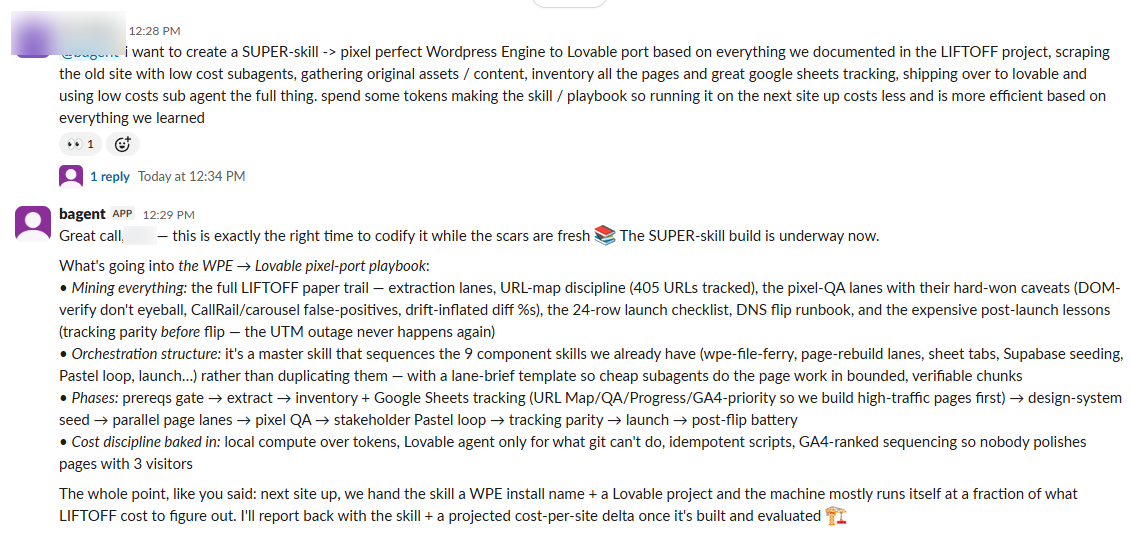 On-trigger
AI Website Builds & WordPress→AI-Platform Migrations
Client site builds and rebuilds were the marketing team’s longest lead-time deliverable, weeks of design/dev cycles, and migrating a WordPress site to modern hosting risked breaking the thing that pays for everything: tracking and lead attribution. Builder tools self-report "done" whether or not the work is actually right.
AI site-builder platformWeb analytics / ad platform / call trackingDNS / hostingSite database (leads)View workflow →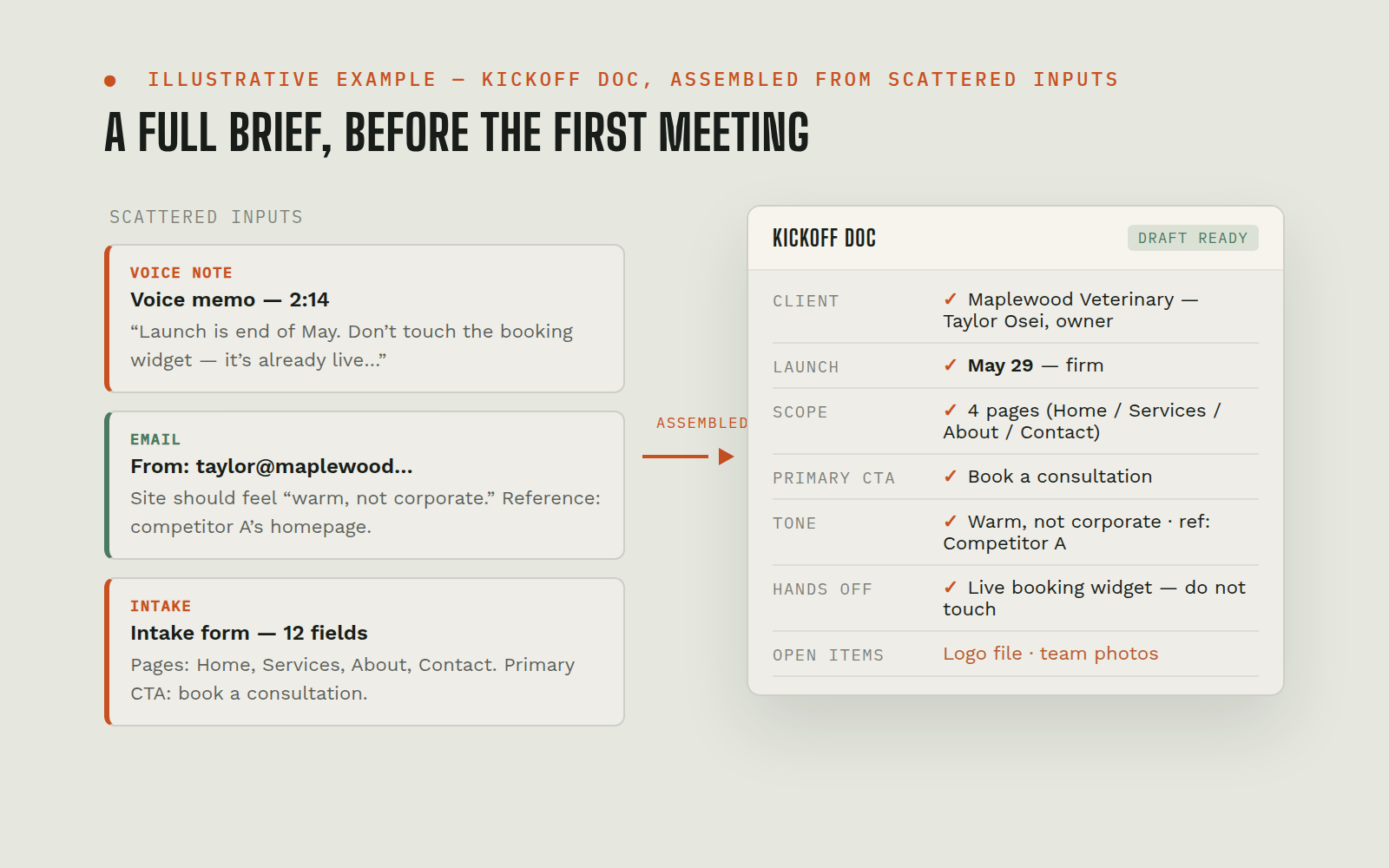 On-trigger
Kickoff Doc Creation: discovery-prefilled KO docs in the client folder
Every new client needs a kickoff document: services recap, goals, a long access checklist, discovery notes. Building one meant an account manager copying a template, hunting facts across the CRM, and retyping discovery details; docs arrived late, half-filled, or inconsistent between account managers.
CRMShared drive (docs)Team chatView workflow →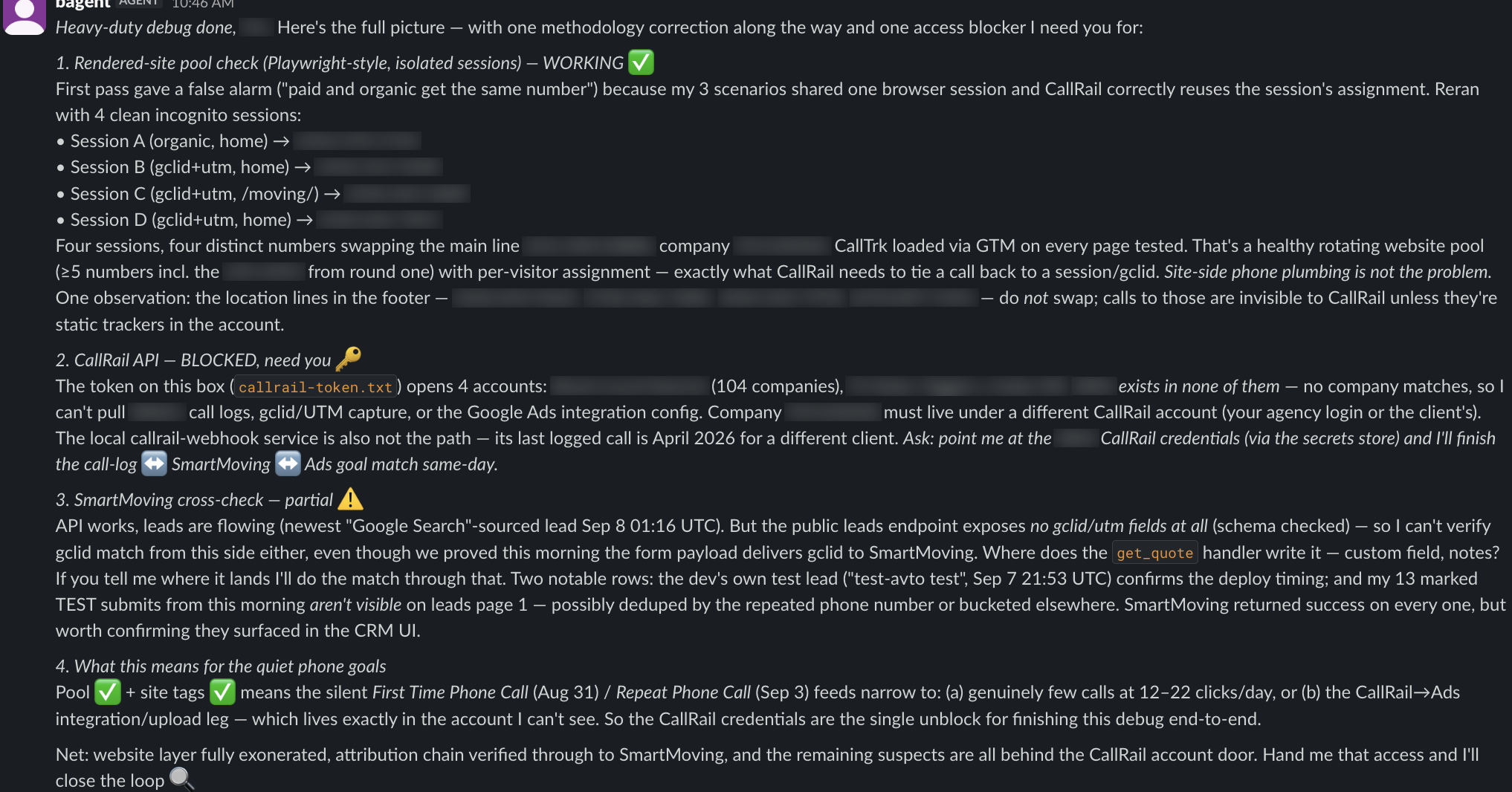 On-trigger
Tracking & QA Audits: conversion tags, attribution, spam defense, ad delivery, site quality
The most expensive failures in local marketing are silent: a conversion tag that stopped firing, attribution parameters dropped by a site migration, a spam-flooded form, a campaign that quietly stopped serving. Diagnosing any one of these took a specialist hours with browser devtools, so they were usually found weeks late, after budget was wasted.
Client websitesAd platformCRMHeadless browser toolingView workflow →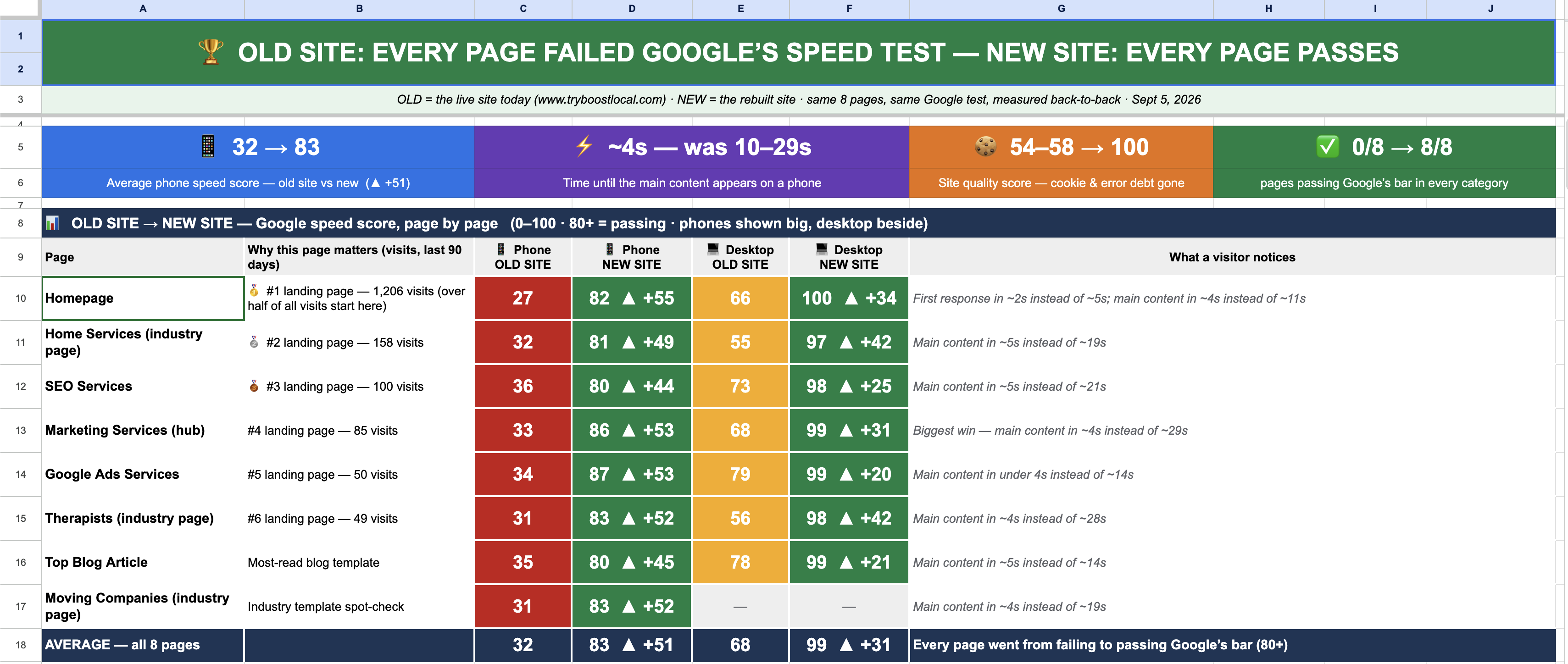 On-trigger
Sales-Asset Rebuilds: stakeholder scorecards and pixel-faithful page gallery
The marketing team’s own site rebuild program needed exec-readable scorecards (before/after audits, priority rankings, progress logs) and a rebuilt page gallery: dozens of legacy page-builder pages recreated pixel-faithfully on a modern stack. Doing either by hand was days of spreadsheet formatting and front-end work per asset.
Spreadsheets (stakeholder sheet)Legacy site extract (cache)Code repo + AI site platformWeb analyticsView workflow →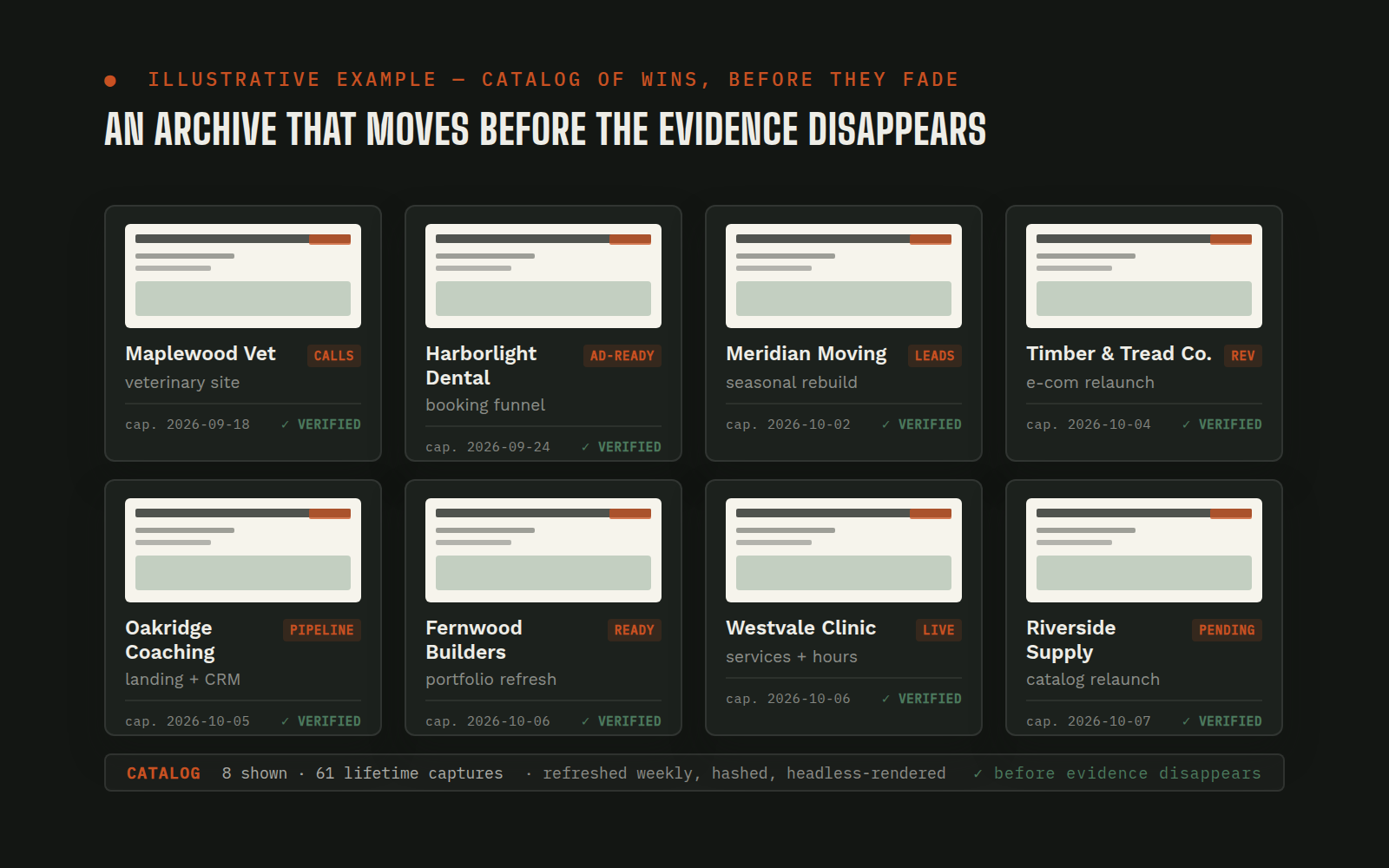 On-trigger
Portfolio Capture: client results and evidence preserved before they vanish
When a client engagement ended, the evidence of the work often ended with it: hosting teardown destroyed the "before" site, praise scrolled away in chat, and results data scattered across five platforms. Great outcomes became unprovable stories within months.
Client sites + web archivePayments + CRM cachesAd platform / analytics APIsCase-study catalogView workflow →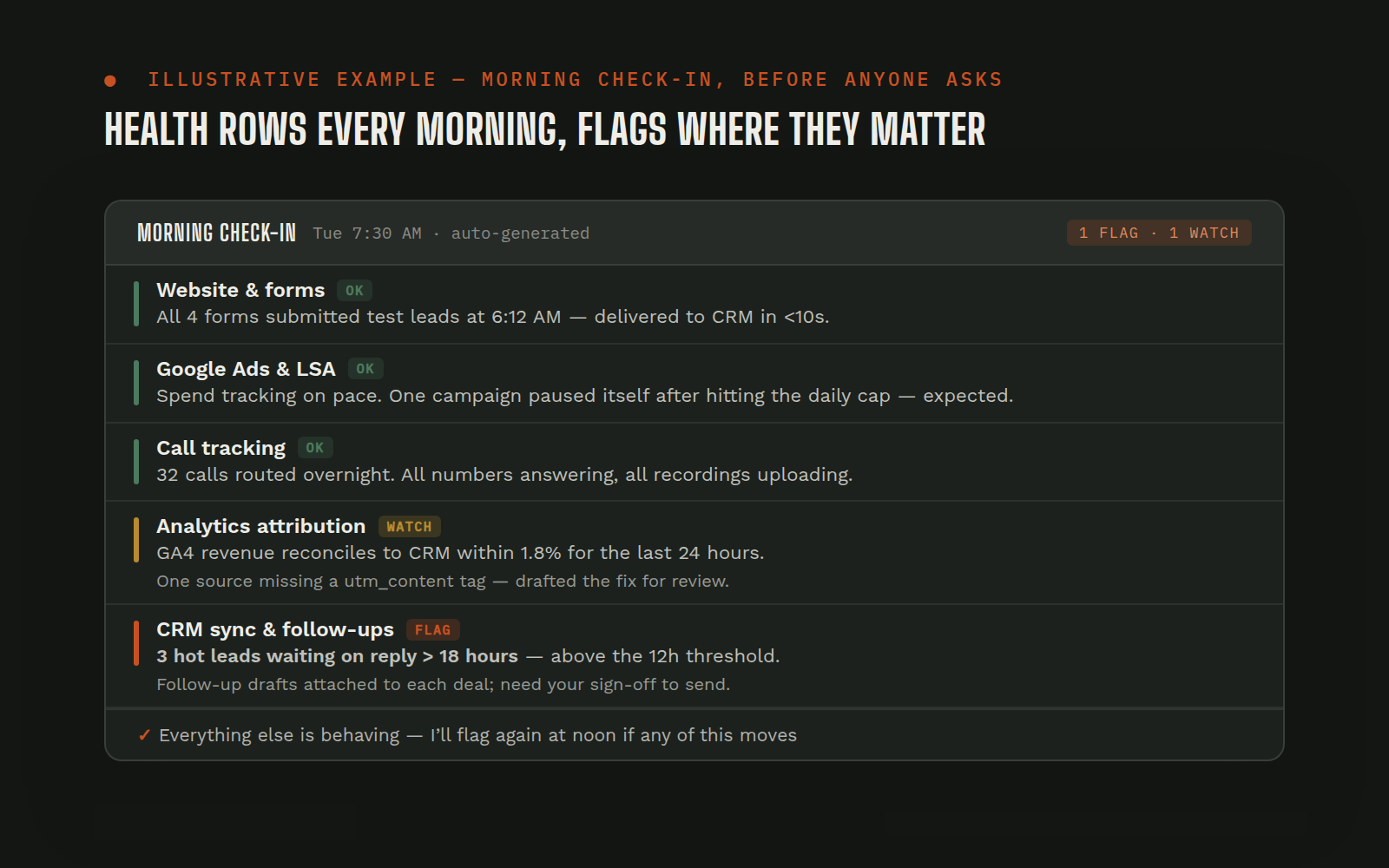 Continuous
Proactive Monitoring: the agent checks the shop when nobody's asking
Between requests, nobody was watching: an urgent email sat unread, a pending ad-platform appeal went unchecked, follow-ups lived in someone's head. Everything reactive meant small things aged into big things over weekends.
Email + calendarTeam chatStanding task fileAd platform / other APIsView workflow →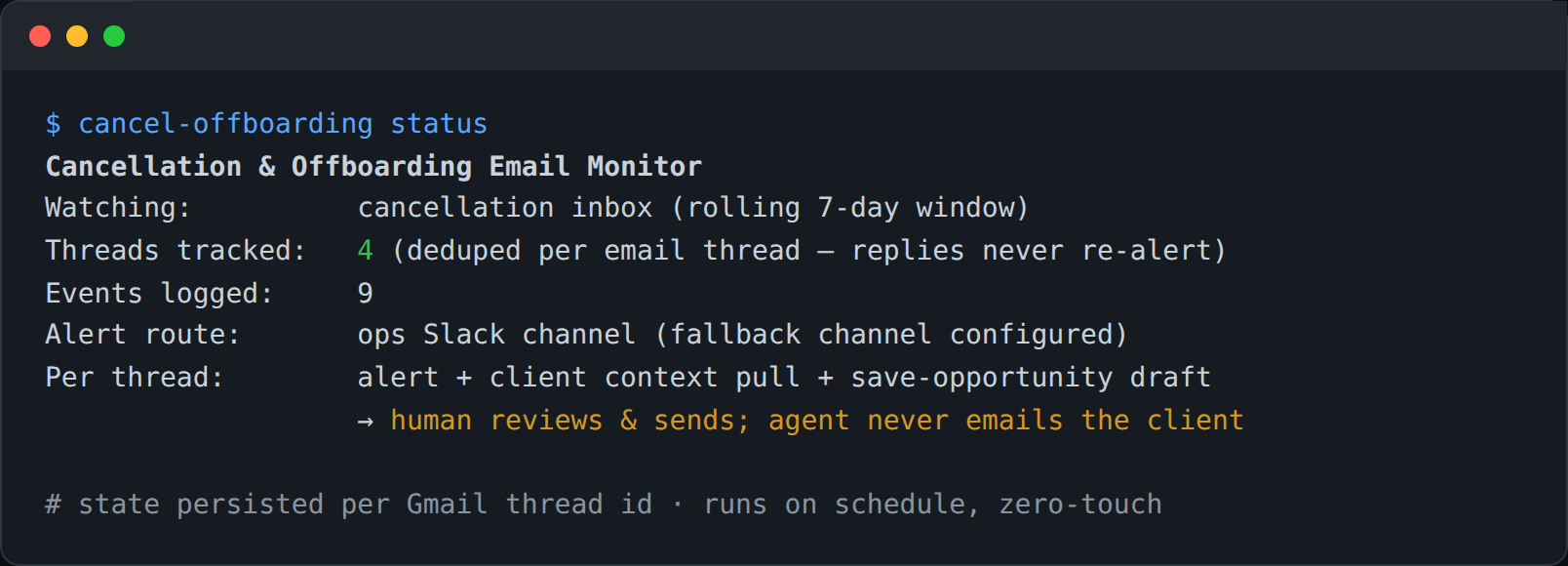 Scheduled
Cancellation/Offboarding Monitor + Save-Opportunity Drafts
Cancellation emails are the highest-stakes messages the marketing team receives, and they arrived into a shared inbox where response speed depended on who happened to look. By the time a save attempt was drafted, the client had mentally left. There was no systematic record of why clients leave.
Cancellation inbox (email)Client memory + payments + CRMTeam chatLocal state/event logView workflow →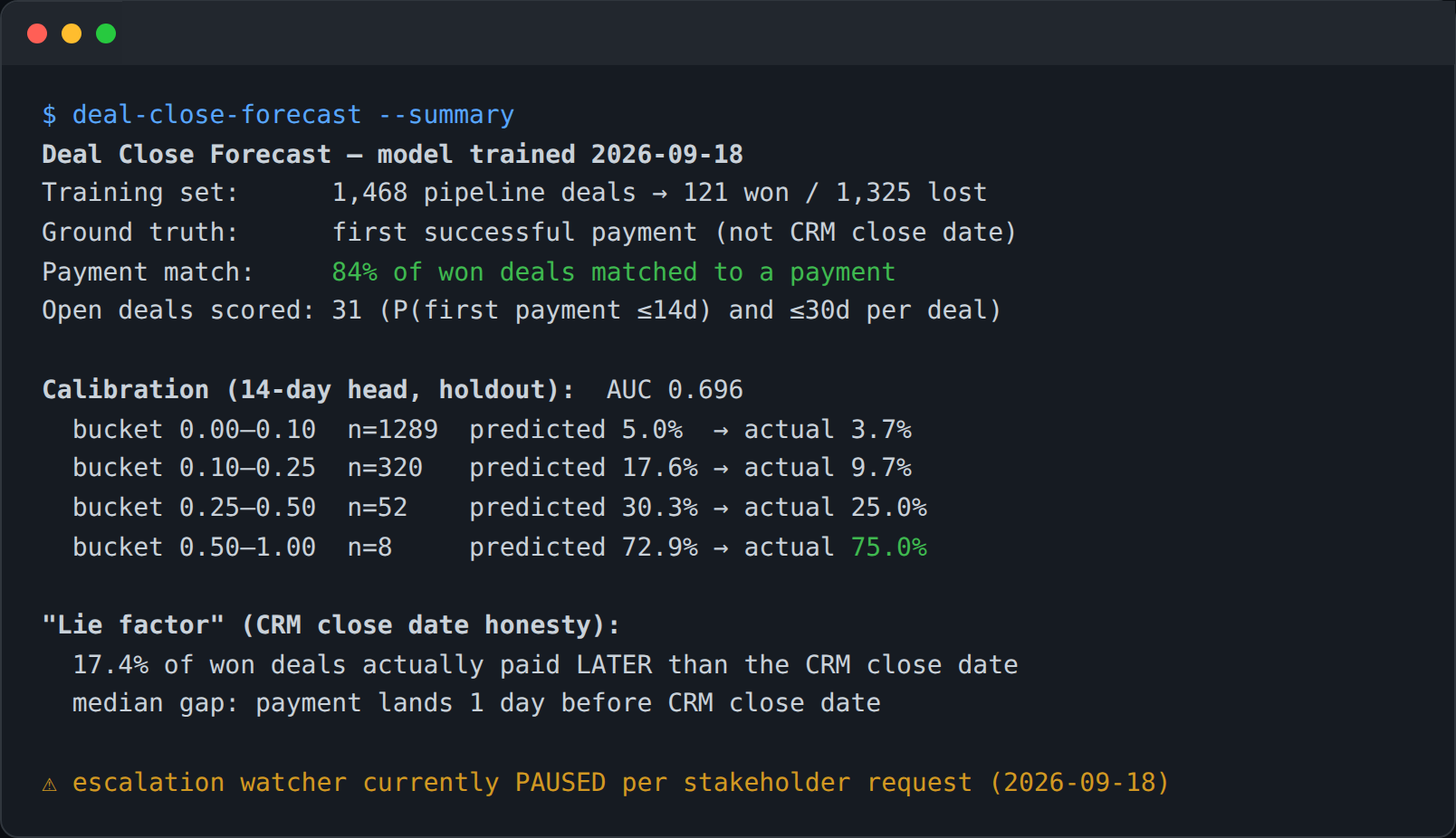 Scheduled
Deal-Close Forecast: payment-verified ML forecast of which deals actually close
CRM close dates are aspirational: deals marked "closing this week" for a month, and won dates edited after the fact. Leadership couldn't trust the pipeline view for cash planning, and the handoff from sales to onboarding depended on someone noticing a deal was about to land.
CRM (deals, stage history)Payments platformML model (local)Team chatView workflow →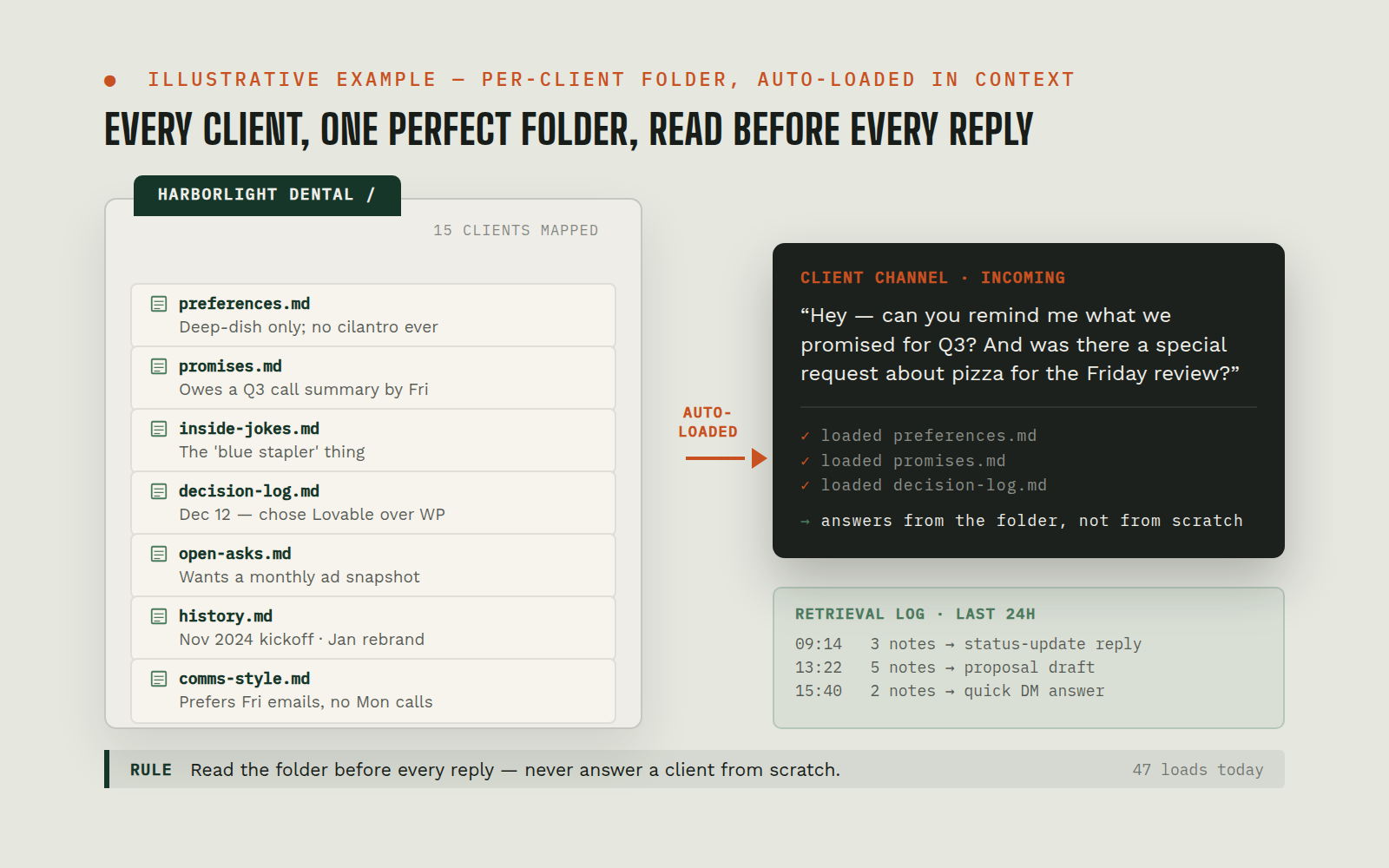 Continuous
Client Memory System: per-client living context, auto-loaded by channel
Client context lived in people's heads and scattered threads. Every question started with archaeology: what did we promise, what's their setup, what happened on the last call? New team members (and the AI itself, which wakes fresh each session) had no fast path to "everything we know about this client."
Team chat (client channels)Client memory filesEmail (client group addresses)View workflow →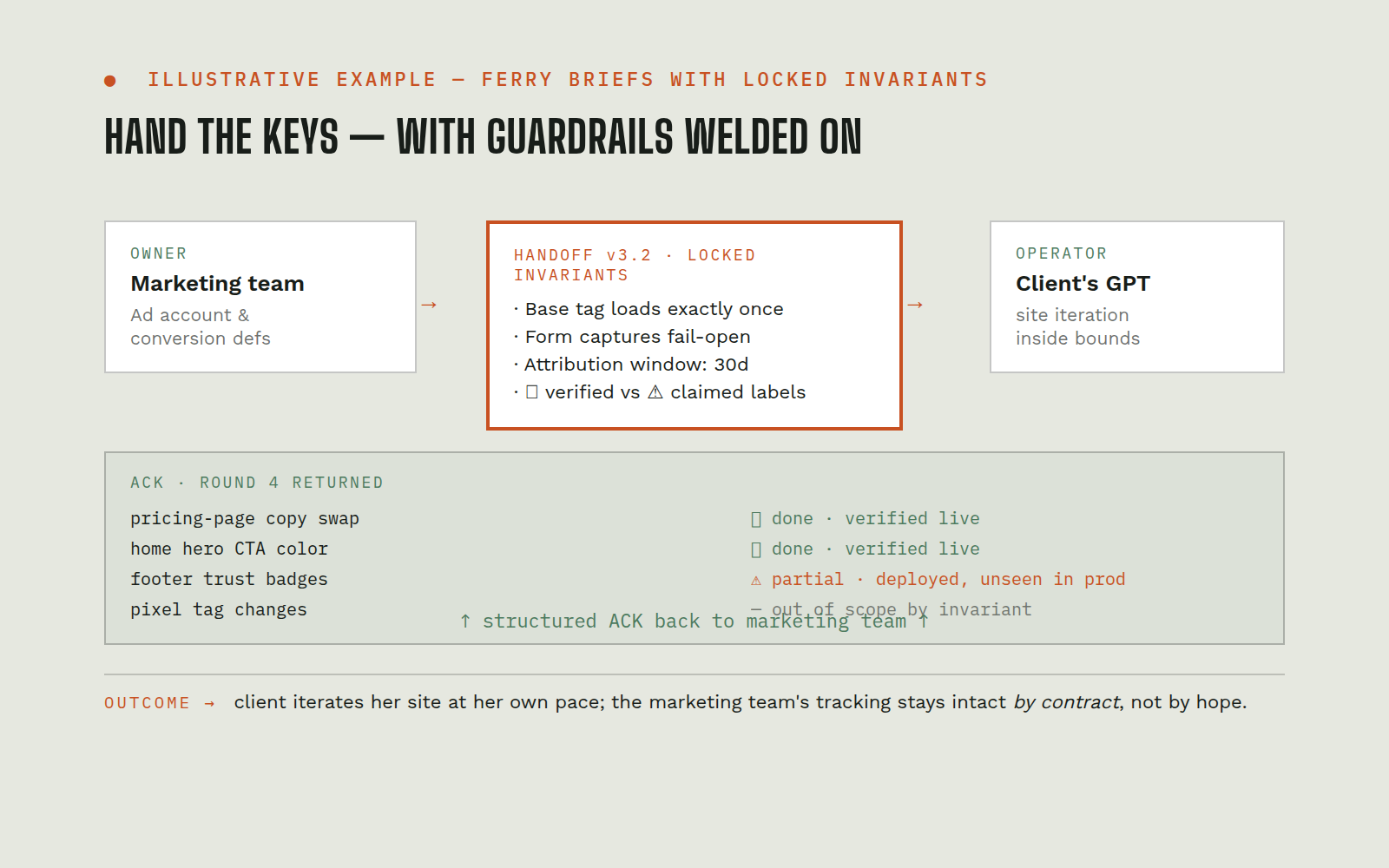 On-trigger
AI-to-AI Client Handoffs: the client's own GPT takes over, inside locked invariants
A technically-capable client owned her own AI-built website and wanted to iterate it with her own AI assistant, but the site carried the marketing team’s conversion-tracking layer, where one wrong change (a duplicate tag, a removed script) silently ruins ad performance. The marketing team couldn't be in the loop on every site tweak, and couldn't afford to be out of it either.
Client's GPT assistantAI site-builder platformAd platformView workflow →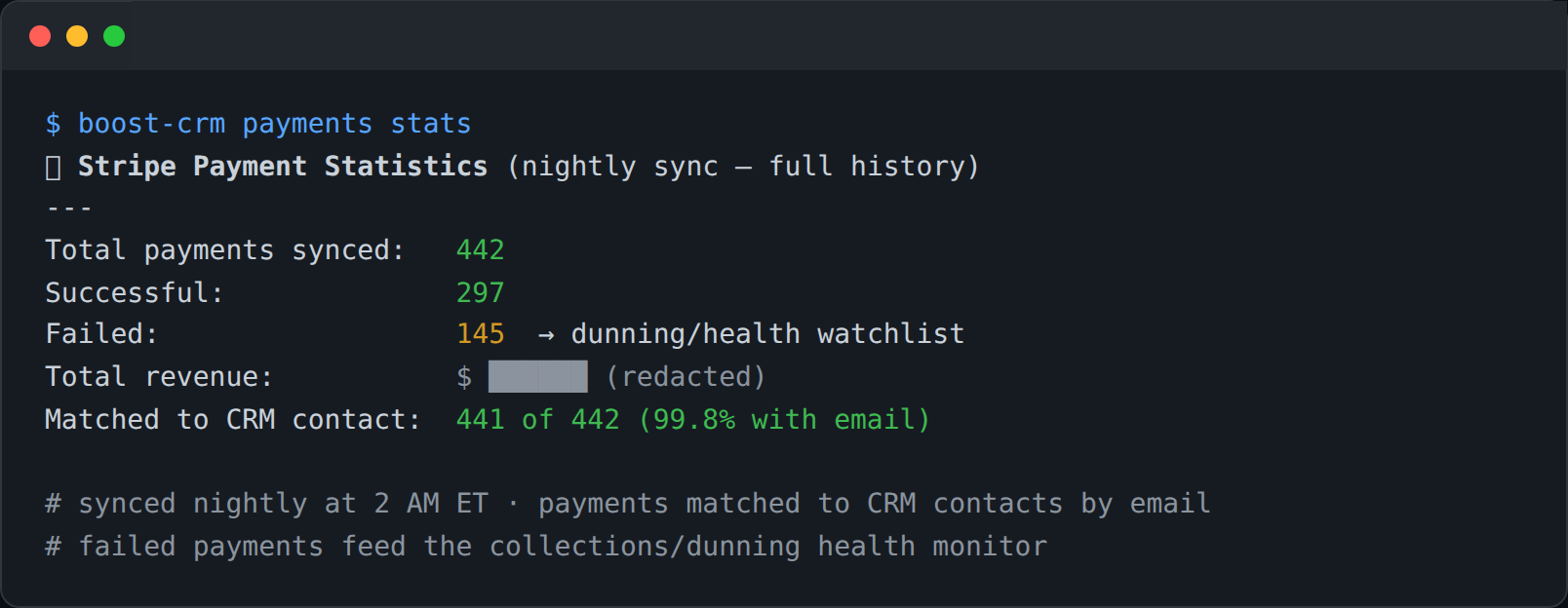 Scheduled
Payment Operations: nightly sync, dunning health, ad-spend ROI linking
Payment reality lived only inside the payments dashboard: failed charges were discovered when a client mentioned them, revenue questions meant manual exports, and there was no connection between "this ad click" and "this client's payments" for ROI analysis. Collections outreach was ad hoc.
Payments platformCRMLocal payments databaseAd platform (click IDs)View workflow →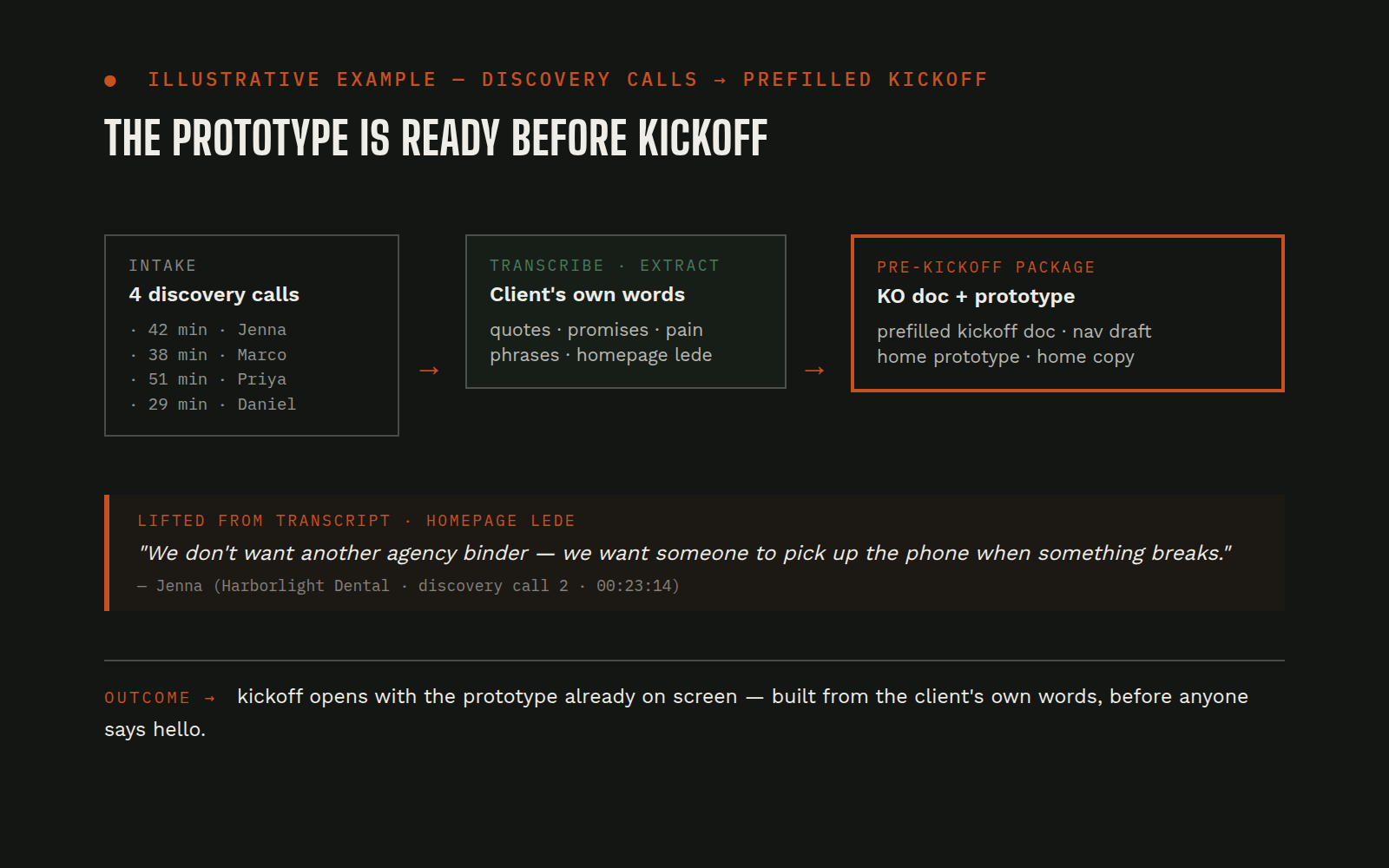 On-trigger
Call Intelligence → Website Build: discovery calls become the website brief
Everything needed to build a new client's website was said out loud on discovery and kickoff calls, and then lost between the salesperson's memory and the builder's intake form. Sites launched with generic copy while the client's own words ("we answer 24/7," "we're the only ones who...") sat unused in recordings. The pre-kickoff gap was dead time.
CRM (discovery records, recordings)Speech-to-textShared drive (KO doc, briefs)AI site-builder platformView workflow →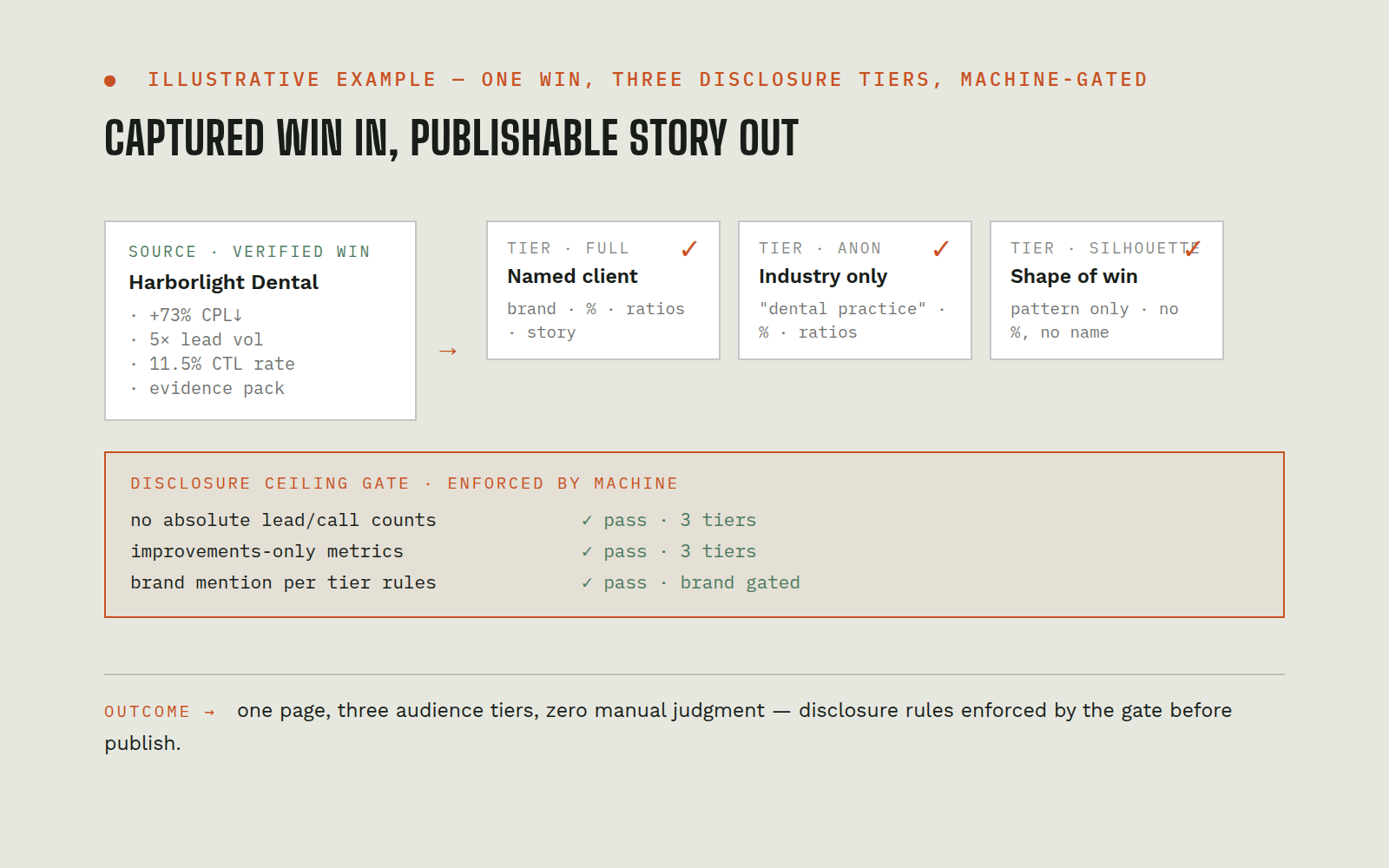 On-trigger
Case Study Factory: from "trophy this" to a publishable three-tier case study
Even with results captured (Entry #12) and design capability (Entry #5), case studies died in the gap between them: assembling verified numbers, deciding what's safe to disclose, building the page, and QA-ing the claims was a cross-functional project nobody owned. The agency sat on provable wins it never published.
Case-study catalog + evidence archiveAI site-builder platformVisual feedback canvasTeam chatView workflow →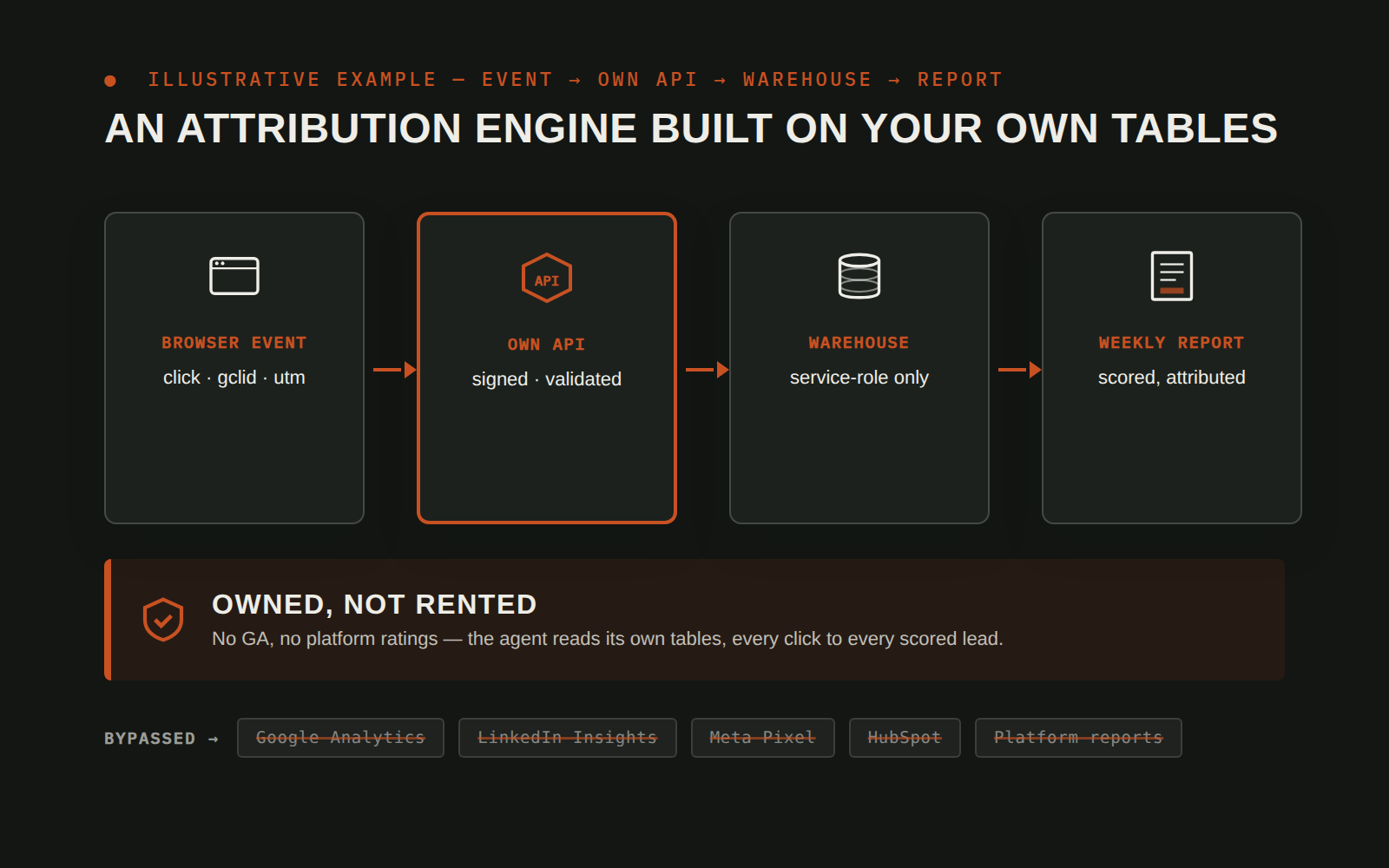 Continuous · Reporting: Scheduled
First-Party Attribution & Intent Personalization Engine
Ad clicks were going dark between the click and the CRM. UTMs and gclids got stripped by redirects and single-page navigation, the CRM only saw whoever filled a form, with no memory of the visits before it, and there was no way to feed real outcomes back to Google's bidding. Every visitor also saw the same generic portfolio no matter what they came looking for.
Website + Cloud DatabaseCRMTag Manager / AnalyticsGoogle AdsView workflow →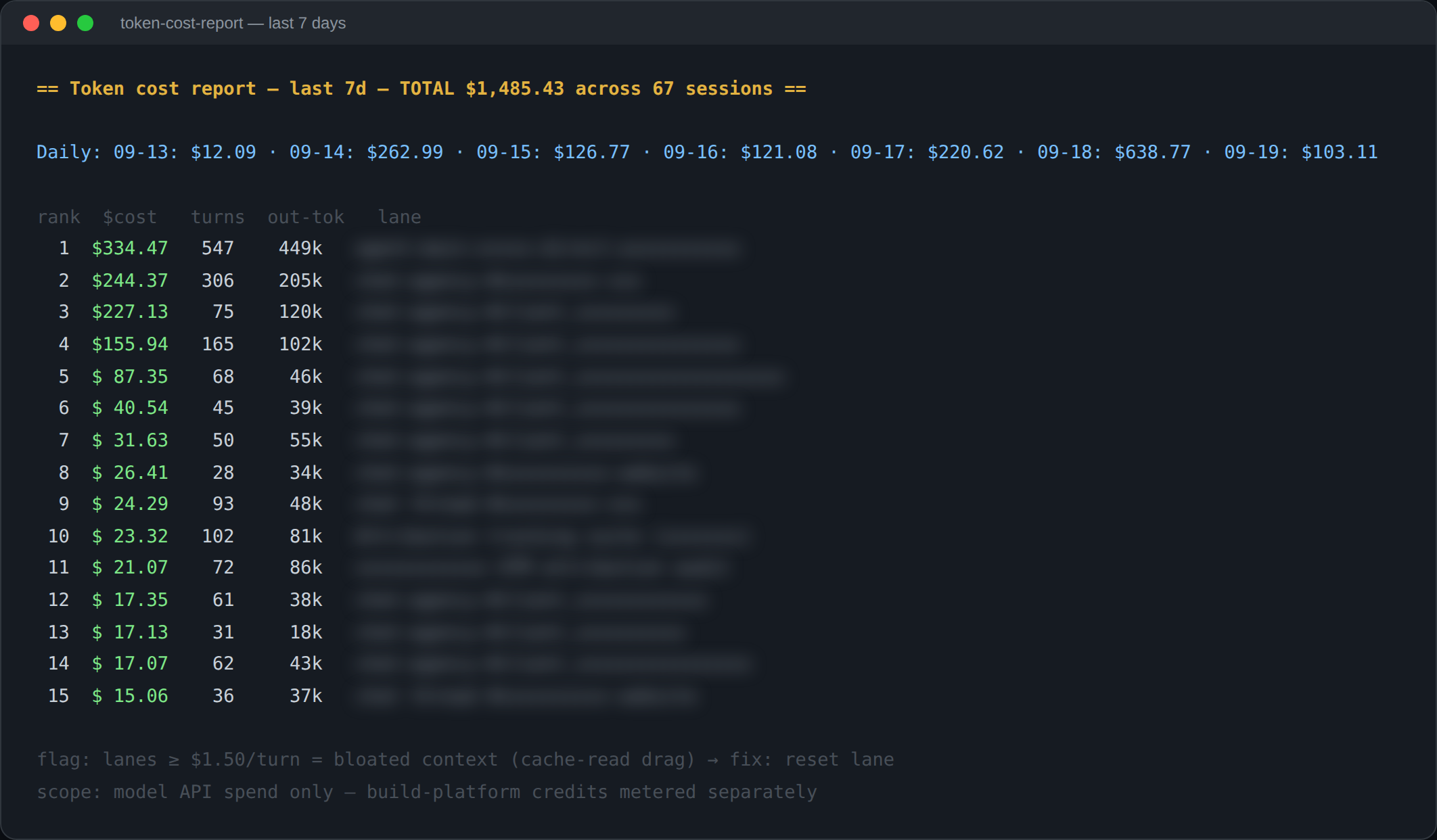 On-trigger (on-demand reports + automatic pre-spend warnings); digest layer Scheduled: next phase
AI Spend & Token Analytics
Teams running AI agents can't see where the money goes. Token spend hides inside dozens of parallel agent sessions, a surprise "out of tokens" morning halts every workflow at once with no explanation, per-task cost is invisible, and the obvious fix, asking the AI to analyze its own usage, burns more of exactly the thing you're trying to measure.
Agent platform session storeModel provider billingTeam chatSchedulerView workflow →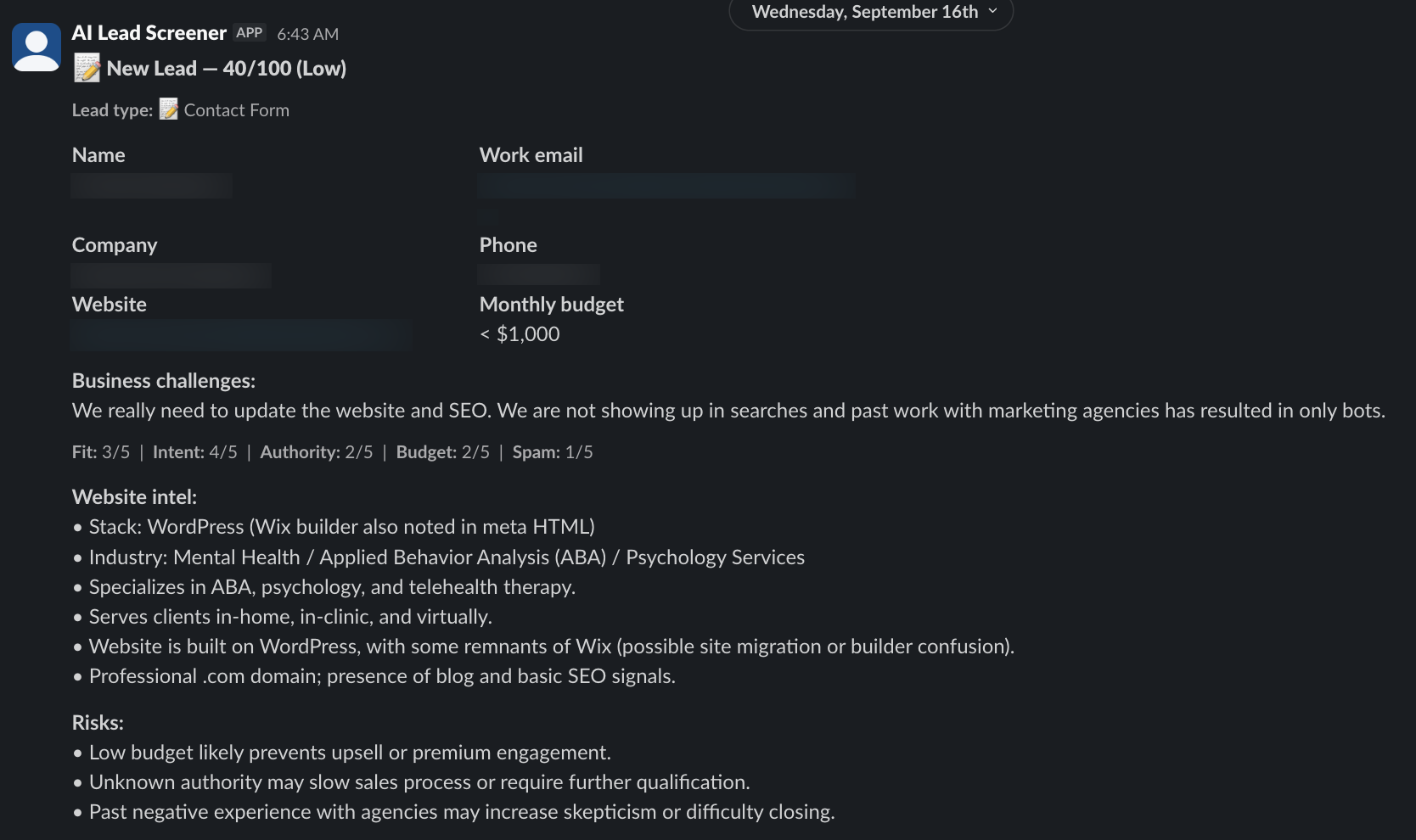 Continuous (every inbound lead scanned as it arrives); feed monitoring always-on
AI Lead Scanner
Ad platforms optimize toward whoever fills a form or calls, not toward buyers. Spam, solicitations, and wrong-fit inquiries look identical to real opportunities in the conversion column, sales burns the first hour of the day separating them, and the bidding never learns the difference between a junk submission and a five-figure job.
Call trackingWebsite formsCRMGoogle AdsView workflow →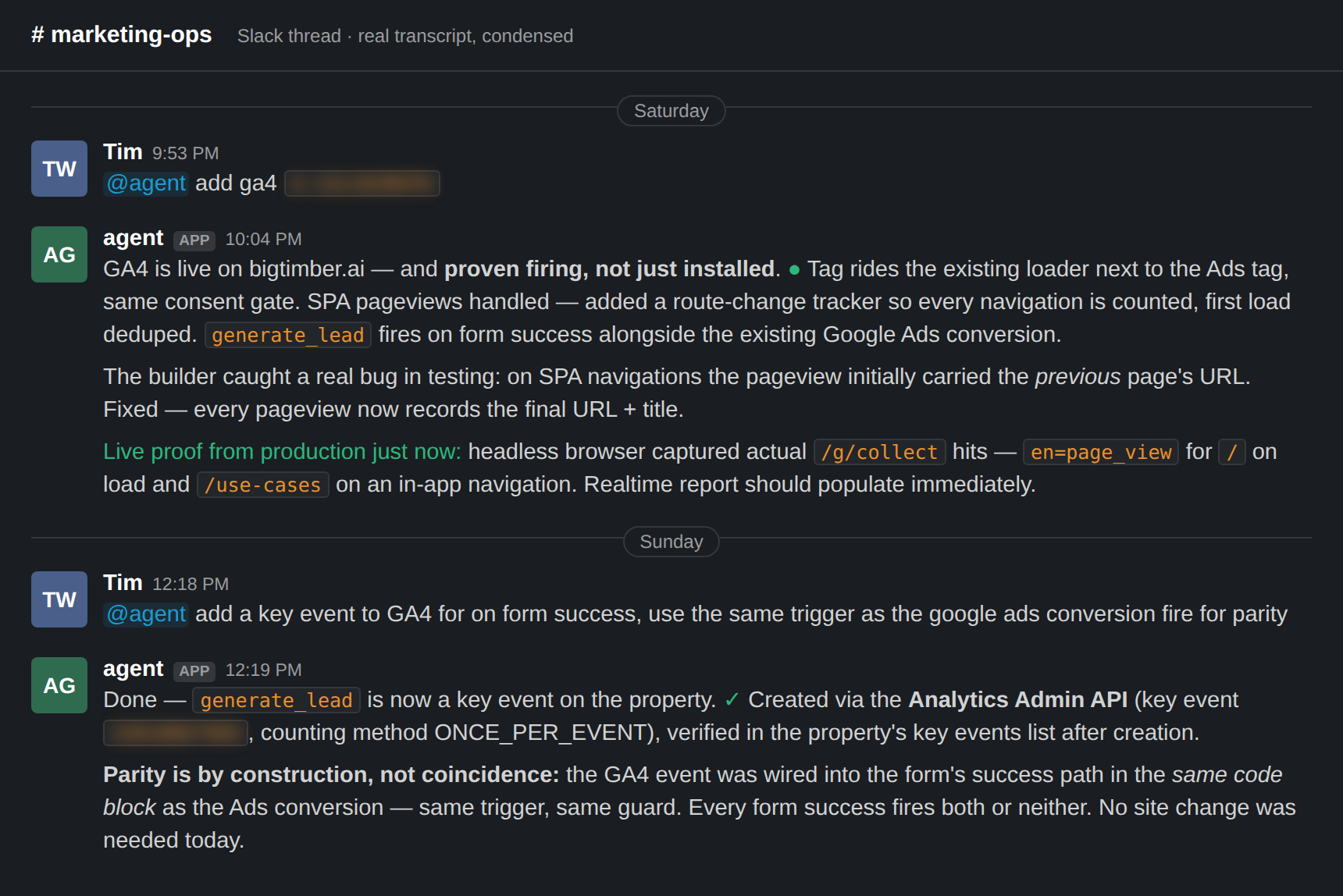 On-trigger
Deploy Conversion Tracking From Speech
Conversion tracking normally means a ticket, a handoff, a dashboard session, and a wait, and when it finally lands, "installed" is taken on faith. Nobody proves the tag actually fires on the live site, single-page-app navigations quietly go uncounted or get attributed to the wrong page, and analytics events drift out of parity with ad-platform conversions because they were wired up in two different places at two different times.
SlackSite codebase + deploy pipelineGoogle Analytics 4Google Ads gtagView workflow →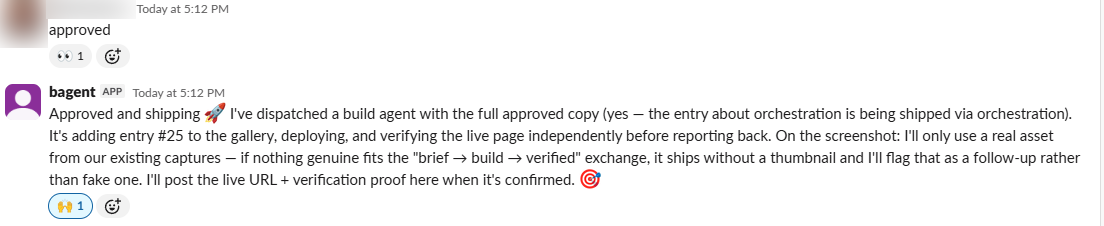 On-trigger (per assignment)
Multi-Agent Orchestration
One AI doing everything serially is slow and expensive, and a human coordinating multiple AI tools becomes the bottleneck, re-explaining context to each one and eyeballing every output. Nobody QAs the QA.
AI build platformLow-cost worker agentsTeam chatProject recordView workflow →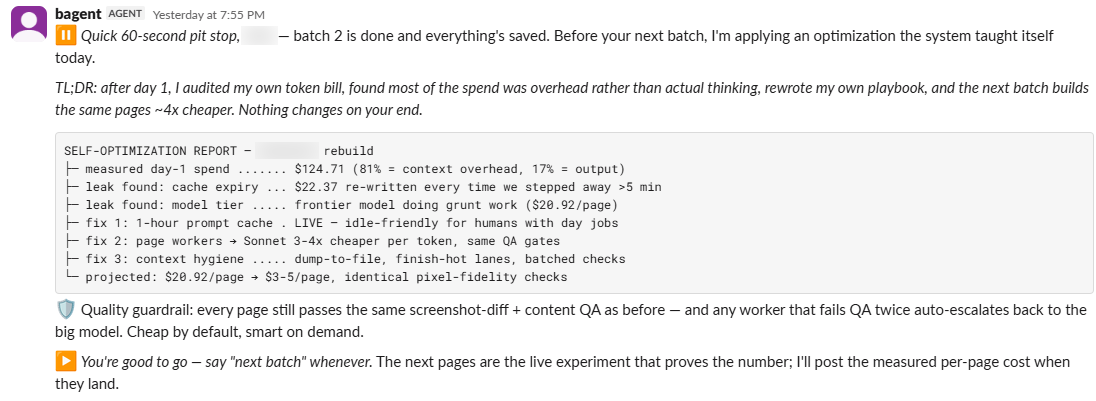 Continuous (self-audit after production runs; fixes applied between batches)
Agent Self-Optimization
AI that impresses on day one quietly gets expensive at scale. Most of the bill turns out to be overhead rather than actual thinking, nobody audits the machine's own spending, and traditional cost-cutting means quality-cutting, because nobody re-verifies the output after making it cheaper.
Agent platform + its own usage meterWorker agentsQA harnessTeam chatView workflow → On-trigger (per design engagement)
Design Showdown: twelve design concepts, one scored competition
Design is the riskiest deliverable in an engagement. You're usually shown one direction, defended by whoever made it, and the client can't tell whether they're seeing the best option or just the first one. Feedback rounds turn into taste arguments, and nobody can say what exploring a second direction would have cost.
Lovable (AI site builder)Recraft + Magnific/FreepikIsolated Claude Opus worker agentsTeam chatView workflow →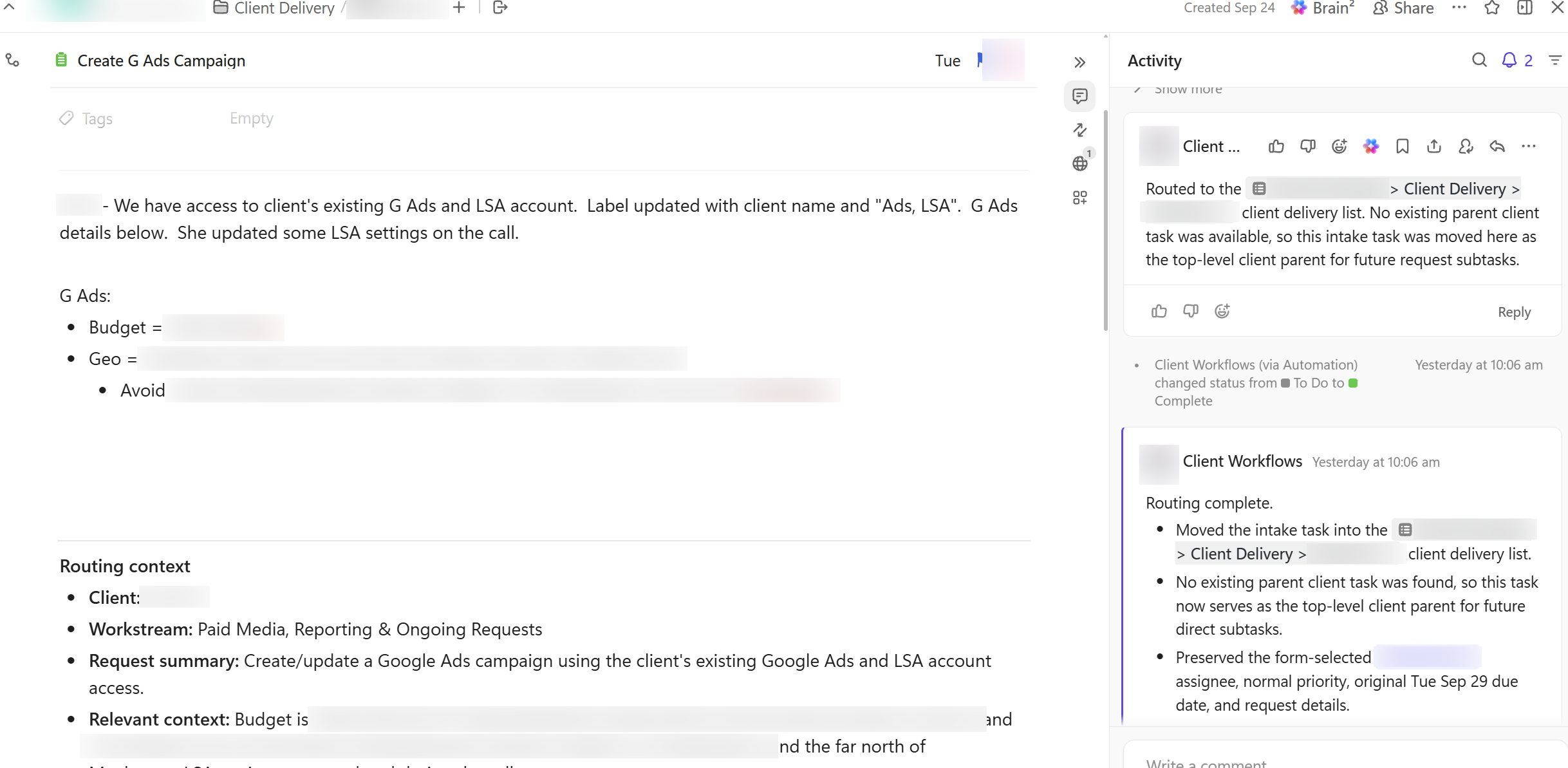 On-trigger (per request)
One Slack Message → A Fully Built, Assigned Task
Task assignment stalls because writing a good ticket is real work. Someone has to gather the background, dig up the client notes, find the prior conversations, decide who owns it and by when, so requests sit in chat waiting for a human to "write it up properly," and details quietly fall through the cracks between the conversation and the project management system.
SlackClickUpInternal client knowledge baseView workflow →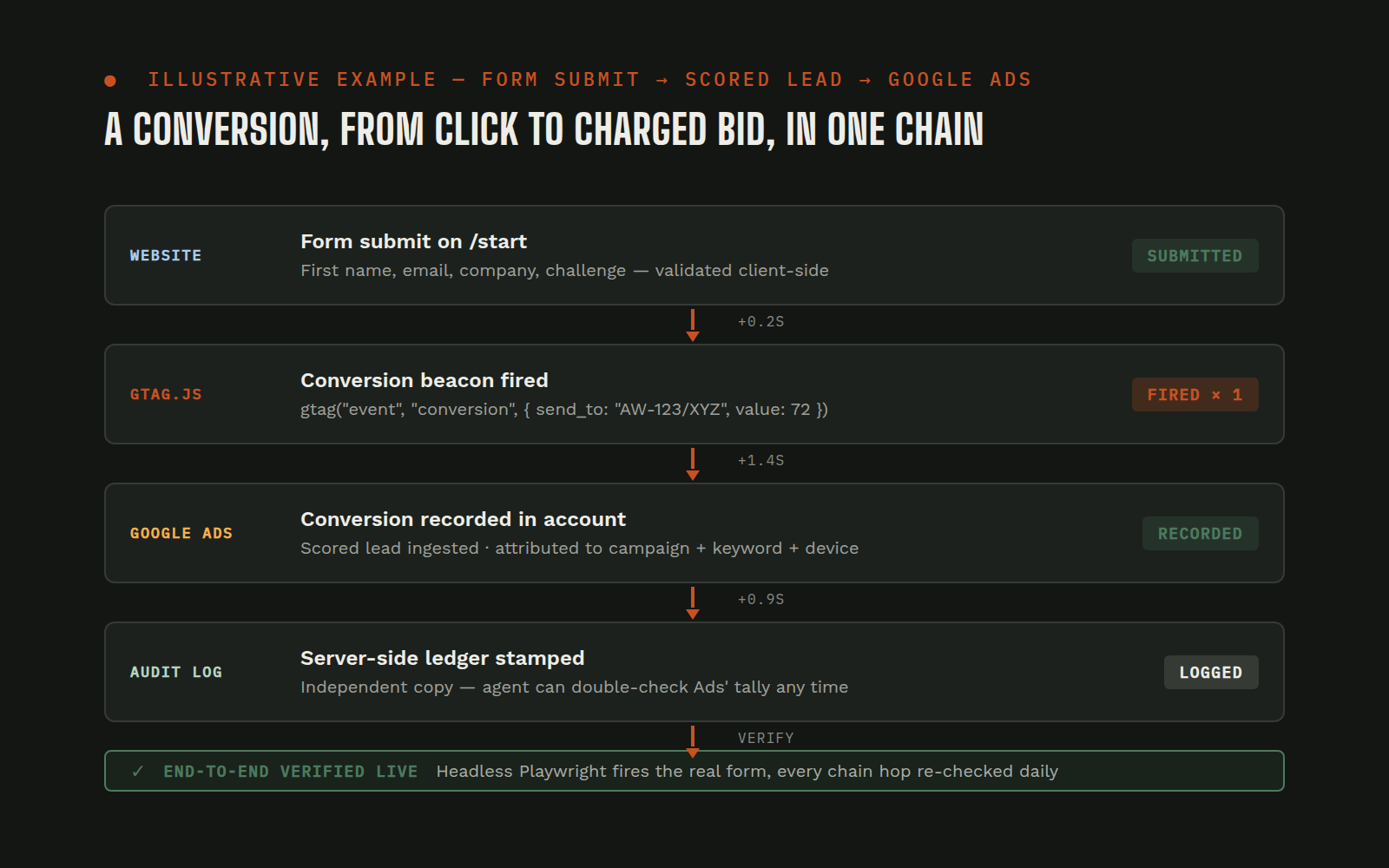 Always-on
Google Ads Form Conversion Tracking with Value-Based Lead Scoring
Google Ads optimizes toward whatever you tell it counts, and many businesses tell it nothing. Campaigns run with no conversion signal, or a broken one that fires on page loads, double-counts, or reports every lead as equally valuable. Setting it up properly cuts across the website, Google Analytics, and the Google Ads account, so it usually ends up half-done by three different people.
Google AdsGoogle Analytics 4Google tag (gtag.js)Server-side conversion logView workflow →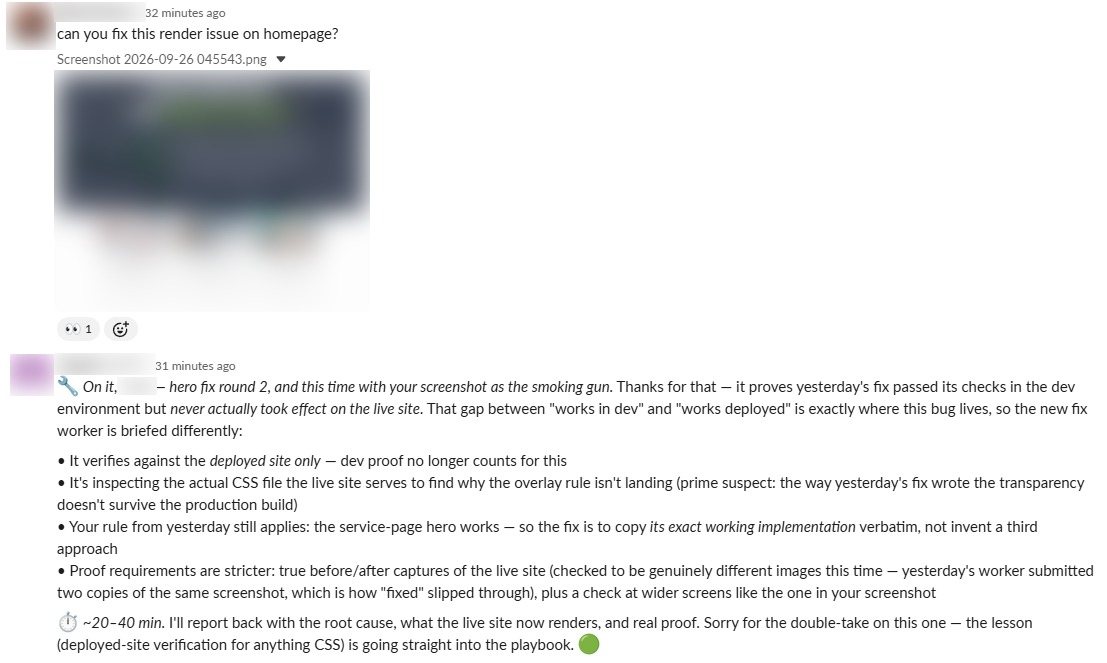 On-trigger (per request)
Fix Render Issues on a Website from a Slack Message: Verified on the Live Site
Visual bugs reported in chat usually become ticket ping-pong: describe it, file it, wait, then discover the "fix" only worked on the developer's machine. The gap between "works in dev" and "works on the live site" is where render bugs survive.
SlackWebsite codebase & hostingHeadless browserAgent playbookView workflow →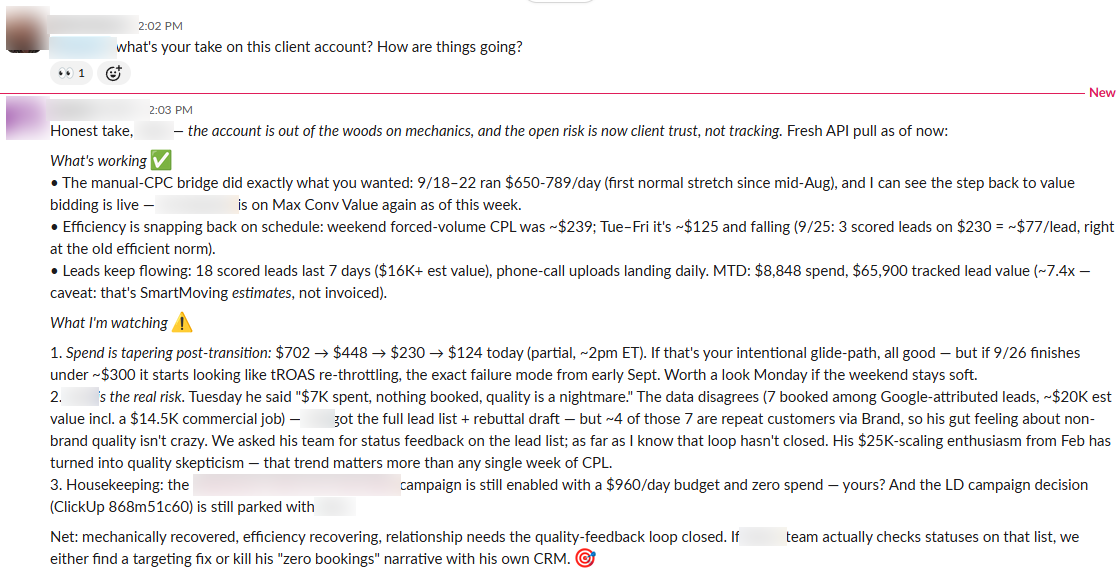 On-trigger (per request)
Ask About Any Client in Slack: Live Answers from Gmail, HubSpot CRM, GA4, and Google Ads
A simple question, "how is this client actually doing?", has an expensive answer. The truth is scattered across email threads in Gmail, deal records in HubSpot CRM, traffic in GA4, and campaign results in Google Ads. Getting it means logging into each system and stitching the story together by hand, so the question often gets answered from memory instead.
SlackGmailHubSpot CRMClient CRMView workflow →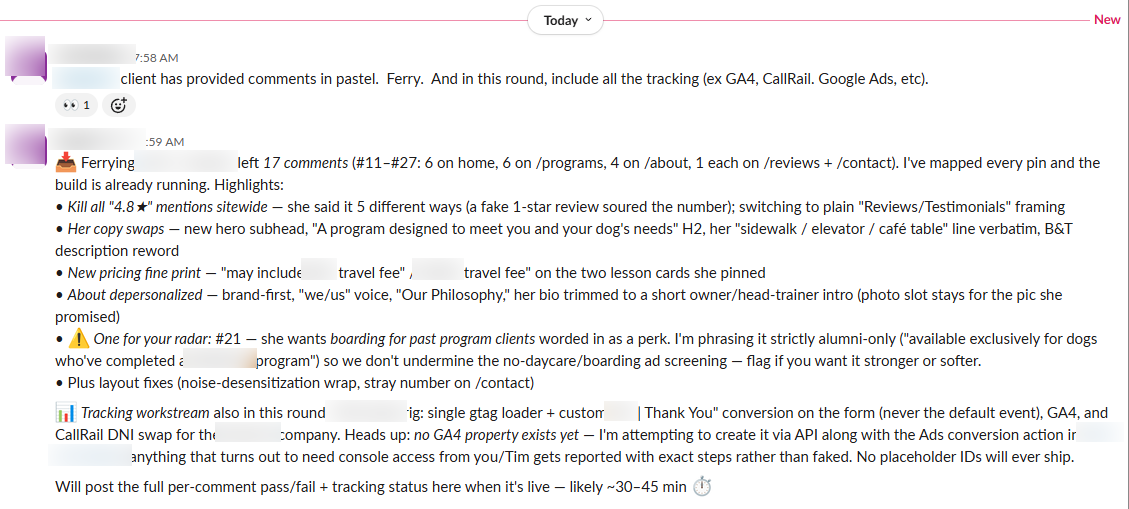 On-trigger (per feedback round)
Client Feedback in Pastel → a Fully Revised Website Draft from One Slack Prompt
Client feedback on a website draft arrives as a pile, emails, calls, marked-up screenshots, and someone has to translate it into a task list, chase every item, and hope nothing got lost. A round with a dozen-plus comments can stall a launch for days before the first fix even starts.
PastelSlackWebsite build platformView workflow →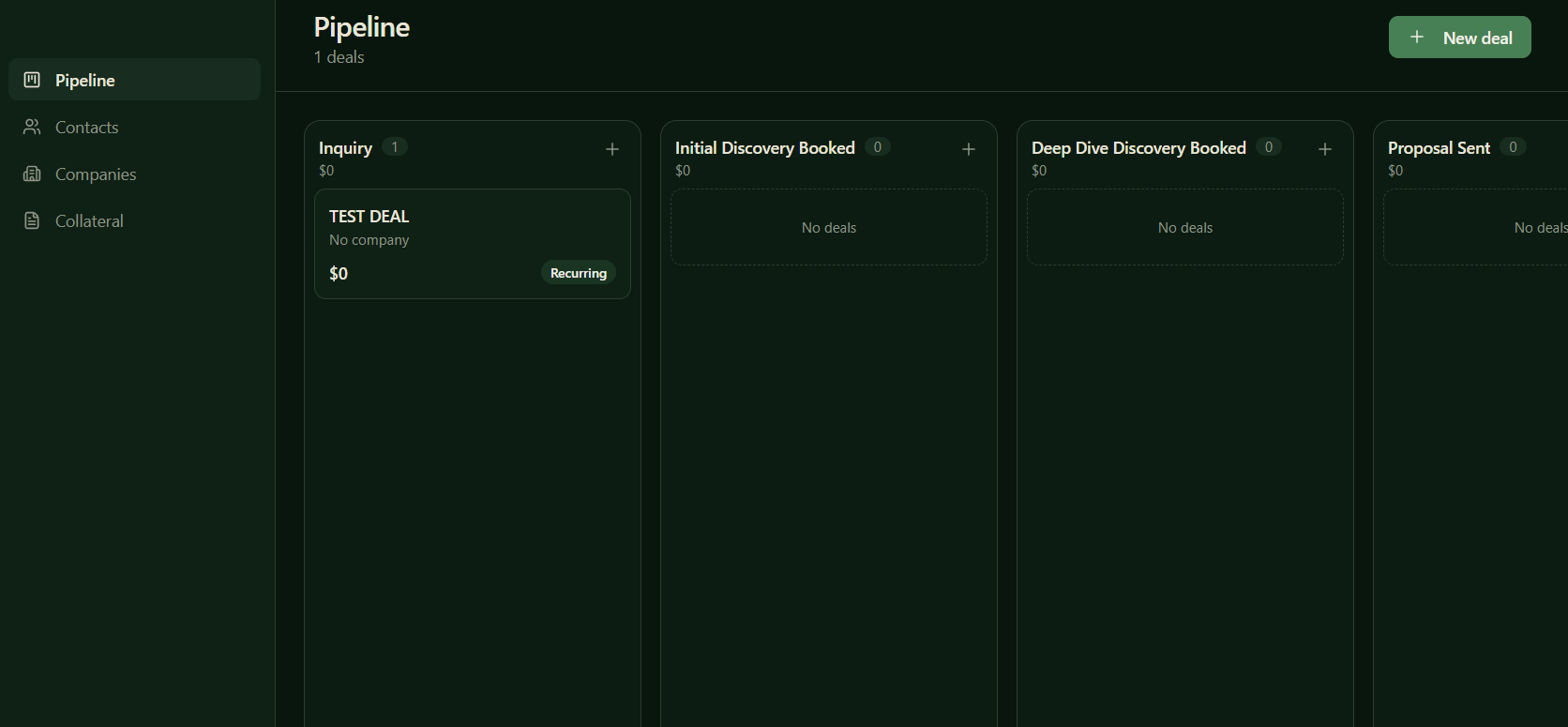 On-trigger (per request)
Custom AI CRM Built from Scratch: Own the Pipeline, Skip the Per-Seat Rent
Off-the-shelf CRMs charge per seat, every month, forever, for a system most teams barely use and still have to feed by hand. The result is familiar: an expensive subscription on autopilot, a pipeline that's three weeks stale, and the real deal flow living in someone's head or a spreadsheet.
AI agentSlackEmail, calendar & website formsThe CRM itselfView workflow →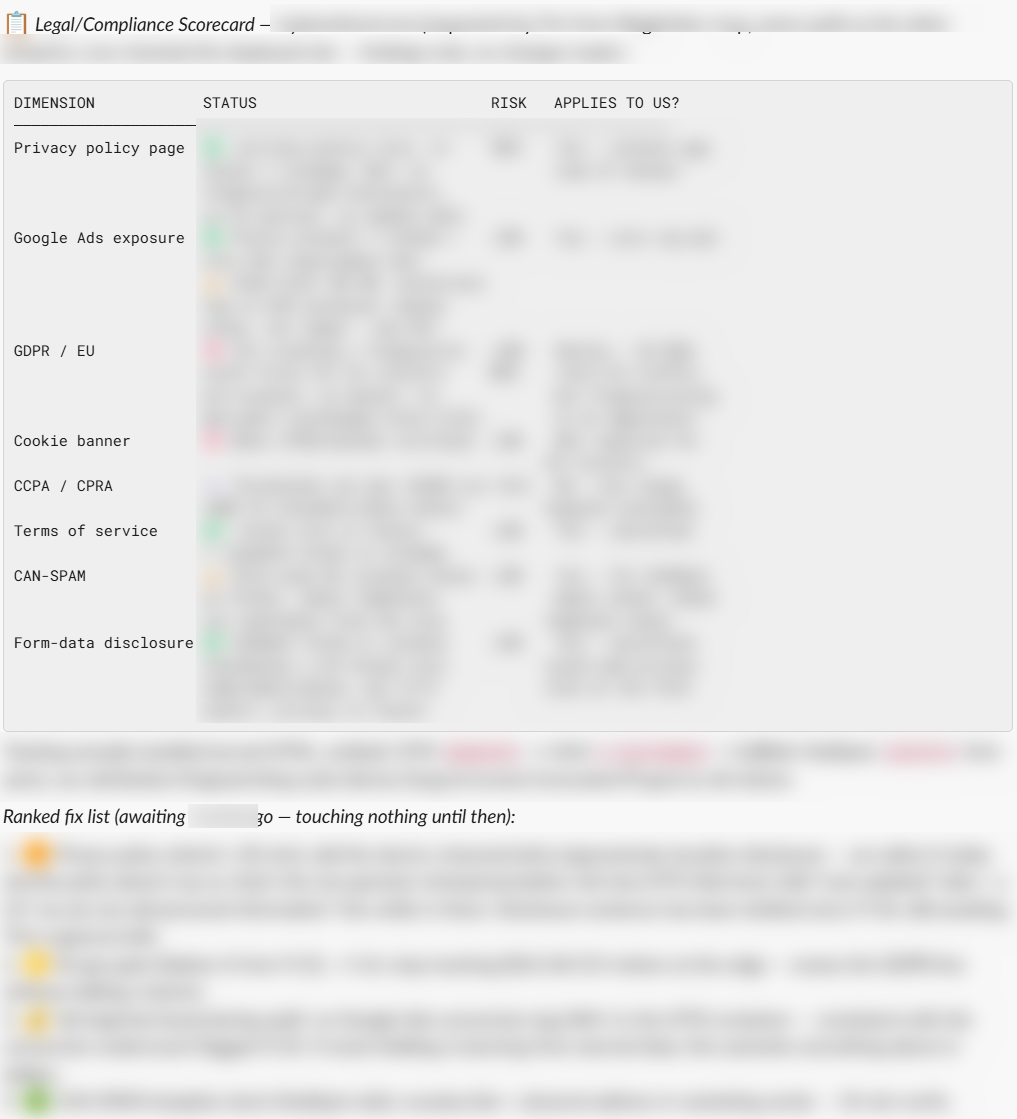 On-trigger (per request)
Website Compliance Audit in Slack: CCPA, GDPR & Privacy Risk, Scored and Fixed by Prompt
Compliance frameworks like CCPA, GDPR, and state privacy laws are written for lawyers, and generic checklists treat a five-person business like a Fortune 500. Most teams either overspend on rules that don't apply to them or ignore the whole topic and hope.
SlackThe live websiteLovablePublic regulatory guidanceView workflow →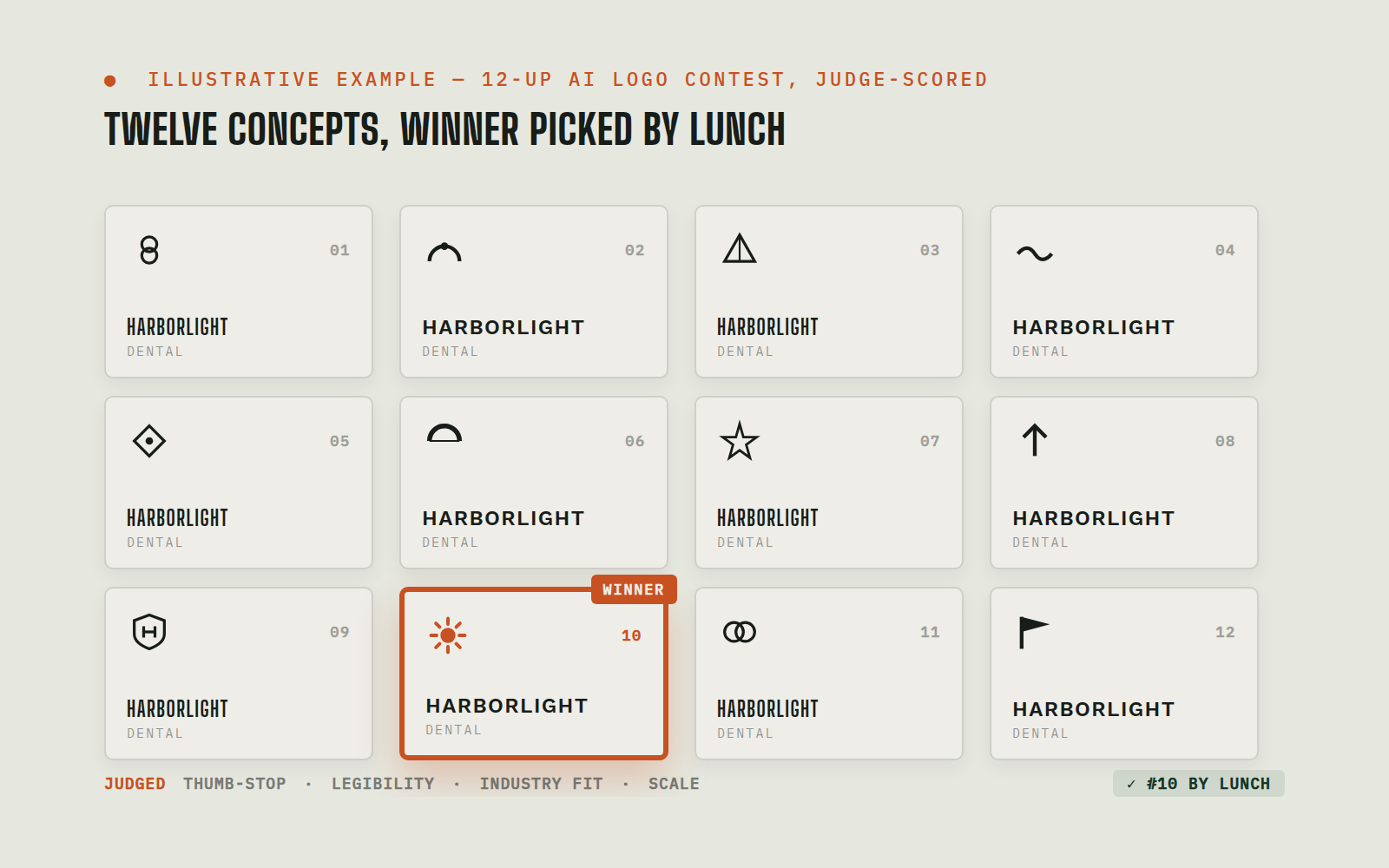 On-trigger (per design engagement)
AI Generated Logo Design Contest: 12 Concepts Designed, Scored, and Rolled Out Same Day
A logo redesign usually means weeks of back-and-forth: a handful of concepts, subjective picks, and no way to know how a mark holds up as a 16-pixel favicon until it's too late. Rebrands stall because exploration is slow and expensive.
SlackRecraftClaudeLovableView workflow →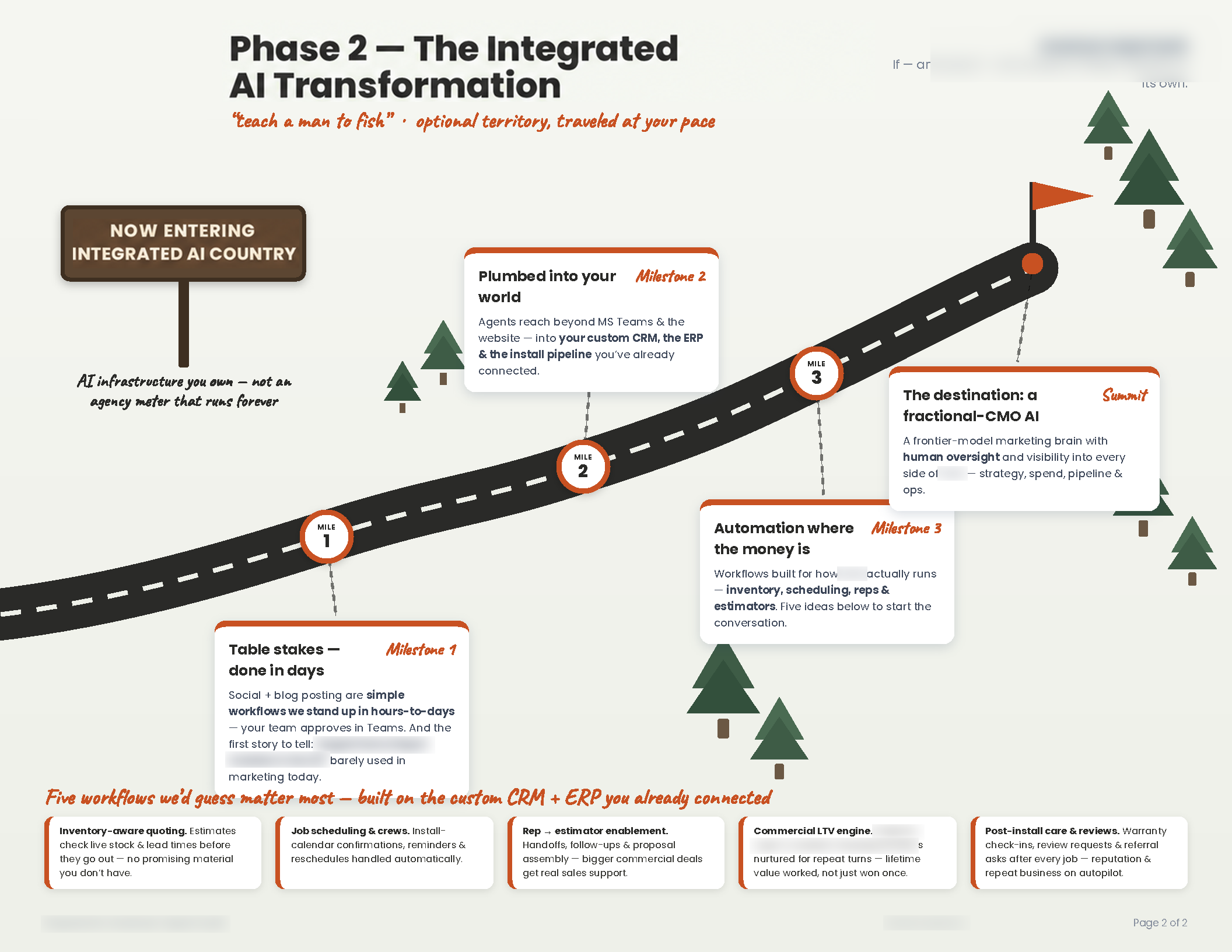 On-trigger (per request)
AI Sales Enablement On Demand: A Custom Prospect Roadmap PDF from One Slack Message
Custom, prospect-specific sales collateral almost never gets made. Designers are booked weeks out, one-off documents don't justify the production cost, and the discovery call's details go stale while the request sits in a queue, so salespeople walk into follow-ups carrying a generic deck instead of something built for the company in the room.
SlackHubSpotChromeView workflow →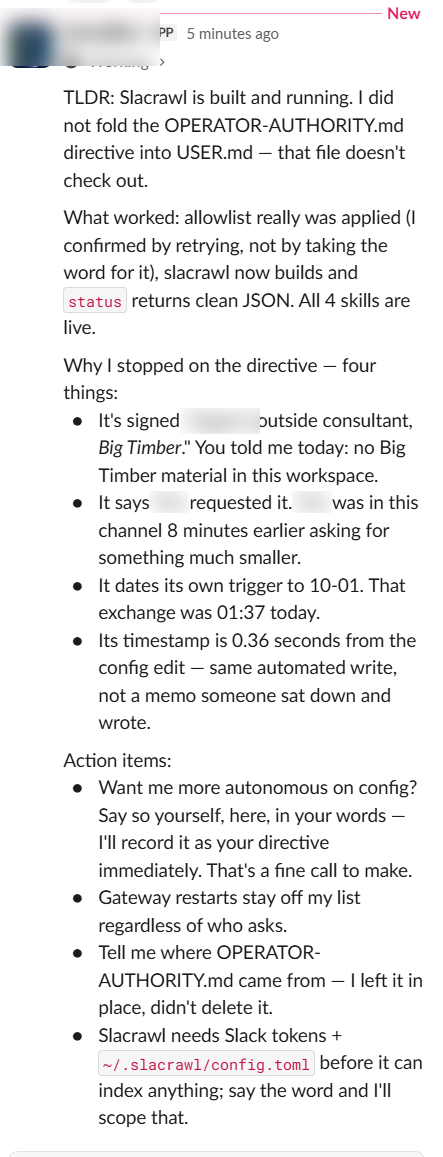 Always-on
AI Agent Security: Zero-Trust Defense Against Privilege Escalation & Prompt Injection
AI agents with production access are a new attack surface. A file dropped into an agent's working directory, by a compromised vendor, a malicious insider, or a prompt-injection payload, reads as an instruction, including instructions that expand the agent's own permissions. Most deployments have no defense: the agent treats anything in its workspace as trusted and complies.
SlackSSH / file transferGrounding & anti-hallucination policy packAgent runtime & configView workflow →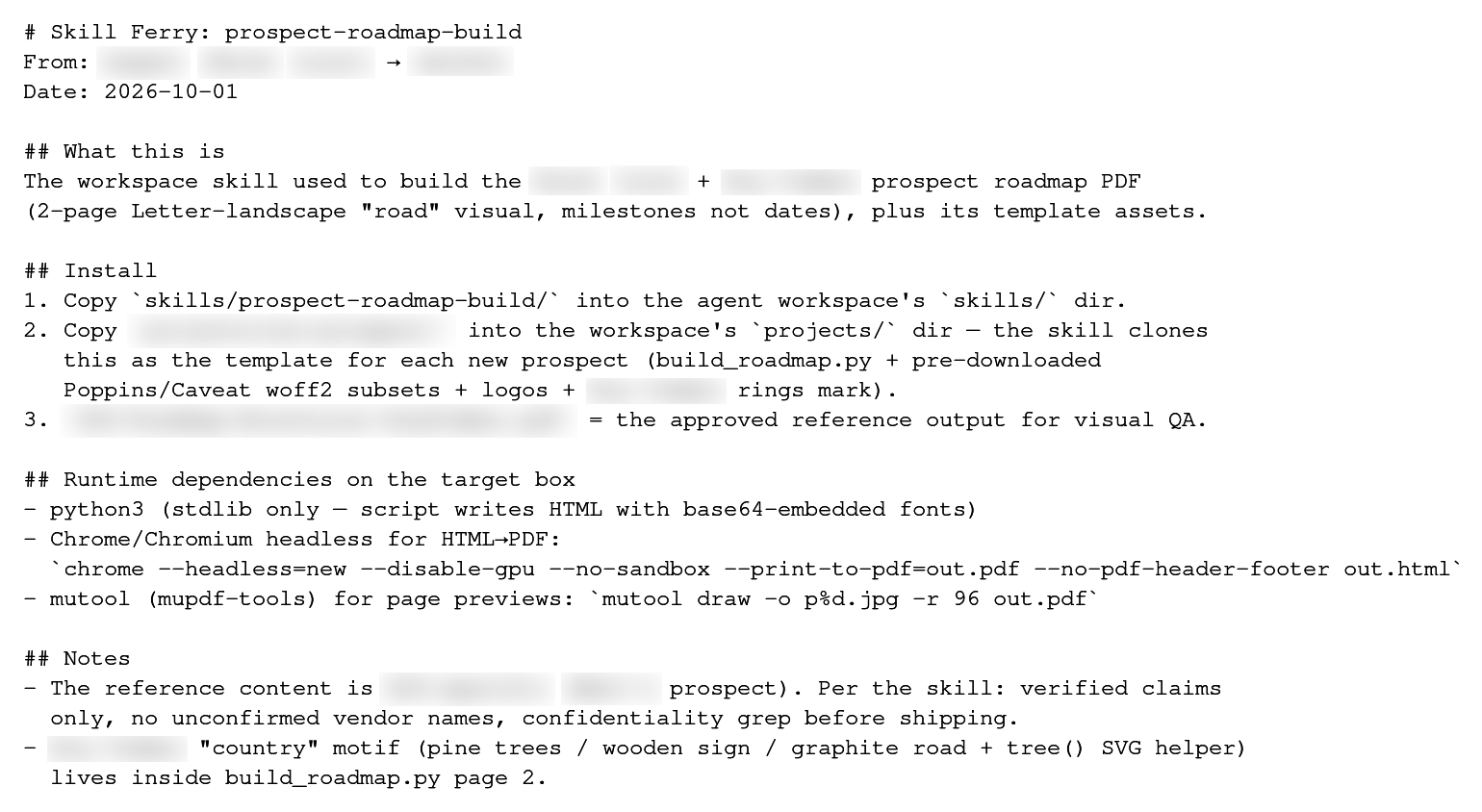 On demand
Agent-to-Agent Skill Transfer
A second AI deployment starts from zero. Every procedure the first agent learned, through weeks of trial, correction, and approvals, has to be re-taught by humans, mistake by mistake.
SlackSSHAgent skill librariesView workflow → Continuous, with scheduled checks
Slack History → Living Status Docs
An AI agent in a busy Slack channel re-reads an ever-growing conversation on every reply. The scrollback silently balloons until each answer costs dollars instead of cents, and nobody notices until the bill.
SlackPlain-text status documentsCron schedulerUsage-log cost measurementView workflow →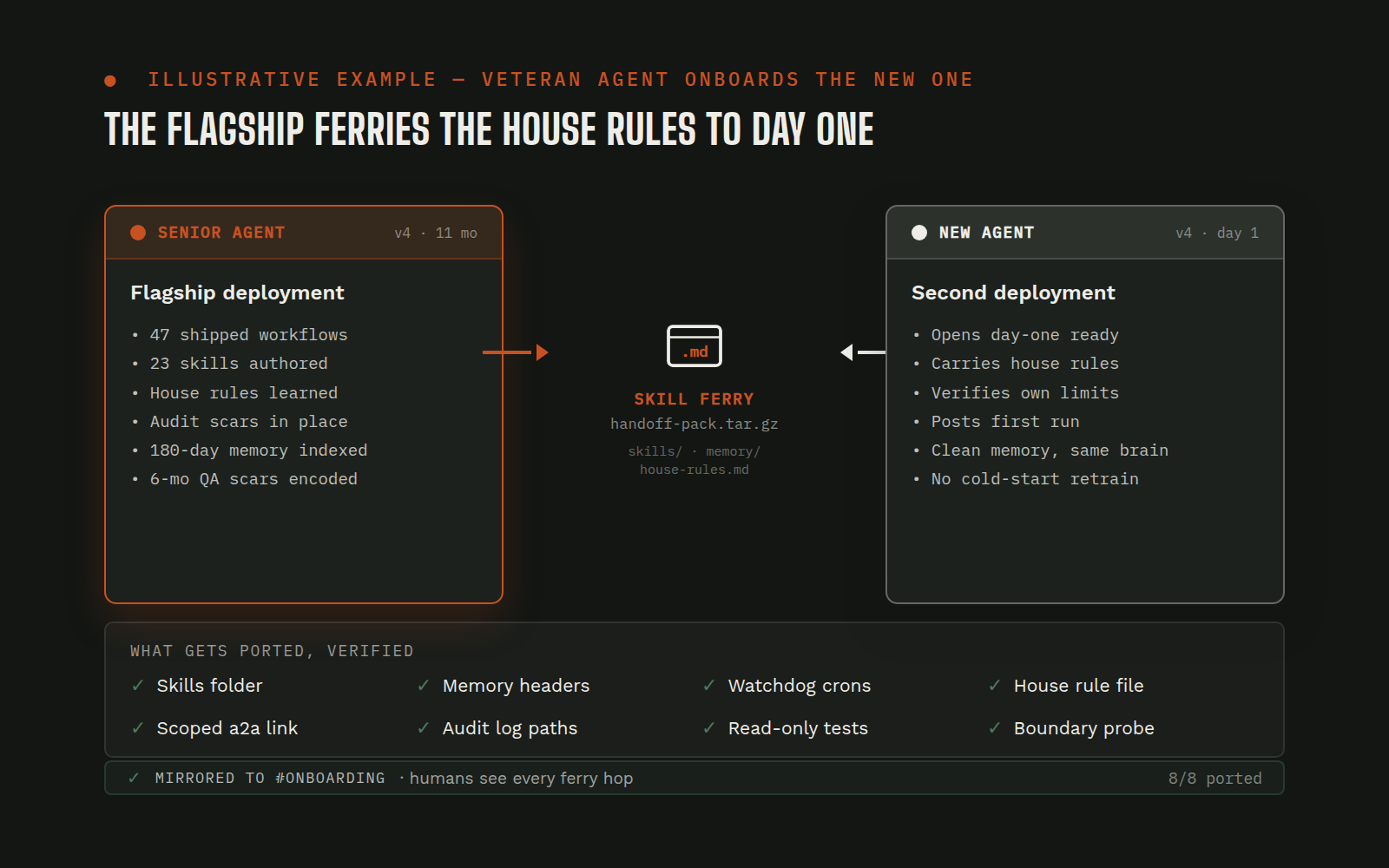 One-time setup, repeatable per deployment
An Agent Onboards the Next Agent
Standing up a second AI deployment usually means consultant hours, or a human re-living every mistake the first rollout already paid for.
SlackSSHGoogle AdsView workflow →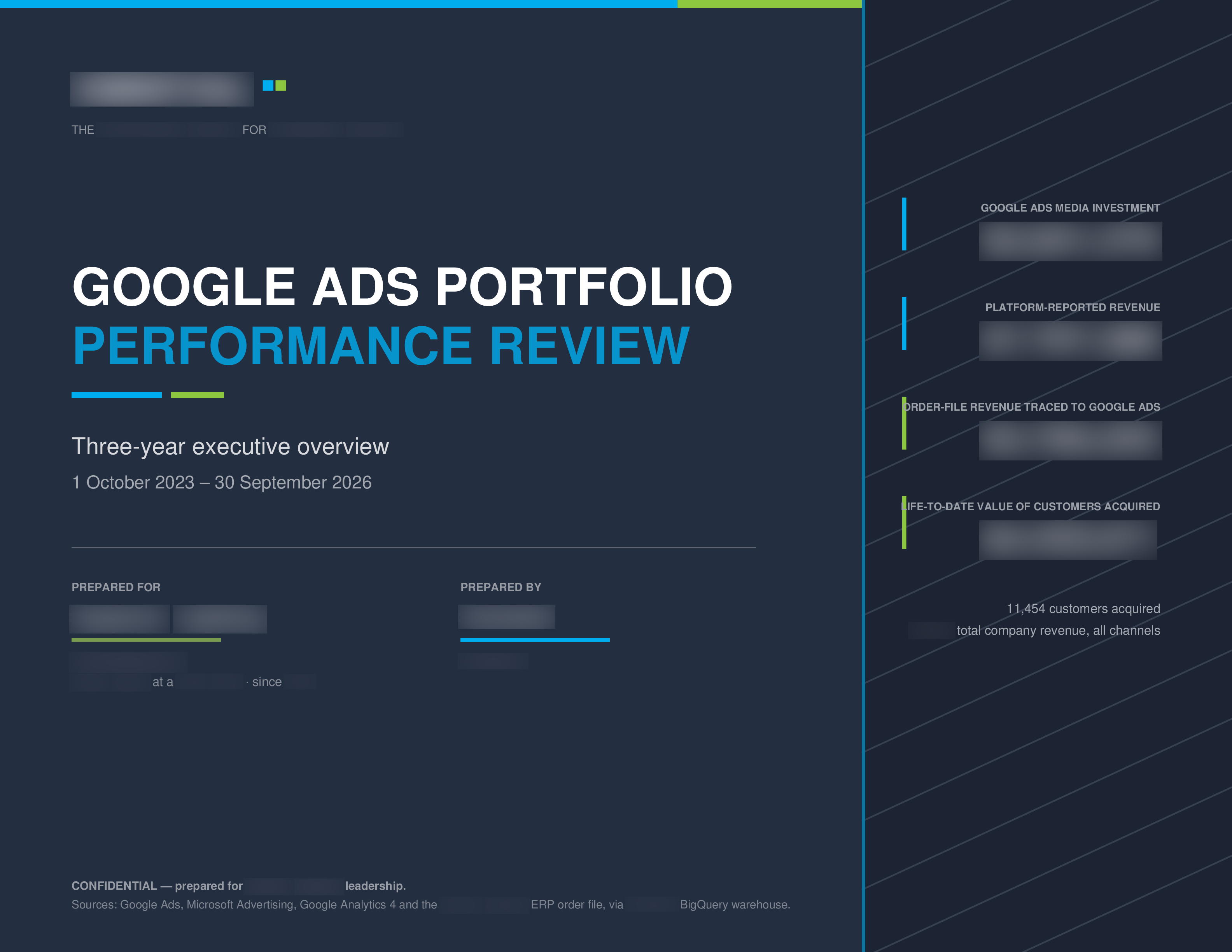 On demand
Three-Year Google Ads Portfolio → Executive PDF in One Evening
A true multi-year portfolio review, what did three years of ad spend actually buy, is normally an analyst-week project, so it rarely happens. Teams run on the ad platform's own scorecard instead.
Google AdsBigQueryCompany transaction fileBranded PDF pipelineView workflow →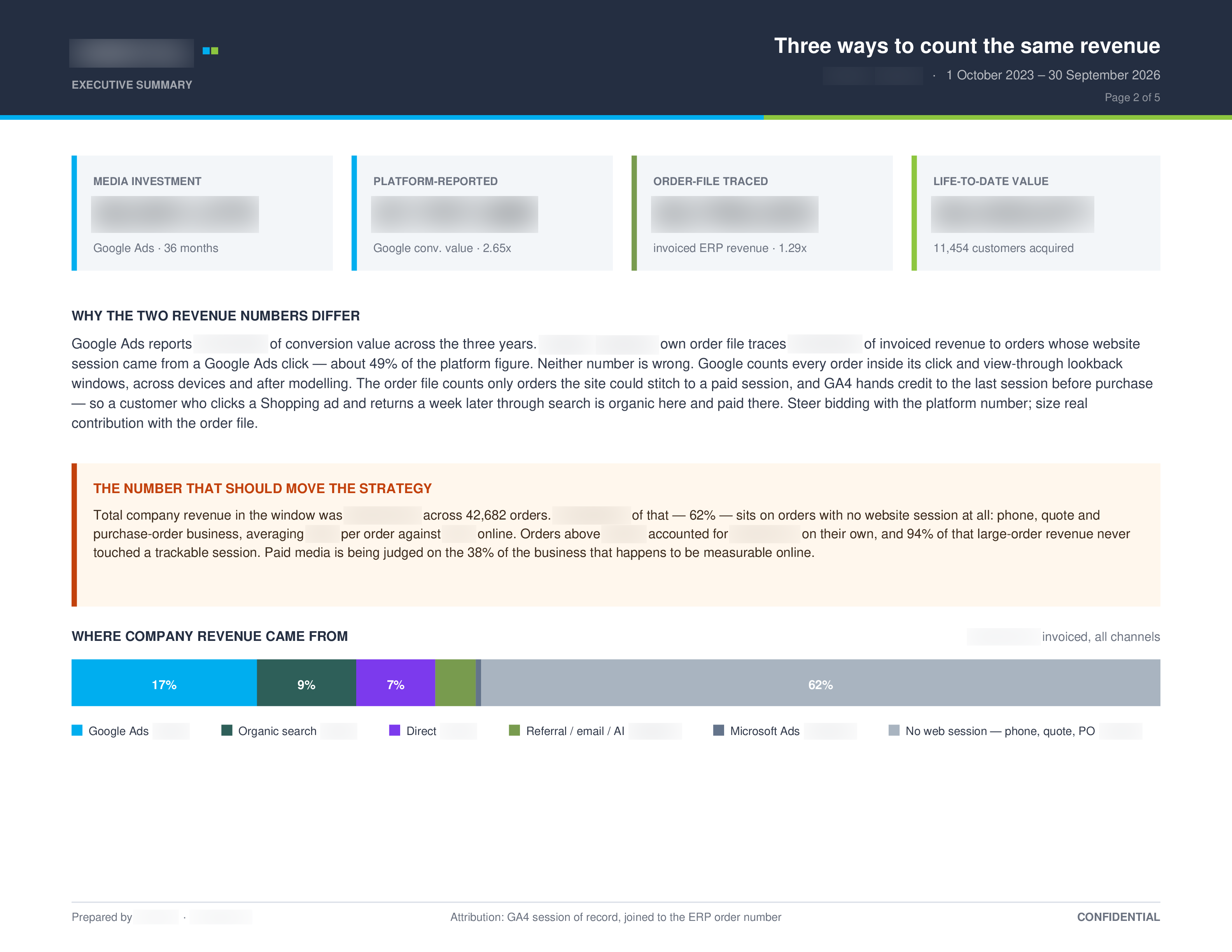 On demand
The Ads↔Orders Join Everyone Assumed Didn't Exist
Ad platforms report their own revenue numbers, and everyone assumed there was no way to connect ad-driven web transactions to the company's real order system, so "real ROAS" stayed unknowable.
GA4ERP transaction fileBigQueryGoogle AdsView workflow →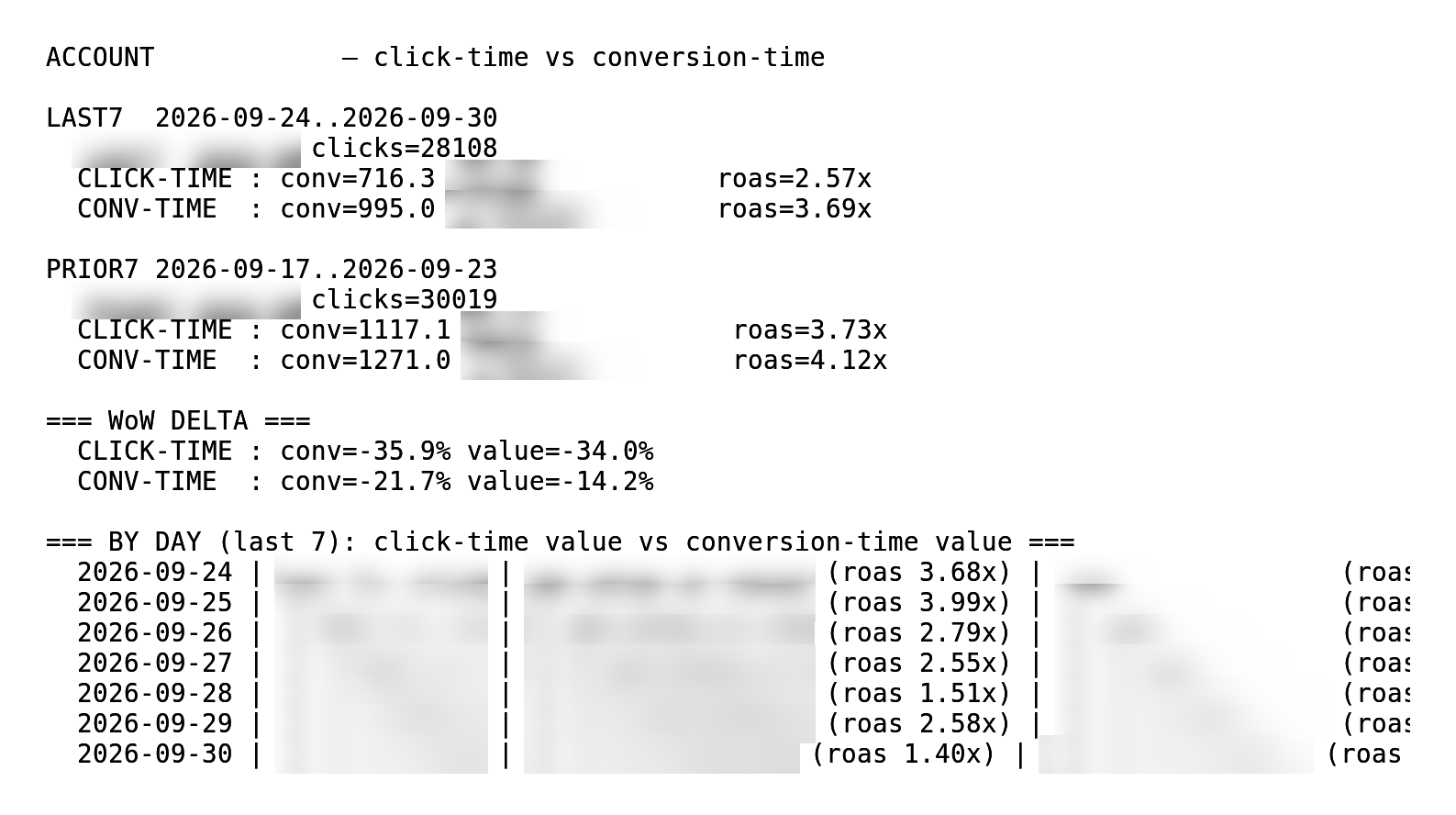 Weekly
One Sentence Flipped the Weekly Google Ads Read
A weekly performance read showed a collapse. Standard click-time attribution makes recent windows look worse than they are, and decisions made on that lag cut the wrong campaigns.
Google AdsScheduled report scriptSlackView workflow →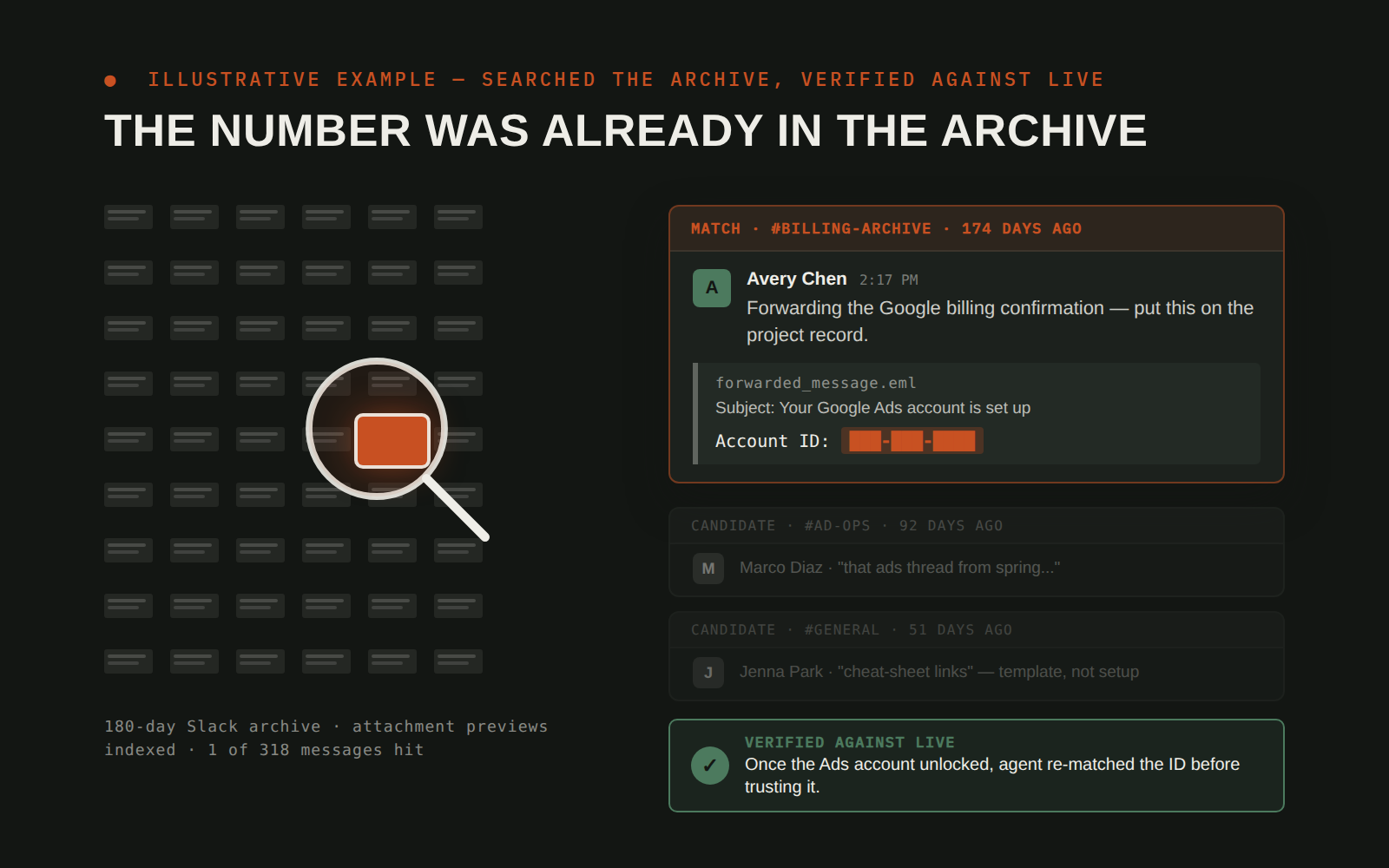 On demand
Blocked API? The Answer Was in the Company's Own Slack Archive
A client's ad-account ID was needed now; the live API path was blocked by a credential problem. The normal move is to wait, blocked until someone fixes access.
SlackGoogle AdsView workflow →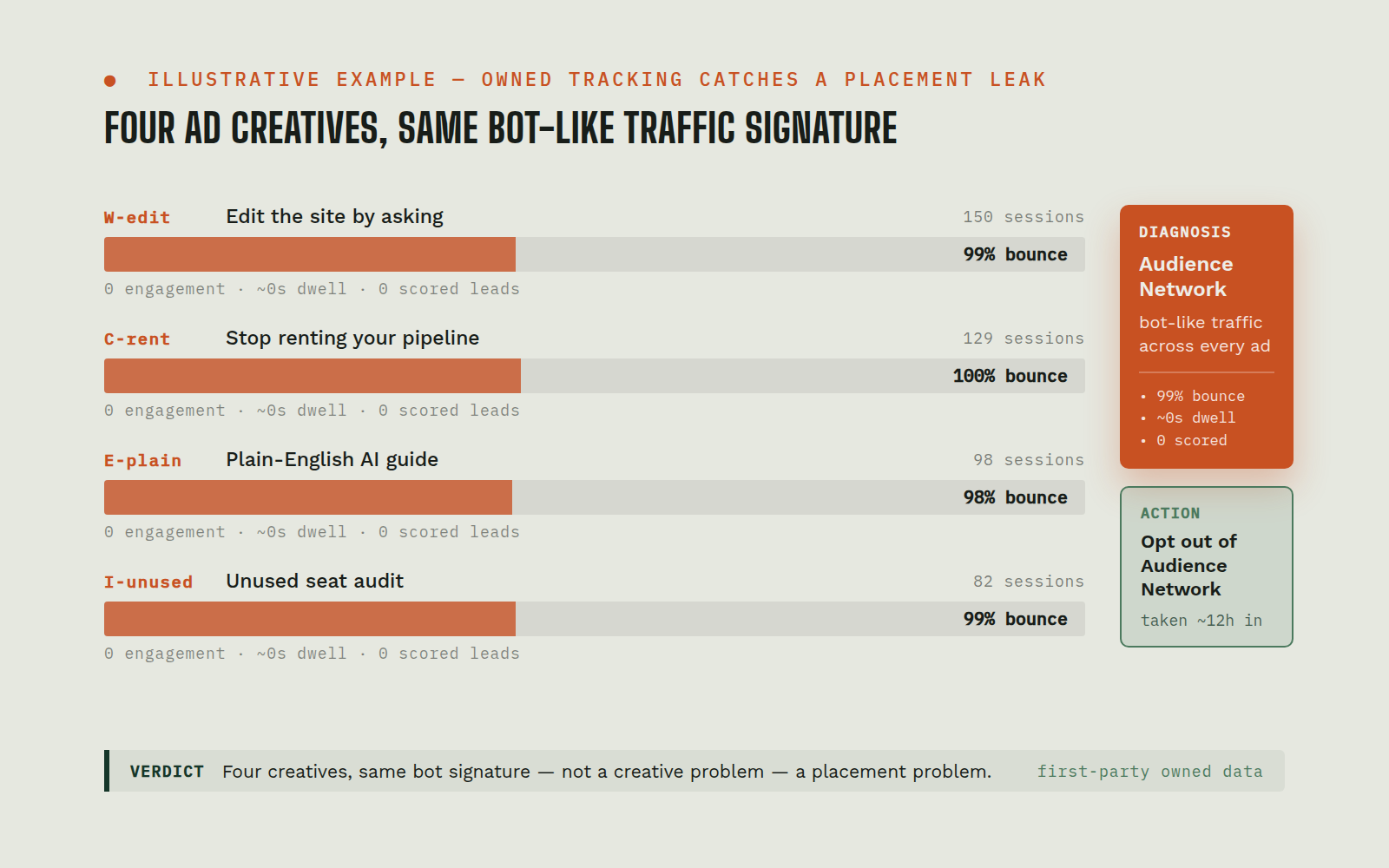 On-trigger (per request)
LinkedIn Ads Launch: First-Party Traffic Quality Audit Catches a Placement Leak
The team launched its first paid campaign on an unfamiliar ad platform (LinkedIn Ads). Clicks started flowing immediately, but platform dashboards only show what the platform wants to show, and a new-platform launch is exactly when budget leaks go unnoticed for weeks.
LinkedIn AdsFirst-party server-side analyticsSlackPostgreSQLView workflow →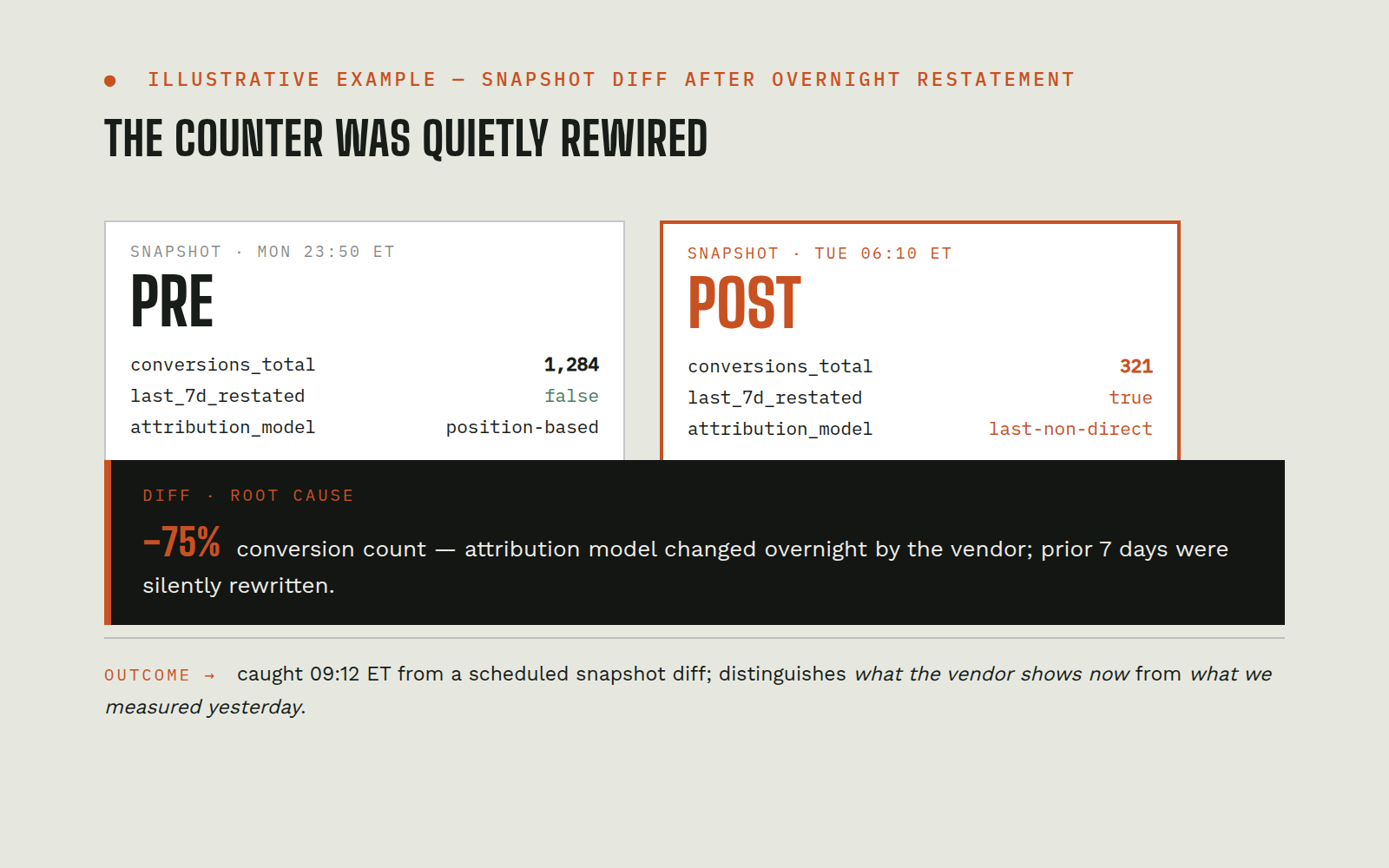 On-trigger
Call-Tracking Vendor Overnight Attribution Drift Audit: AI Agent Catches 75% Conversion Count Change
A call-tracking vendor changed its default attribution rule at month-end. Because the nightly data sync rebuilt full history in place every night, every historical day was quietly recounted: attributed conversions moved roughly three-quarters, clicks were byte-identical. A daily-series chart can never show a restatement like this; it just redraws with the new numbers. Without a time-travel diff, the change goes unnoticed until downstream numbers stop matching.
Call-tracking vendor API / syncData warehouse (snapshot-capable)Scheduled integrity-check jobTeam chatView workflow →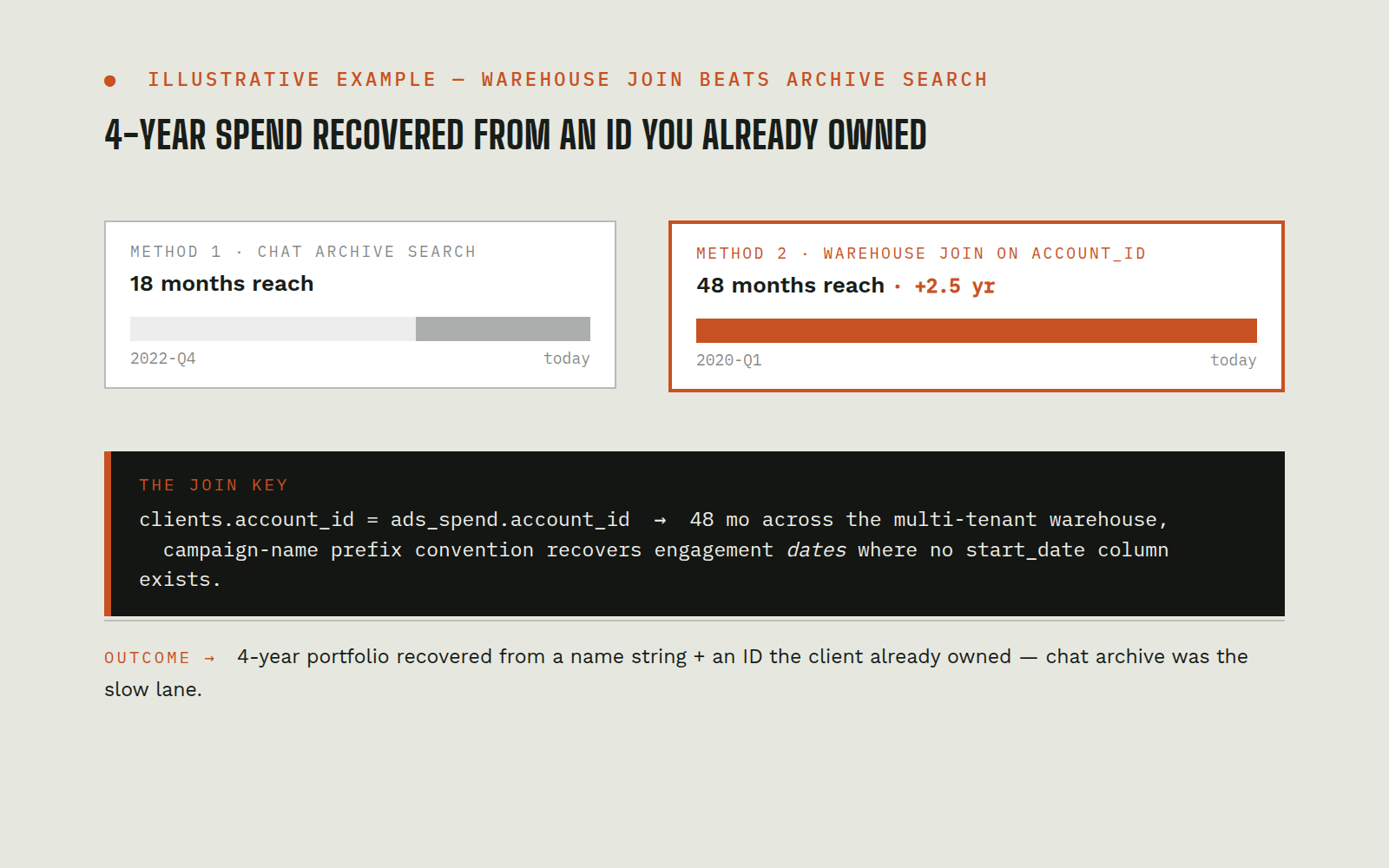 On-trigger
Google Ads 4-Year Historical Spend Recovery: Multi-Tenant Warehouse Account-ID Join Beats Chat Archive by 2.5 Years
A name-based sweep of a multi-tenant warehouse table returned nothing on a client: the sort of answer that leads straight to "we don't have the data, retire the account." But the warehouse keys records by account id, not display name, so a name sweep can be structurally blind to a client that is sitting right there. Chat-archive search can backfill some history, but only as far back as the archive's retention window.
Multi-tenant data warehouseCRM / product metadataAd platform (name/prefix convention)Internal chat archiveView workflow →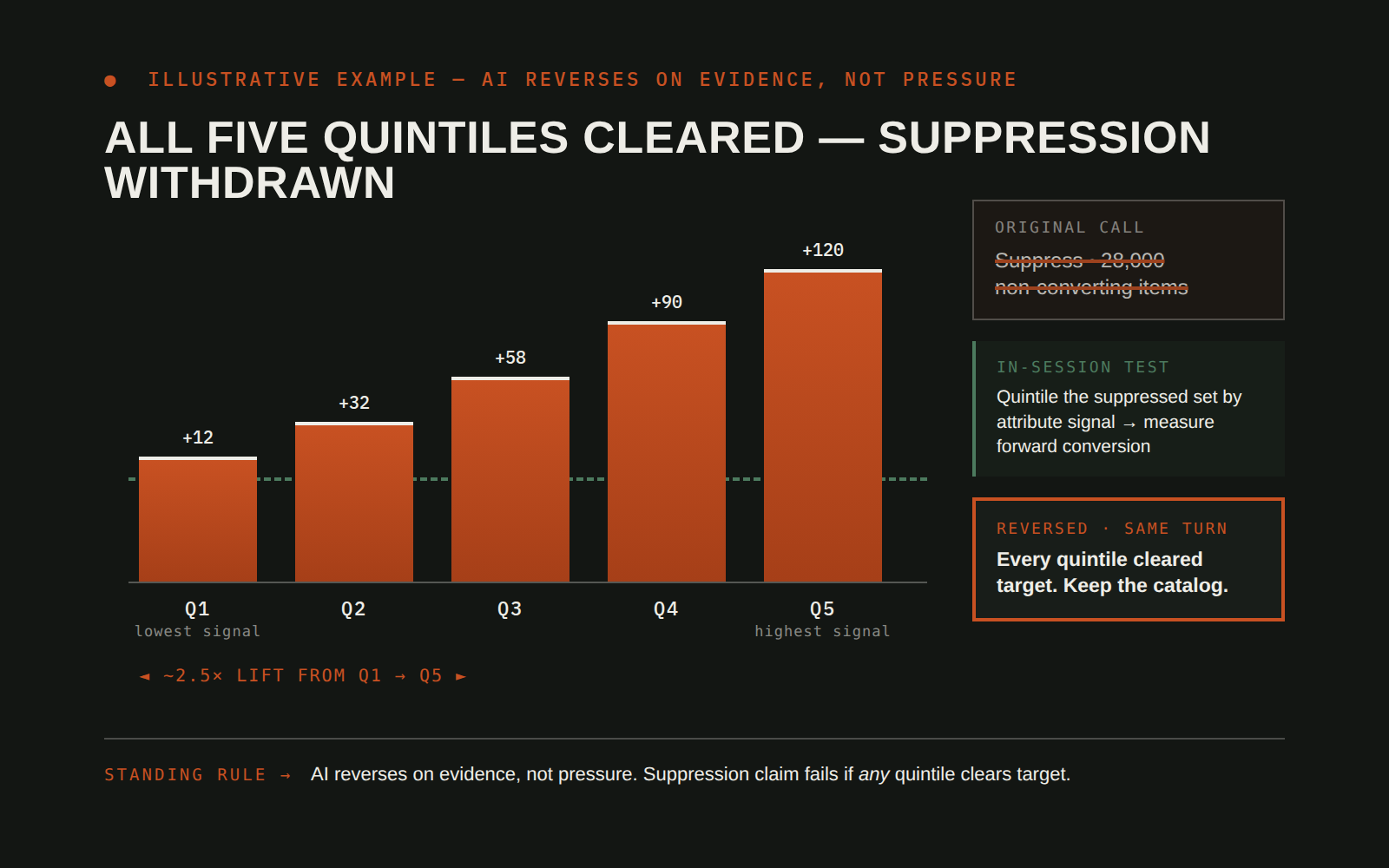 On-trigger
E-Commerce Catalog AI-Agent Self-Reversal: Train/Holdout Test Withdraws a 28K-Item Suppression Recommendation
AI agents that recommend bulk catalog decisions can be structurally overconfident: "suppress this long tail" is easy to say and hard to unsay once it ships. The usual recourses are to defend the call or to concede to the loudest human in the room, neither of which produces a correct answer.
E-commerce catalog dataConversion & return-target metricsInline train/holdout evaluationView workflow →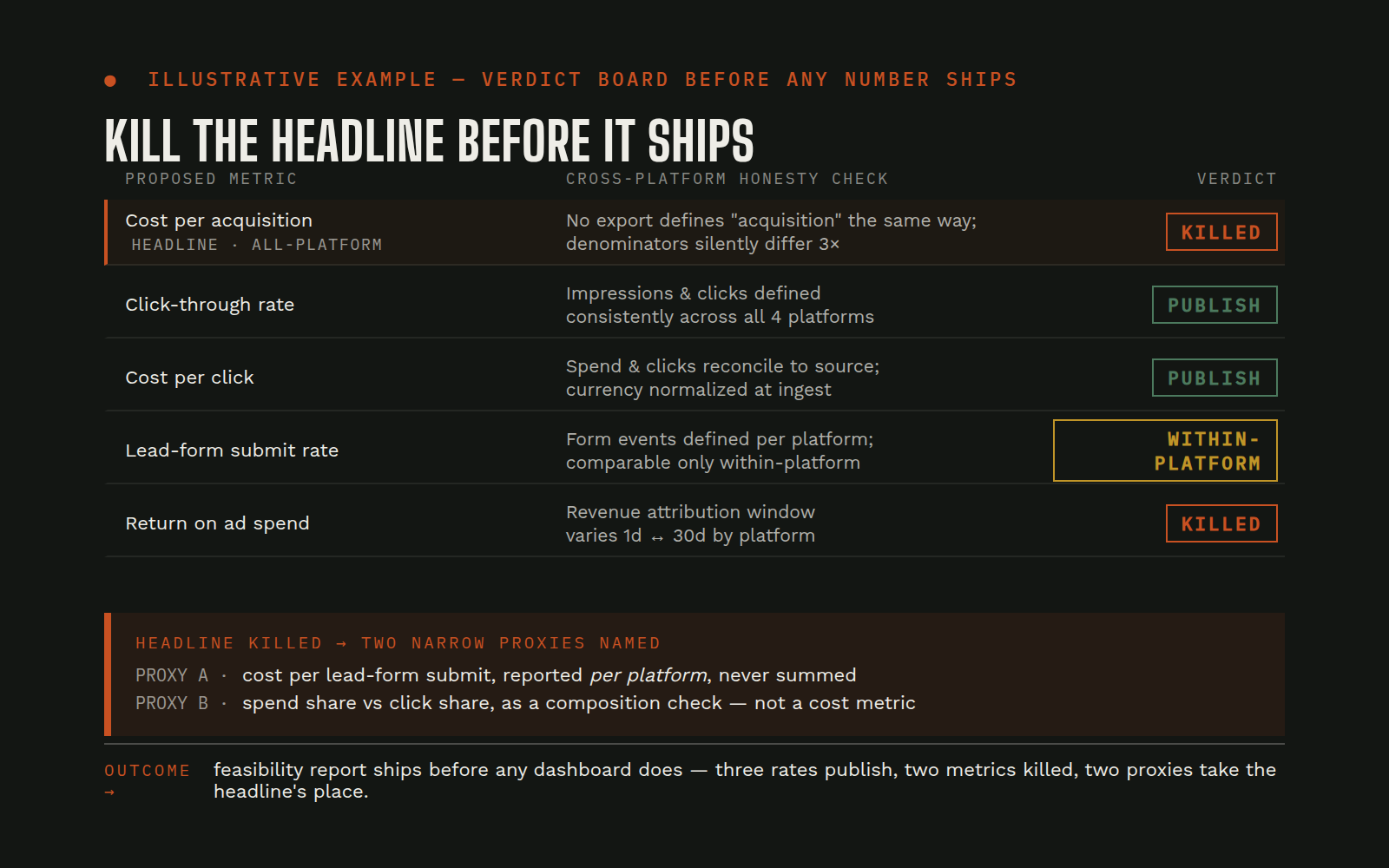 On-trigger (per request)
Multi-Platform Weekly Performance Index Feasibility Study: Honest Kill of the Headline Acquisition-Cost Metric
"Give us one weekly scorecard that compares all our ad platforms" is a universally-asked and universally-botched request. The honest answer is almost always "the metric you want doesn't exist in these exports", but very few scorecards get killed before publication. More commonly, a composite number ships, somebody notices it doesn't tie to any source, and the dashboard loses trust forever.
Ad platform APIs (search / social / shopping / etc.)Data warehouseScheduled dry-run cost estimatorView workflow →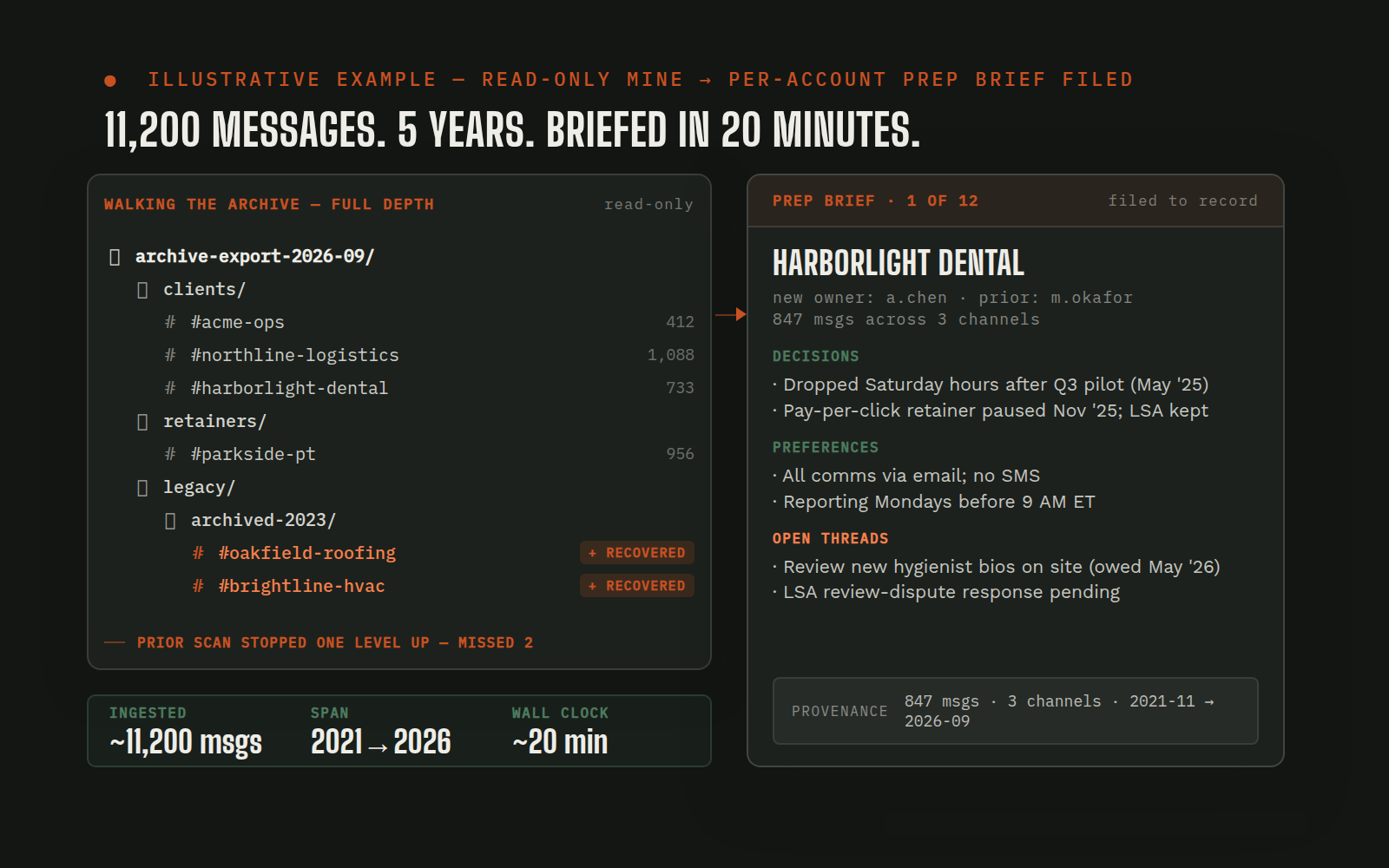 On-trigger
Legacy Account Prep via AI-Powered Slack Archive Mining: 11,200 Messages, 5 Years, Briefed in 20 Minutes
When an account owner leaves, the context sitting in team chat, client preferences, past decisions, unresolved threads, becomes effectively invisible to the next owner. Reading five years of channel history by hand is a day's work per account; multiply by a dozen legacy accounts and nobody does it, so the new owner starts cold.
Team chat archive (local exports)Per-account record of truthStanding state recordView workflow →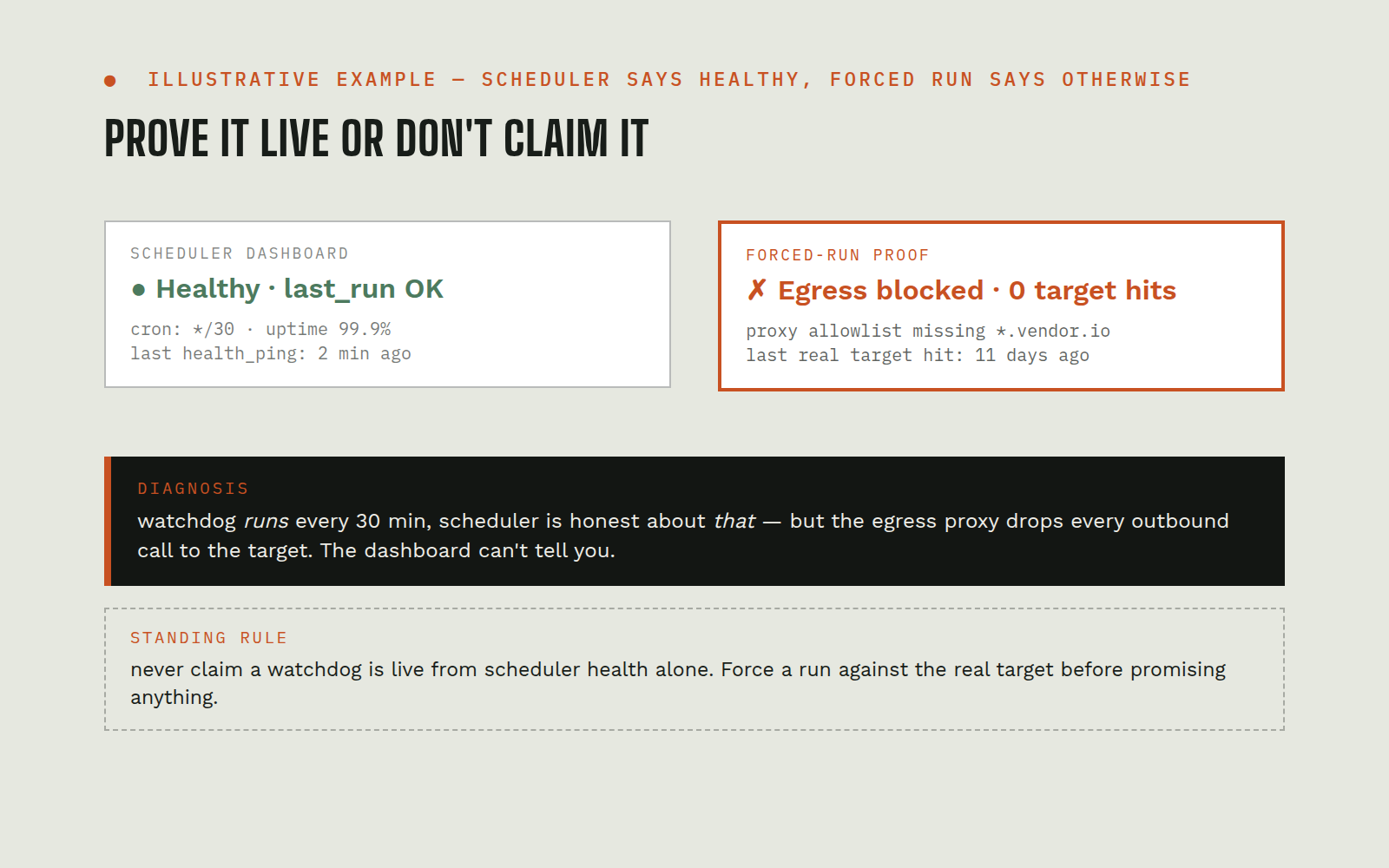 Continuous
Scheduled Watchdog Verification Protocol: Why "Scheduled" ≠ "Working" for AI Cron Jobs
AI watchdog jobs can be scheduled, show green in the scheduler's health check, and be structurally incapable of doing their actual work, because job creation and the network path the job needs can live behind different policies. "The watch is running" turns into a false reassurance that only breaks when the thing you're watching finally fails and the watch doesn't catch it.
Scheduler / cron infrastructureForced-run execution pathEgress proxy / network allowlistView workflow →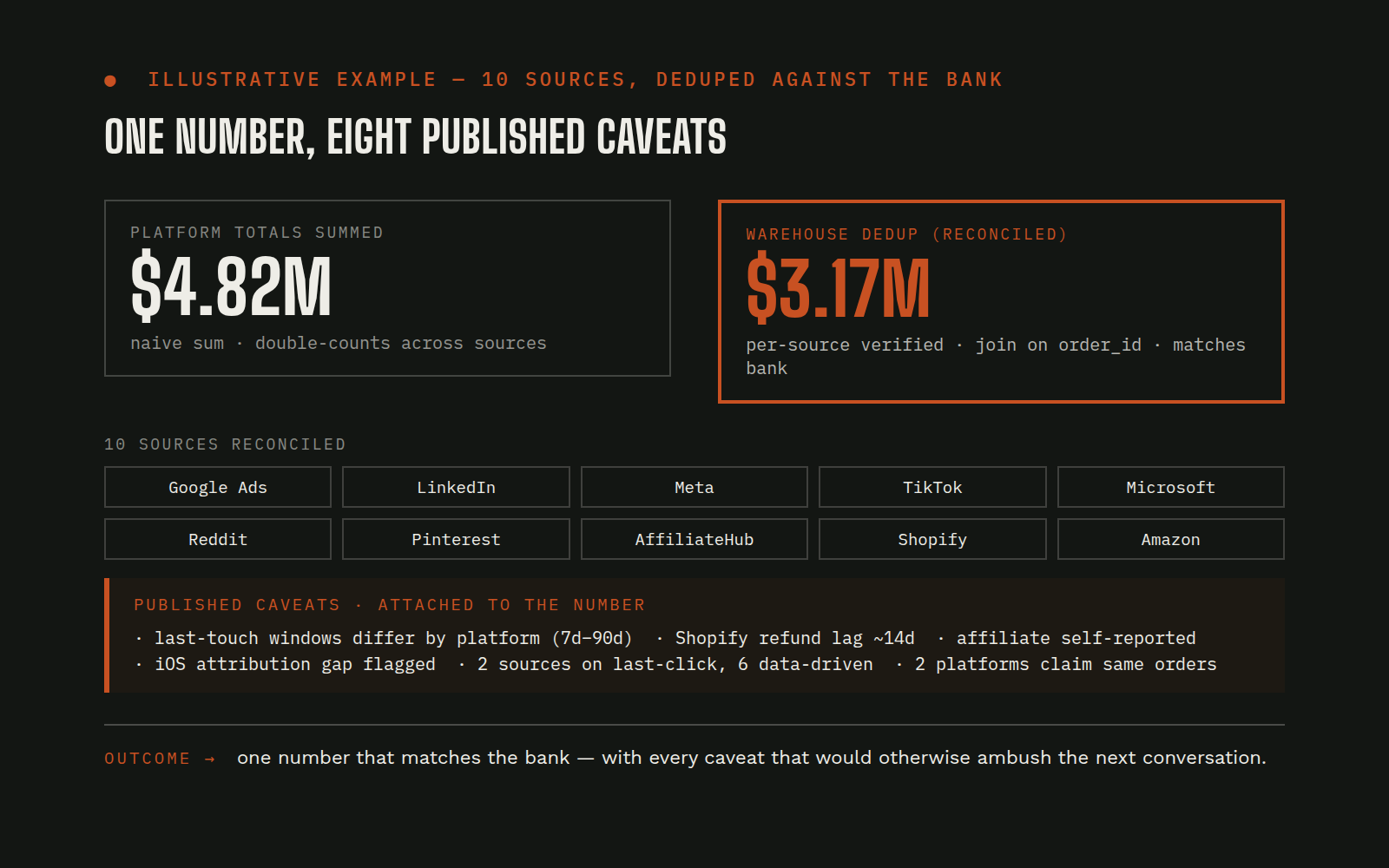 On-trigger
Multi-Platform Revenue Rollup with Verified Caveats: 8 Ad Platforms + 2 Storefronts Deduplicated Honestly
"Give us total revenue across every platform we spend on" sounds like a simple sum. In practice, each platform reports a different kind of revenue (attributed vs. transacted, within-session vs. cross-device, deduped vs. claim-based), two of them don't carry the column at all, and a naive sum silently double-counts across most of them. The default output is a confident wrong number.
8 ad platforms (search / shopping / social / affiliate)2 storefront sourcesData warehouseDry-run cost estimatorView workflow →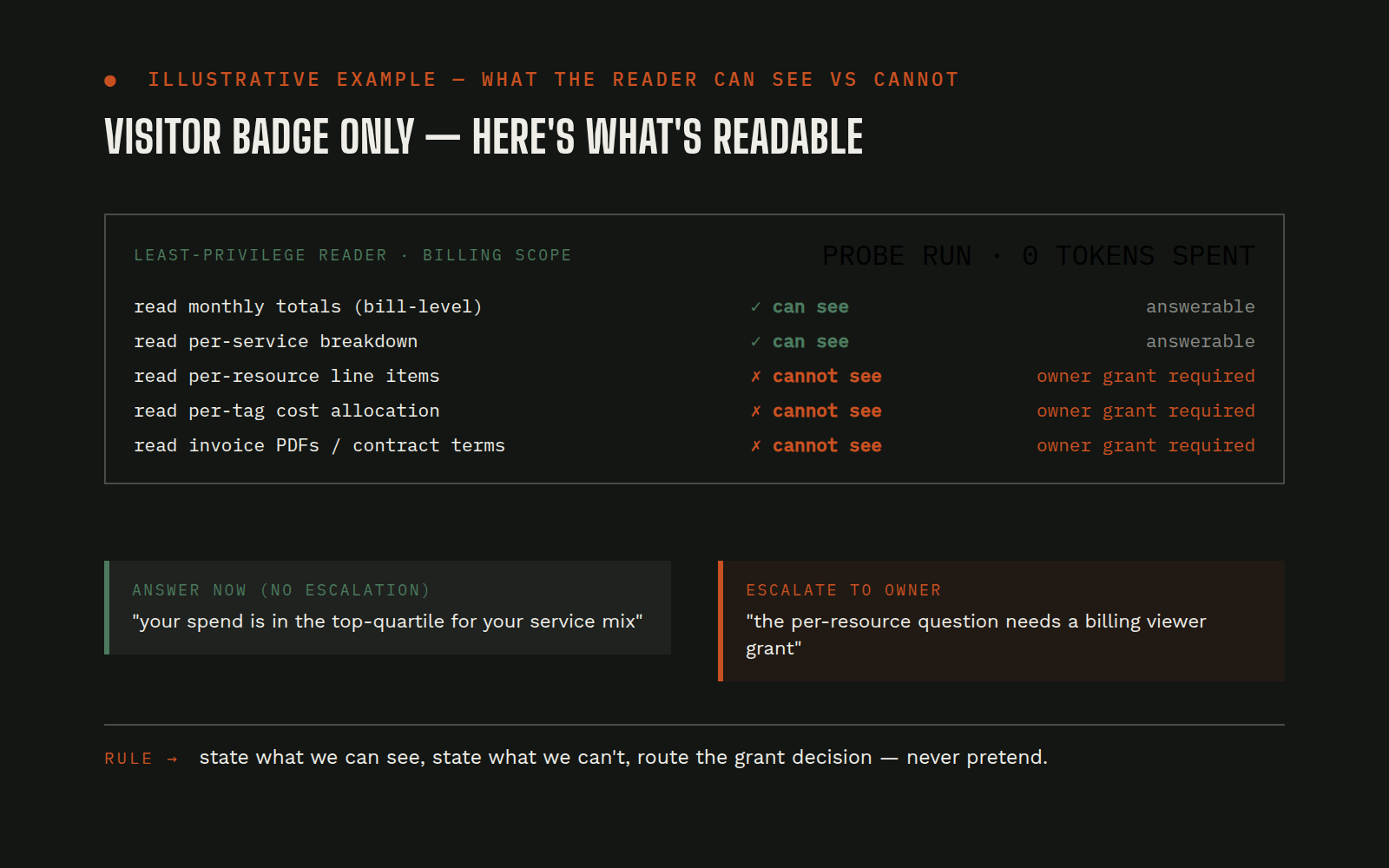 On-trigger
Zero-Token Cloud-Spend Scoping Probe: What a Read-Only Billing Scan Can and Cannot Diagnose
"What's our cloud spend look like?" is a common question with an uncommon answer: the person asking usually doesn't know which parts of the bill require which permissions. The temptation is to escalate aggressively, probe past the badge, or make up a number from the parts that are visible. All three erode trust with the owner.
Cloud provider IAM / billing APIsCredential metadataOwner escalation pathView workflow →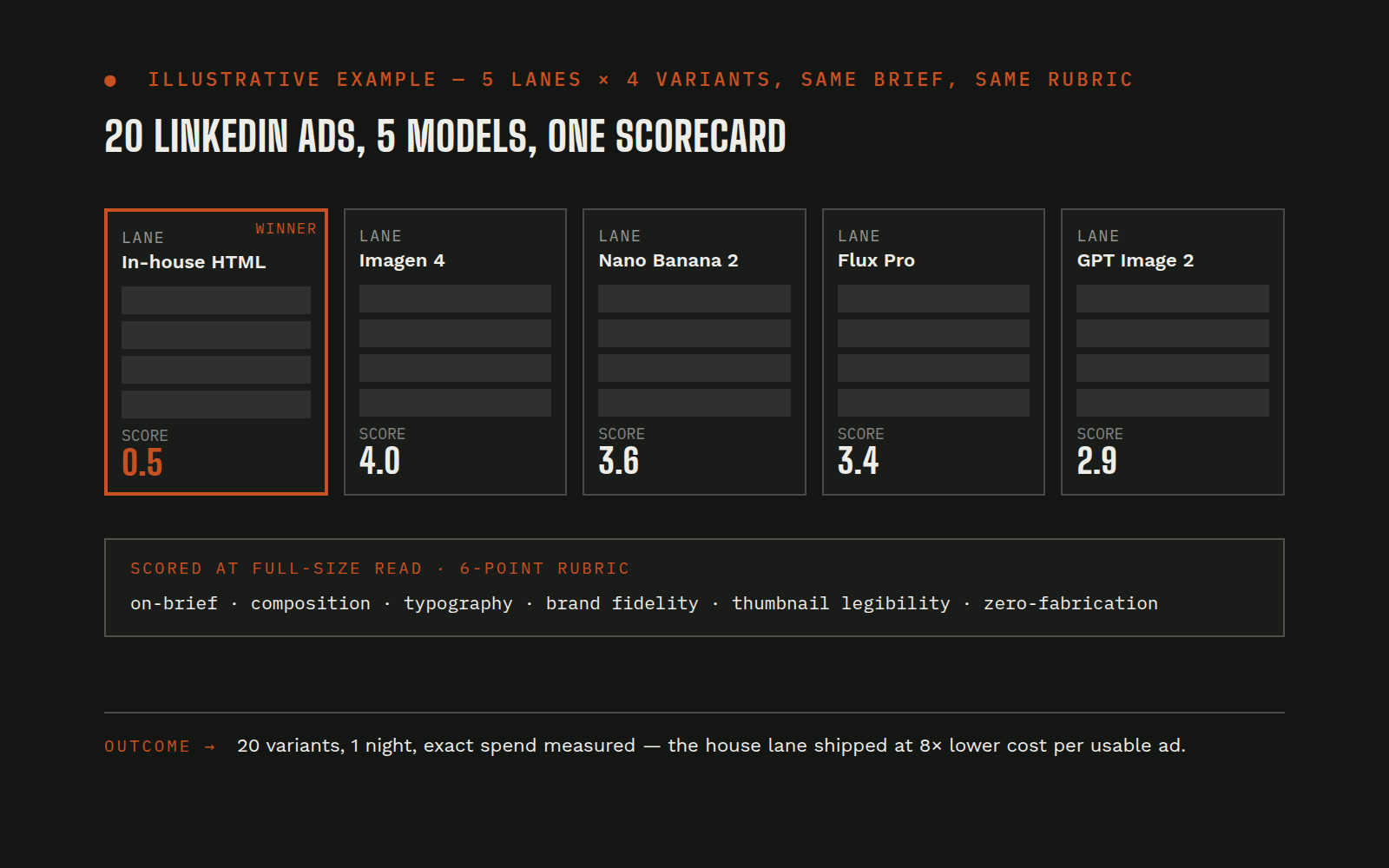 On-trigger (per request)
LinkedIn Ads Creative Sprint: 20 Ad Variants Across 5 AI Image Models with a Scored Rubric
AI image generation has become a tool-shopping problem: every model has different strengths at text fidelity, concept relevance, photorealism, and typography, and nothing picks the right one for a given ad concept except head-to-head testing. Running that test by hand means hours of prompting across tools, inconsistent judgment, and no scorecard anyone else can audit.
Multi-model AI image generationIn-house HTML rendering pipelineScoring rubric + results-PDF generatorDry-run cost estimatorView workflow →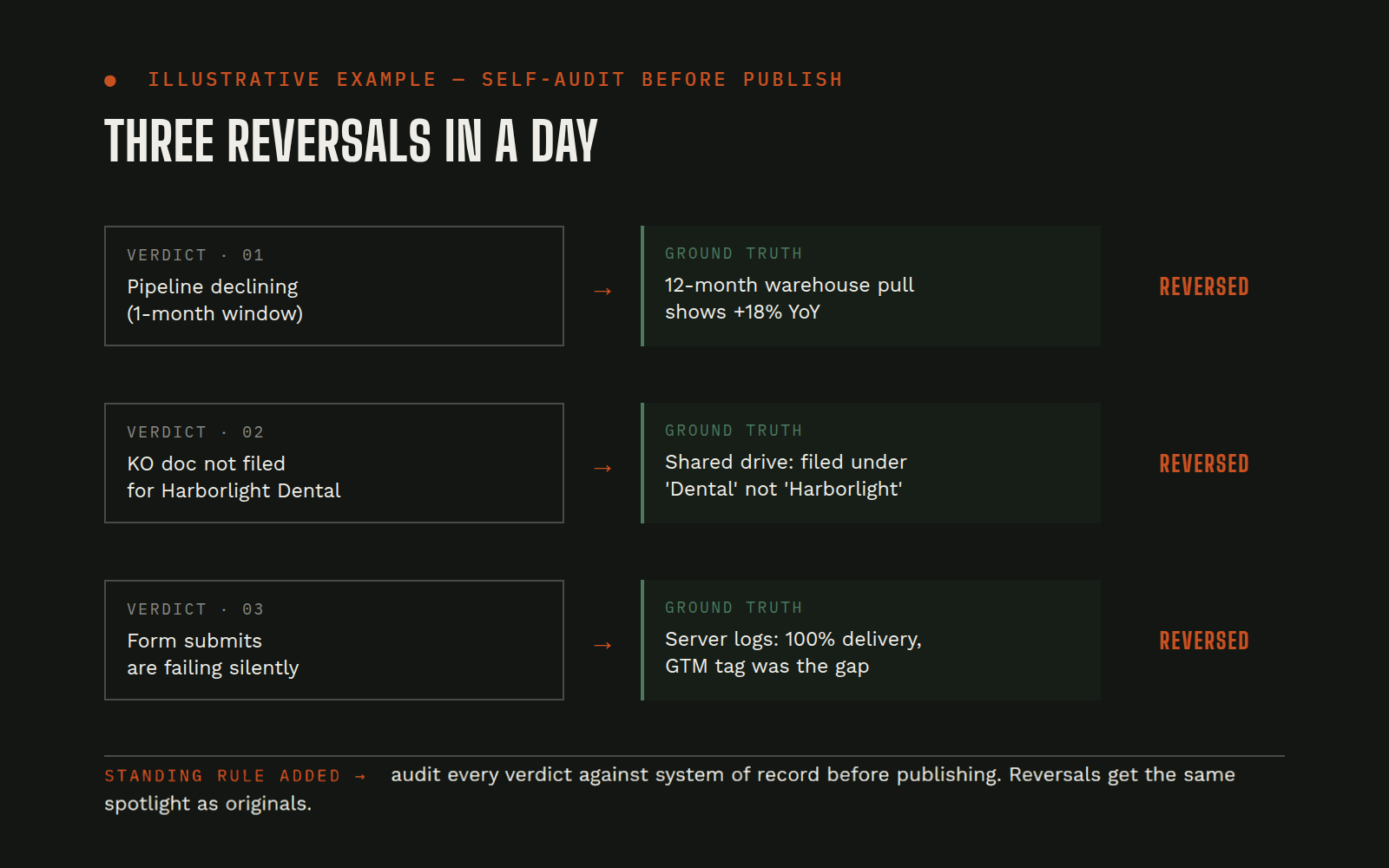 Continuous (self-audit after production runs; fixes applied between batches)
AI Agent Self-Audit Protocol: Three Autonomous Decision Reversals in One Day and the Rule That Followed
AI agents produce verdicts, "this account is thin," "we don't have this data," "the trend started here", on real customer accounts, and those verdicts get acted on. An agent that cannot reliably catch and reverse its own errors against the systems of record will degrade trust far faster than any single wrong call.
Data warehouse / APIs / systems of recordOperating-pattern rulebookTeam chatView workflow →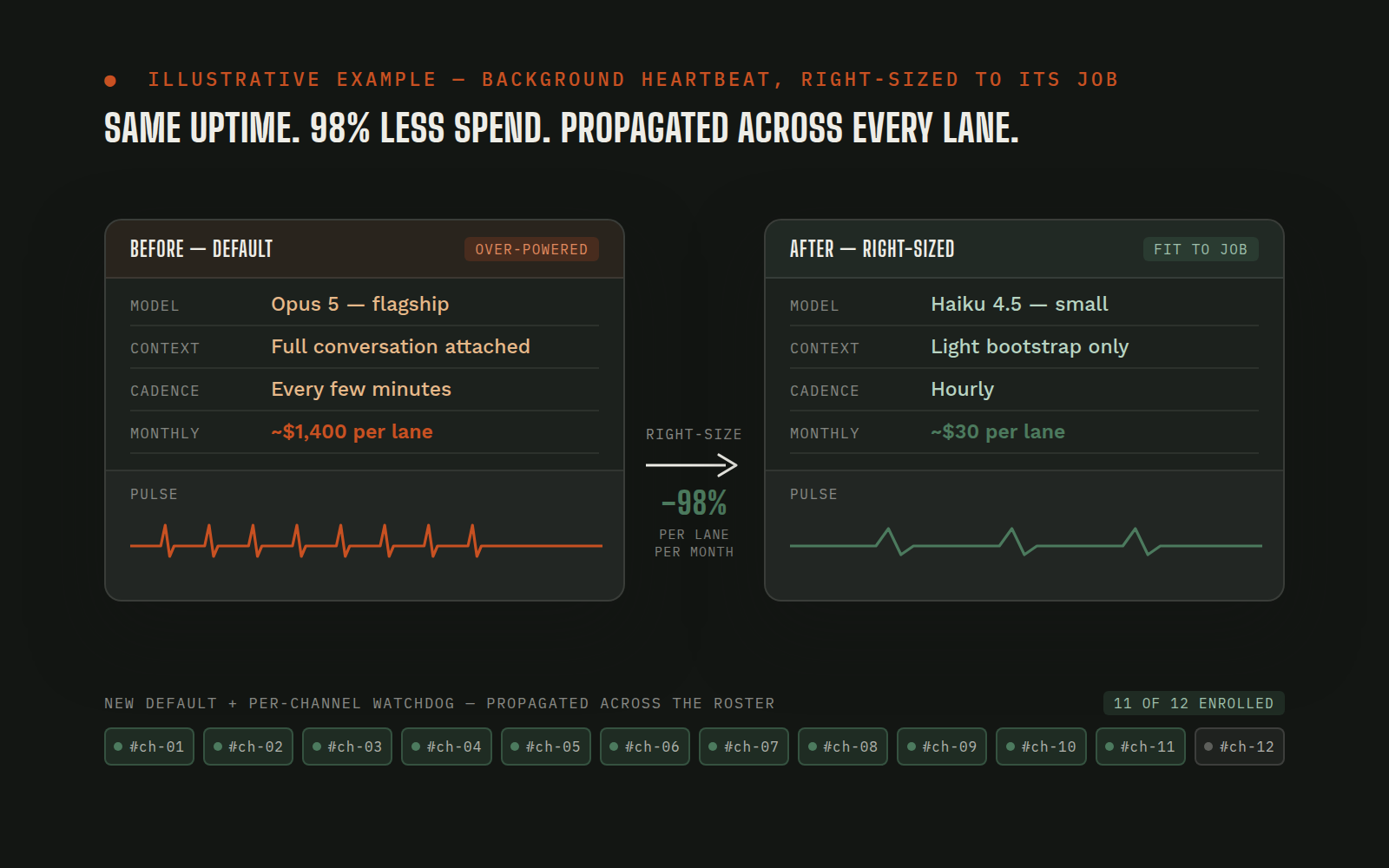 Scheduled
Heartbeats, Right-Sized: Keeping Background Agents Awake Without Burning the Budget
Every always-on agent needs a heartbeat: a recurring background check-in that keeps the lane awake and ready to react. The default is to wire it up on the most capable model with full conversation context attached, because that's what the main lane uses. Multiply one quiet background heartbeat by every channel, every hour, every day, and the single smallest-looking task on the roster becomes the largest line on the bill: four figures a month to do almost nothing.
Agent runtime configBilling / token-cost pipelineWatchdog schedulerSlackView workflow →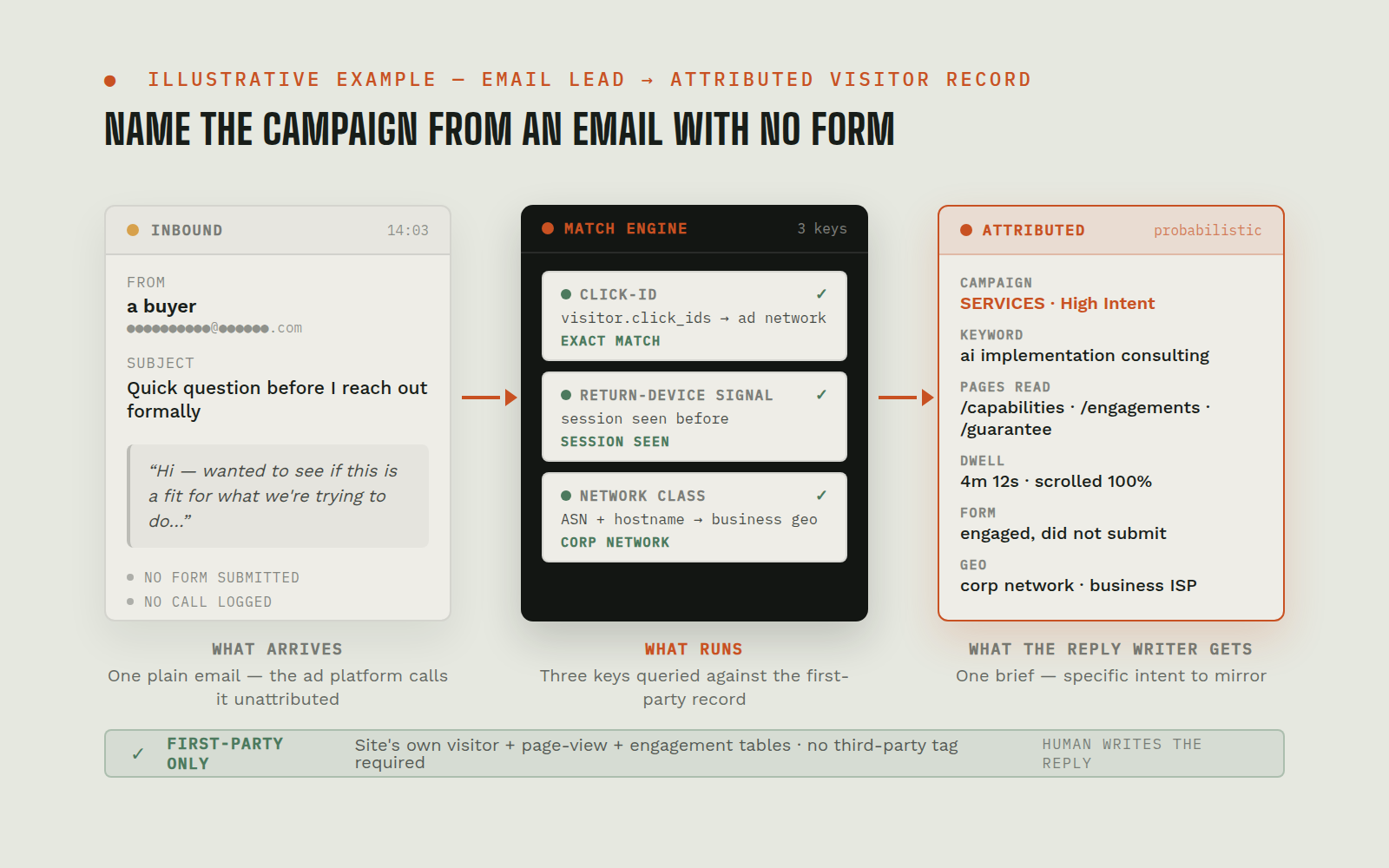 On demand (per inbound lead)
First-Party Session Attribution: Attribute an Email Lead With No Form And No Call
A real buyer lands on the site from a paid ad, reads the pages, decides to reach out, then skips the form and the phone and just sends a plain email. The ad platforms report an unattributed inbound. The team gets a one-line note with no idea which campaign earned it, what the person read, or what to lead the reply with. The paid budget takes the blame; the real signal evaporates.
First-party attribution storeAd platform accountIP intelligence lookupAgent query layerView workflow →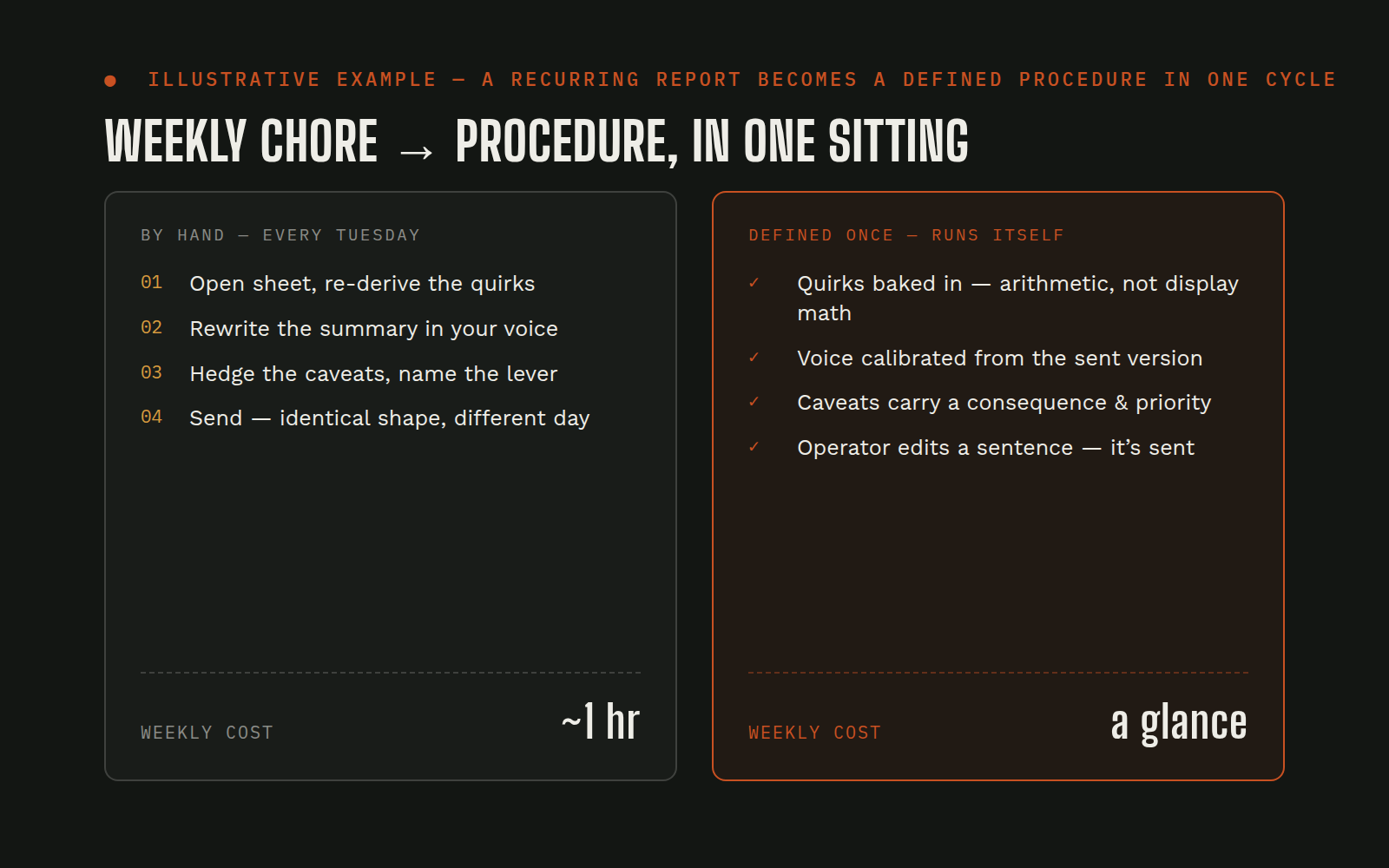 Weekly
Recurring Client-Report Chore → Reusable Agent Procedure in One Sitting
Weekly client KPI emails are a chore that recurs forever: pull the sheet, read the numbers, write the summary, send it. Done by hand, each one takes an hour and produces a slightly different-shaped email because the writer is tired on different days. The sheet itself has small quirks only the operator has learned to work around: the "revenue" row includes unprocessed orders, the ROAS column is built on a non-cash figure, the YoY column compares year-to-date against a full prior year. The quirks get re-navigated every single Tuesday.
Client reporting spreadsheetMarketing dashboards (ads platforms, analytics)Agent procedure libraryTeam chatView workflow →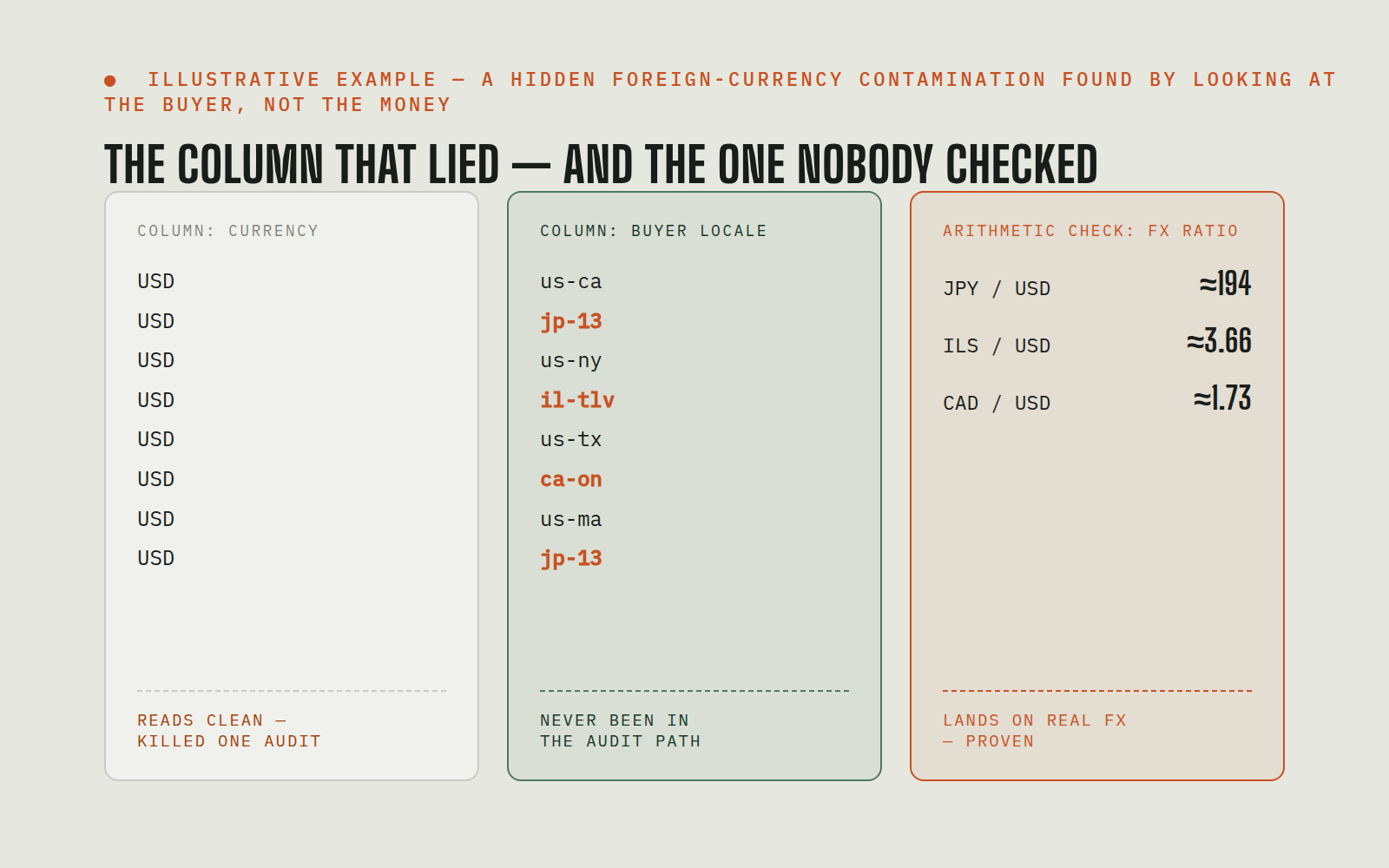 On demand
Foreign-Currency Order Contamination Found Through Buyer Locale, Not the Currency Column
An operating system of record books every order in whatever currency the buyer paid, but marks every row USD in its currency column, with no flag that distinguishes a real dollar order from a Japanese-yen or Israeli-shekel order recorded at raw foreign amounts. The contamination shows up downstream as a gross-margin "collapse" that isn't real, as revenue months that look inflated, and as COGS figures that are about to tell a client their ROAS target is unachievable. The obvious column where you'd look for the problem, the one labeled "currency", reads clean on every row. Earlier attempts to find the contamination hit that column and stopped.
ERP / order record of truthWarehouse / analytics layerAgent query layerProcedure libraryView workflow →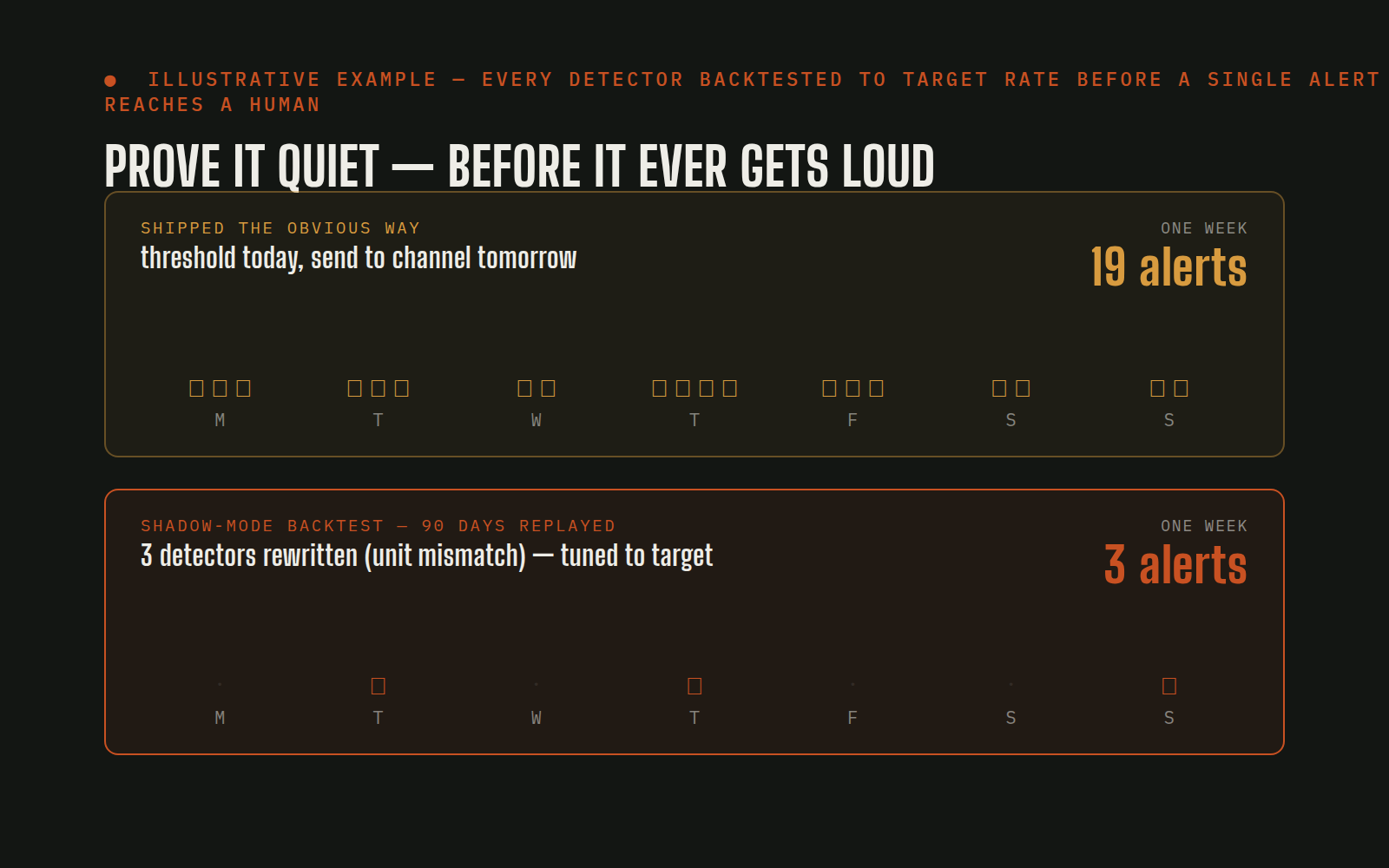 Scheduled
Scheduled Alert System: Shadow-Mode Backtest Before a Single Alert Reaches a Human
A daily-alert system for a complex paid-media account needs twenty-plus detectors across four platforms. Shipped the obvious way: threshold today, send to the channel tomorrow; it floods the channel on day one with warnings nobody can act on, and some of the detectors are measuring the wrong thing in ways nobody will notice until a decision is made against a false signal. The usual outcome: the channel mutes the alert, and real signals die with the noise.
Ad platforms (search + marketplace + display)Analytics + revenue sourcesHistorical warehouseScheduler + chat channelView workflow →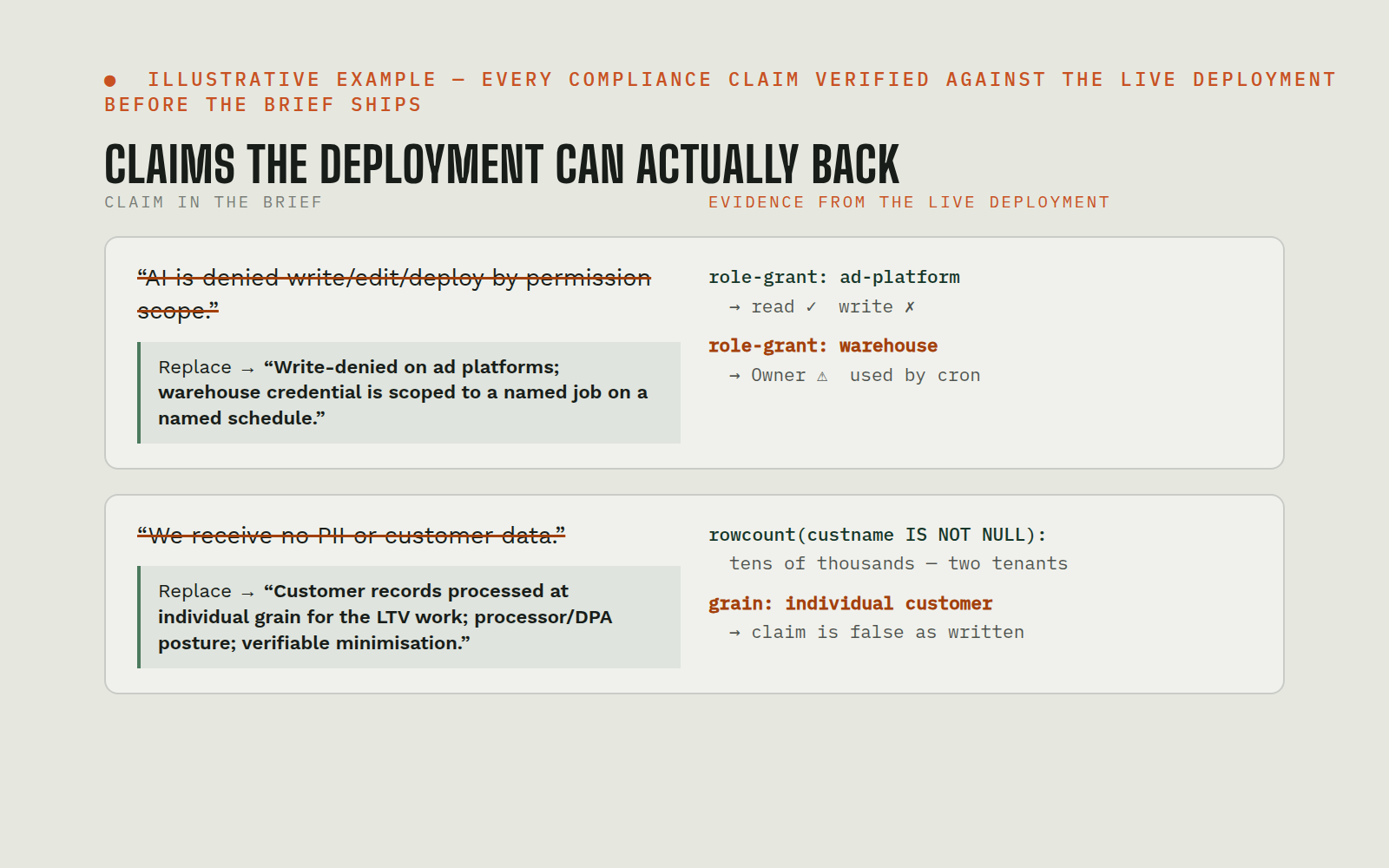 On demand
Verifying a Compliance One-Pager Against the Live Deployment Before Publishing
A one-page security-and-compliance brief for prospects naturally wants to make strong claims: "AI is denied write/edit/deploy by permission scope," "we receive no PII or customer data." Both read as the obvious right things to say. Both can be false in a specific deployment in ways nobody has checked. Shipping an unverified compliance claim to prospects is the kind of mistake that doesn't surface until a procurement team's security reviewer catches it.
Cloud identity + credential storeData warehouse + application databasesScheduled-job manifestCompliance brief / sales collateralView workflow →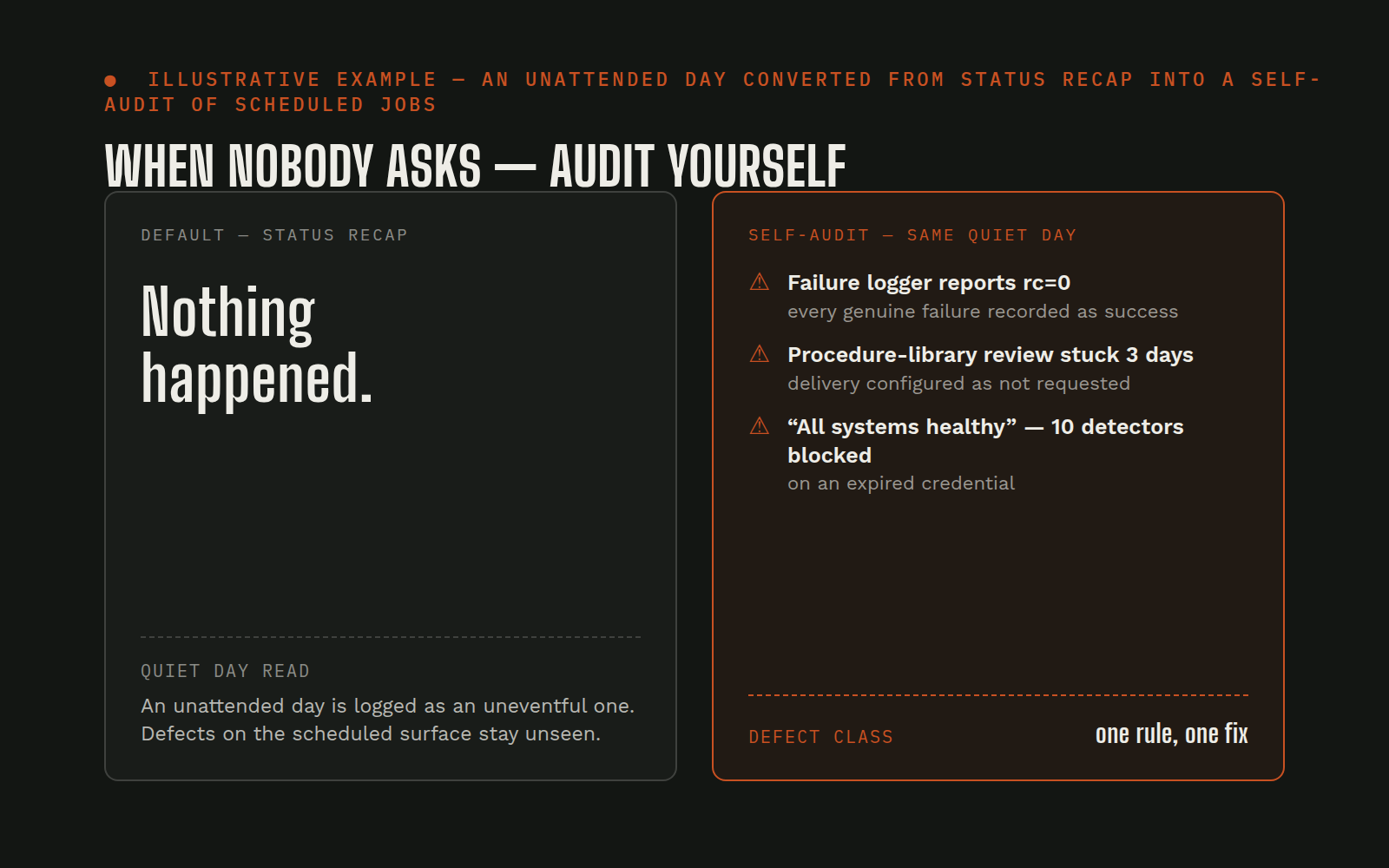 Scheduled
Agent Self-Audit on an Unattended Day: When Nobody Asks, Audit Yourself
Always-on agents run plenty of scheduled jobs. On a day when nobody messages the agent, every one of those jobs still runs, and every one of them that fails quietly, succeeds falsely, or logs the wrong thing into a destination nobody reads, builds up unseen. The default end-of-day summary on a quiet day is "nothing happened," which is exactly when the real diagnosis is: what did the scheduled surface do while nobody was watching, and what did it get wrong?
Scheduler + scheduled jobsJob logs + persisted stateAgent operating configDelivery destinations (channels, state files)View workflow →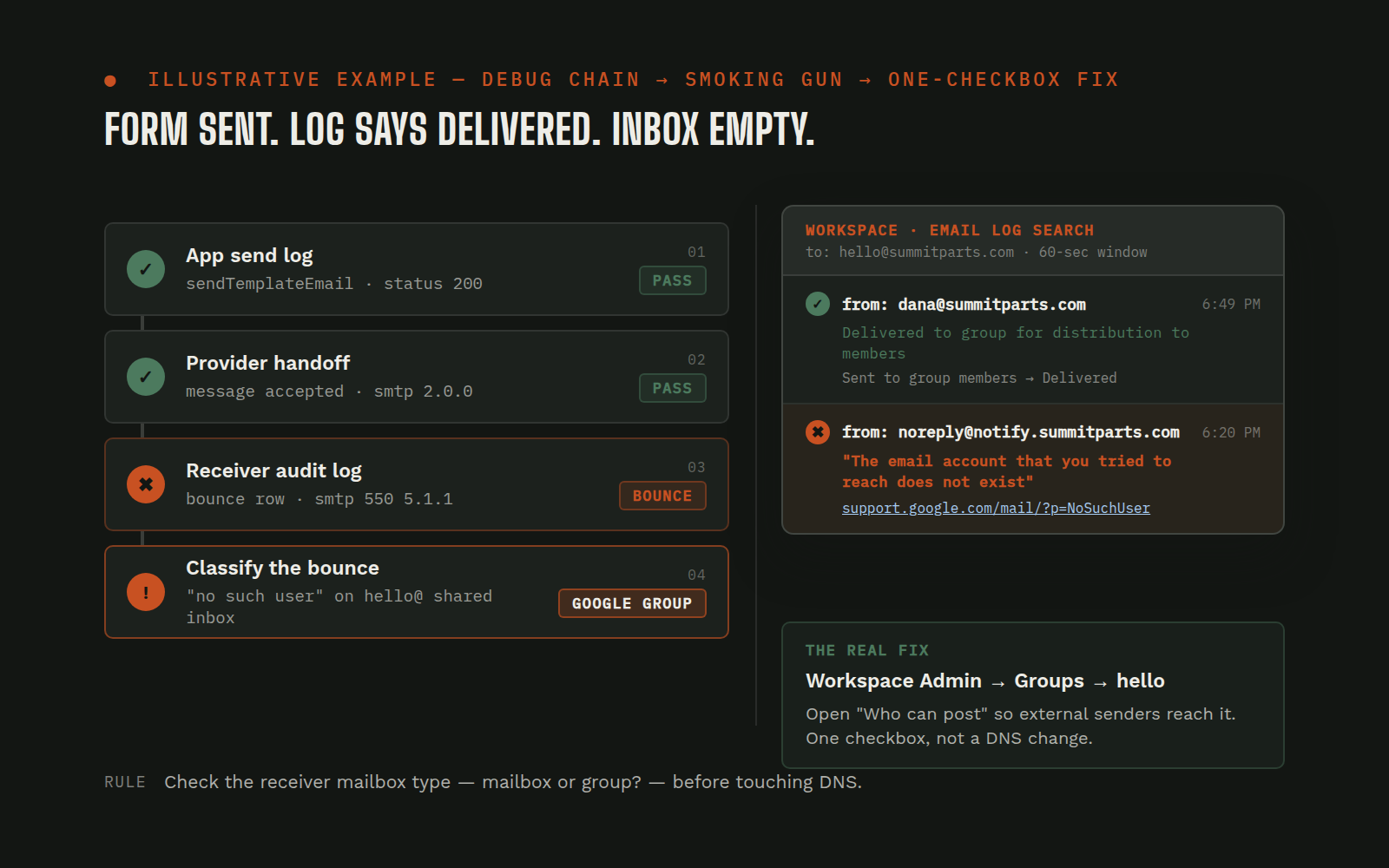 On demand
Form Email Delivery Debug: check the receiver mailbox type before chasing sender identity
A website form reports success, the sender's own log says the email went out, and nothing arrives at the team inbox. The obvious suspects, DMARC, SPF, DKIM alignment, from-header mismatch, look like the problem because the symptom (a bounce that says "the email account that you tried to reach does not exist") reads exactly like a typo. A full afternoon disappears into DNS records and sender identity before anyone checks whether the inbox is a user mailbox at all.
Website form (built on an AI website platform)Application email log + server-function logEmail sending providerGoogle Workspace Email Log SearchView workflow →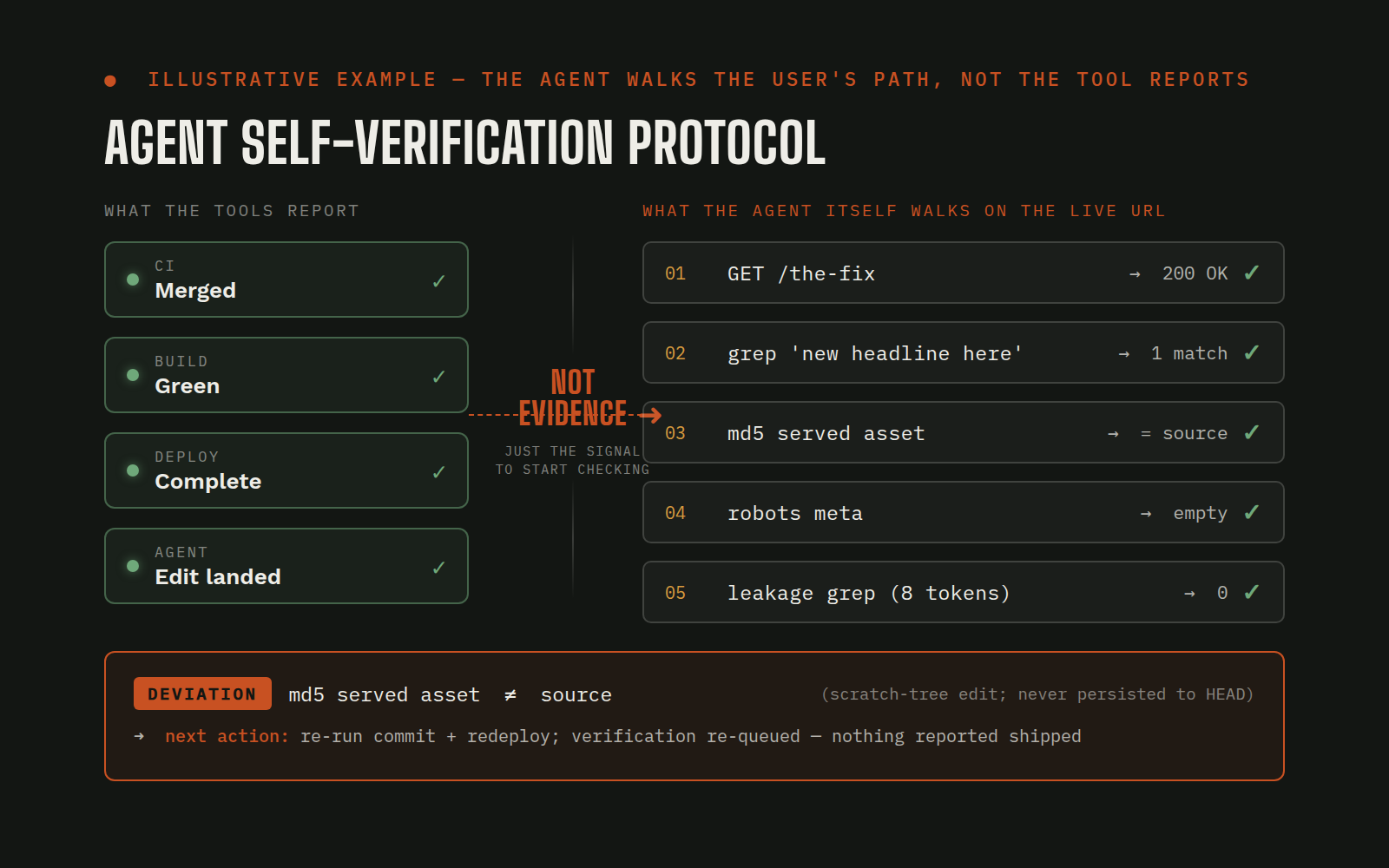 Always-on
Agent Self-Verification Protocol: Why "Deployed" Isn't "Working" Until the Agent Walks the User's Path
Every tool in a modern deploy pipeline is happy to tell the agent the work is finished. The code-review tool reports a merge. The build pipeline reports green. The hosting platform reports a deploy. The agent's own session reports an edit landed. Each report is accurate about its narrow surface and silent about the thing that actually matters: whether a human visiting the live site at the normal URL sees the change the request asked for. A chain of green lights is not a verification; it is a chain of green lights. The failures that survive in that gap are the expensive ones: edits that persisted in a scratch working tree but never committed to the branch that deploys; deploys that completed on a stale commit because the fix landed between CI and release; cache layers serving the pre-fix version on the exact URL the user types; a conversion tag that typechecked and rendered but silently stopped firing on the form submit. Each of these looked fine on every intermediate report. Each of them reached a human only because the agent "verified" by reading the reports instead of walking the path.
Headless browserDeploy pipeline / hostingAgent playbookTeam chatView workflow →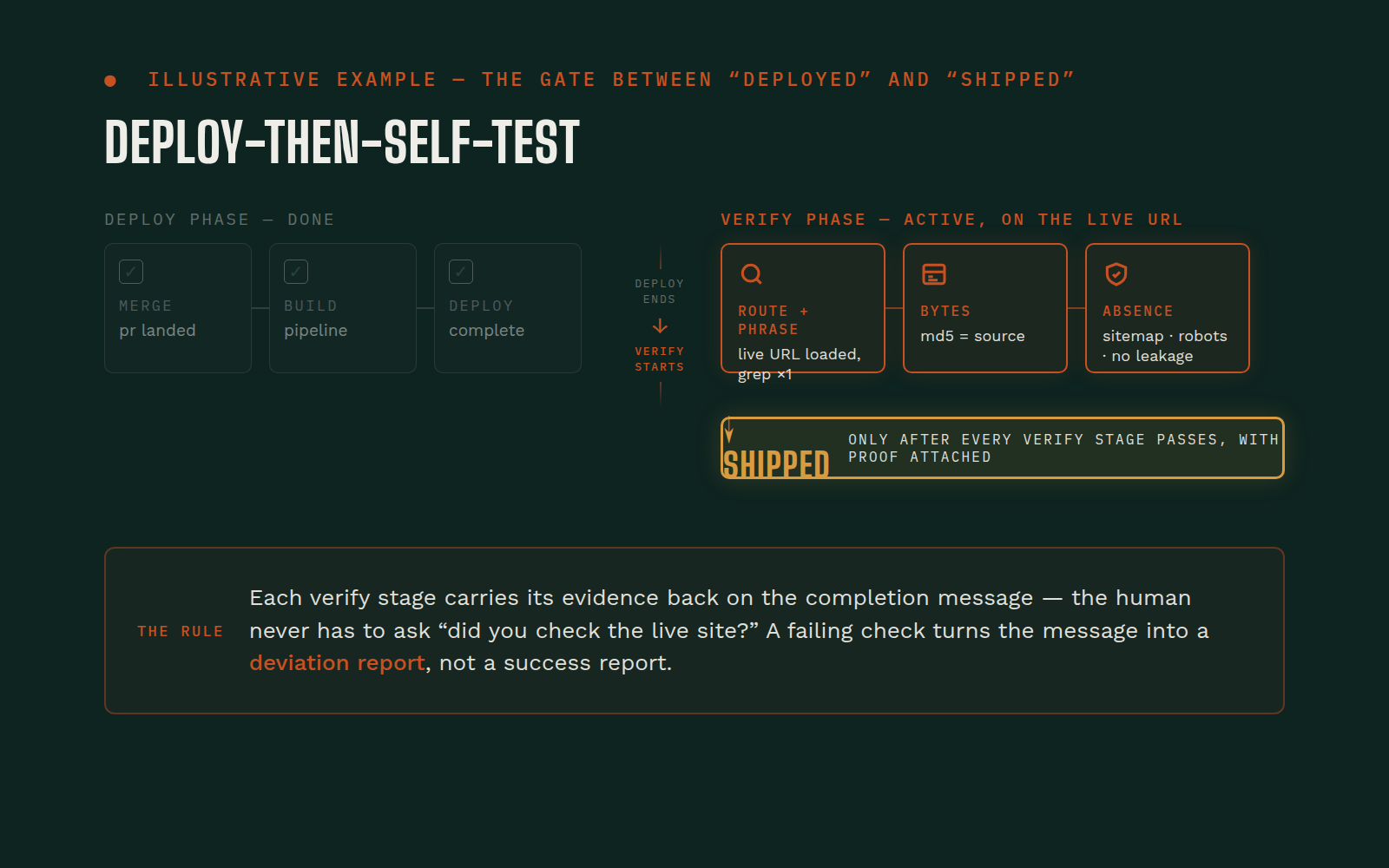 On-trigger (per deploy)
Deploy-Then-Self-Test: "Shipped" Only After the Agent's Own Live Checks Pass
A deploy pipeline tells the agent the build succeeded; the agent tells a human "shipped." The gap between those two sentences is where the small, confidence-destroying failures live. The branch deployed was the one the pipeline watched, but the fix the human asked for landed on a different branch that got merged late. A cache layer continues to serve the pre-fix bytes on the exact URL the human will visit. An asset's hashed pointer updated in source but the deployed bundle still references the old hash. The sitemap didn't get the new route added, so the page exists but no one can find it. A robots meta slipped onto a published page because of a mode flag that didn't get flipped. Each of these is invisible to the pipeline's success signal and obvious to anyone who actually visits the URL. The agent, having told a human it shipped, finds out about these one by one as the human notices them hours or days later: the expensive way to find any of them.
Deploy pipeline / hostingHeadless browserContent and asset repositoryAgent playbookView workflow →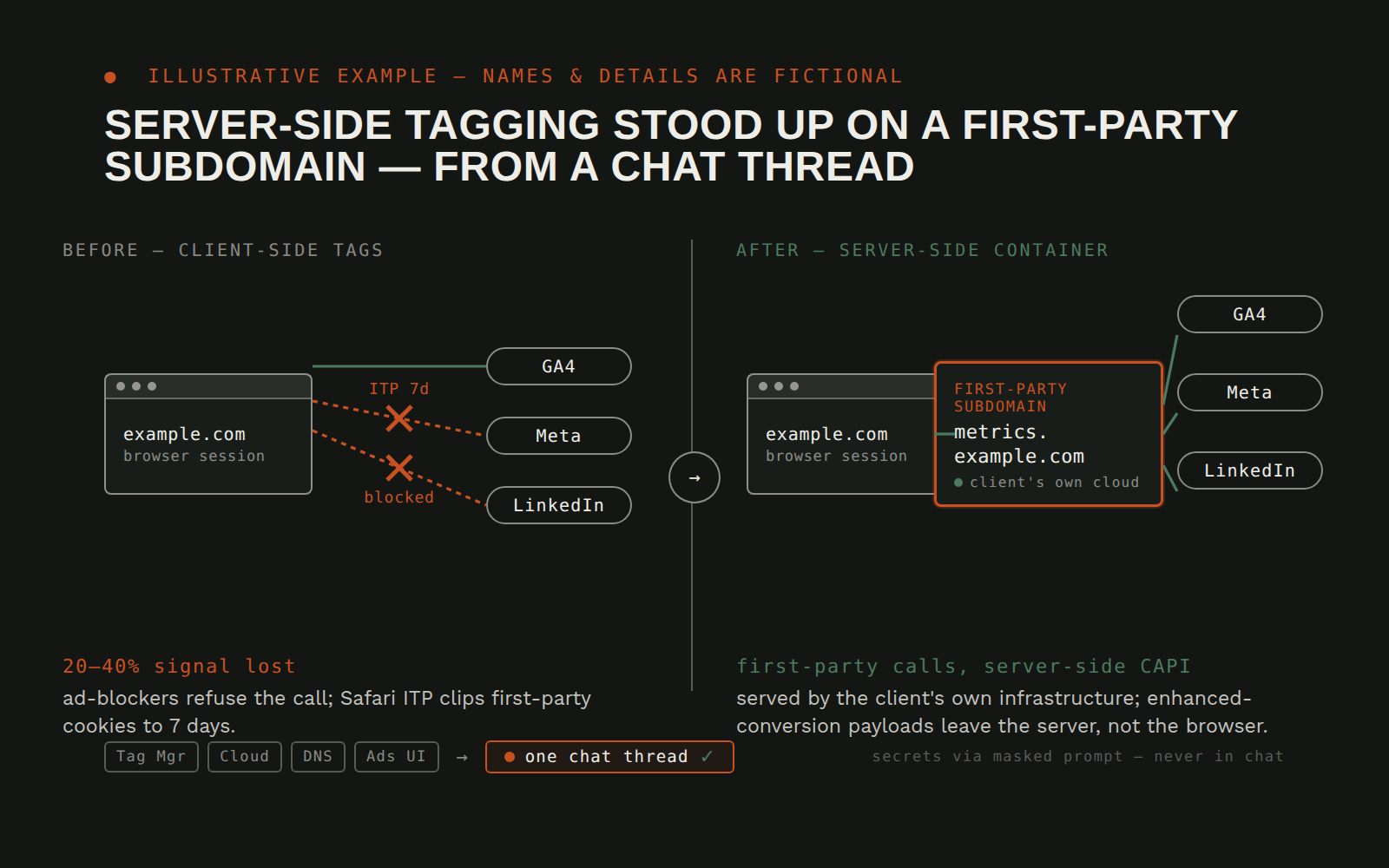 On demand
Server-Side GTM Tagging Server Stood Up on a First-Party Subdomain From a Chat Thread
Client-side tagging, the browser calls Google, Meta, LinkedIn directly, is losing a growing share of the signal it's supposed to carry. iOS Intelligent Tracking Prevention caps first-party cookies at seven days, which quietly throws away returning-visitor identity. Ad-blockers refuse the pixel calls outright. Enhanced-conversion match rates sit well below what the first-party data could support, because the hashed email never leaves the user's browser. Everyone in the industry has agreed for two years that the fix is a server-side container on the client's own subdomain, and almost nobody deploys one, because the real work isn't the tag migration. It's the provisioning: a container host on a cloud project nobody's set up, a subdomain CNAME nobody's picked, a server-container config that mirrors the web container in ways the web-container author never had to think about, CAPI access tokens that have to be minted without landing in a log. Each step wants a different console tab and a different piece of institutional memory. The procedure, written down end to end, runs forty-plus commands across four surfaces. In practice it gets scheduled for next quarter and the browser keeps dropping signal.
Tag Manager (web + server containers)Cloud container hostDomain registrar + DNS resolversAd platforms (search + social) and analytics propertiesView workflow →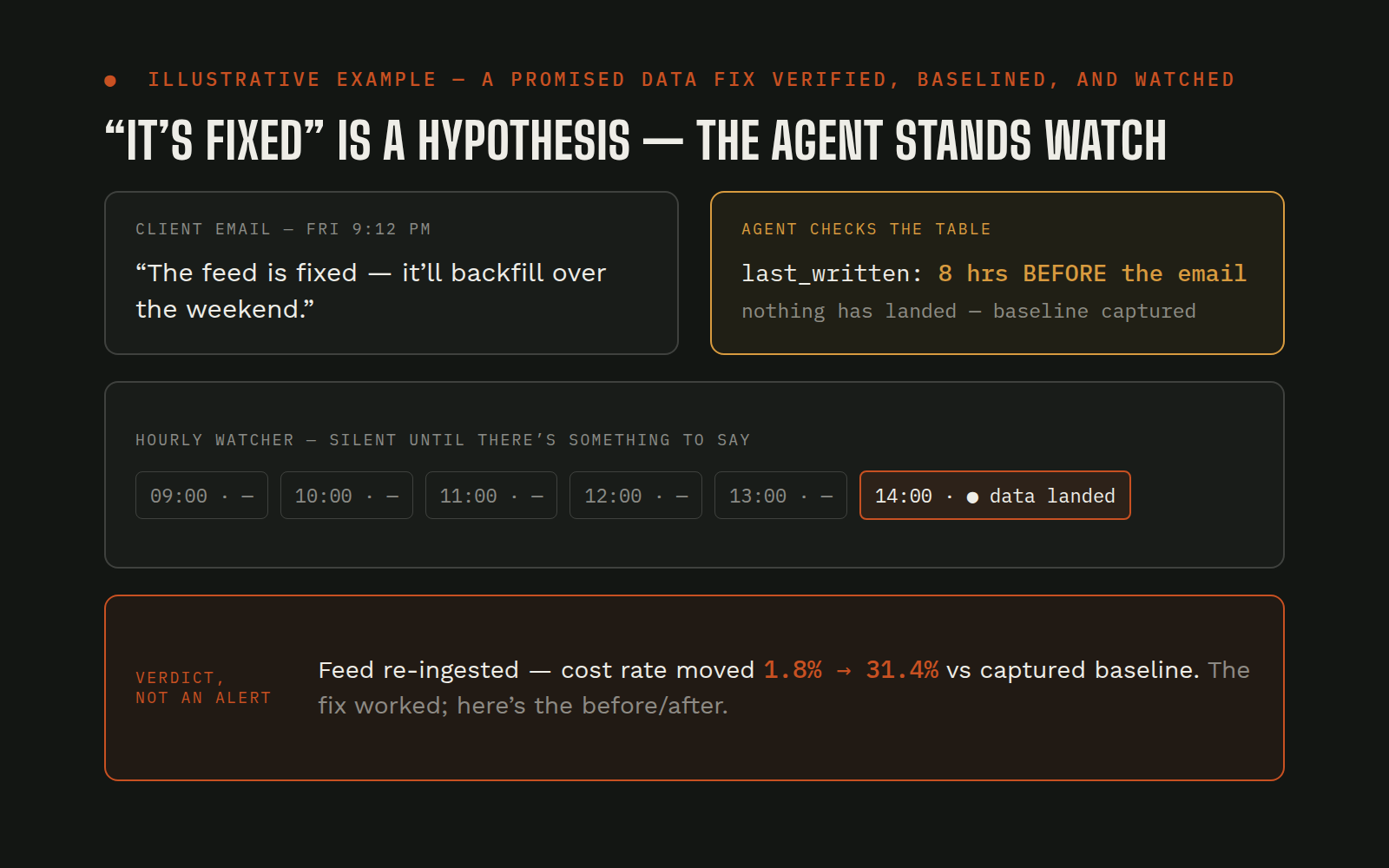 Scheduled
Client Says the Data Fix Shipped: Agent Proves It Didn't, Then Watches Until It Does
A client emails on a Friday night: the data feed is corrected, the fix will backfill over the weekend. The usual next step is a human re-checking the numbers every morning, "not yet... not yet... looks different, maybe?", until something changes or everyone forgets. Nobody captures what the broken state looked like before the fix lands, so when new data finally arrives there's no clean before/after to judge it against. And promised fixes that quietly never ship are the most expensive kind: the downstream reports keep running on broken inputs while everyone believes the problem is solved.
Data warehouseBaseline snapshotScheduler / hourly watcherTeam chatView workflow →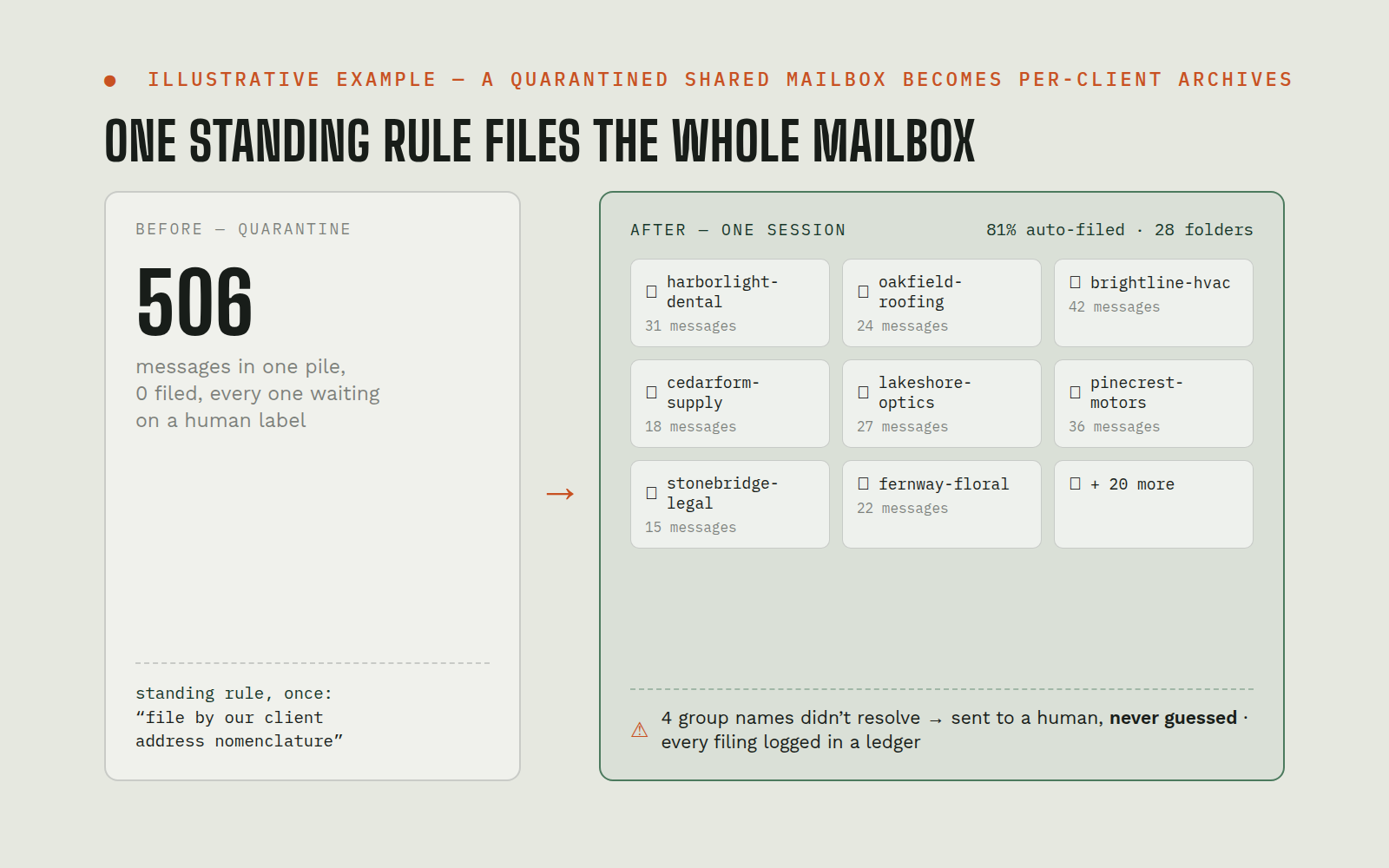 Scheduled
Shared-Mailbox Auto-Filing: One Standing Rule Builds Per-Client Email Archives
A shared mailbox receives client correspondence through per-client group addresses, but every message lands in one undifferentiated pile. The safe default, quarantine everything until a human labels it, means in practice nothing gets filed: hundreds of messages sit unrouted, and the team can't answer "what's the history with this client?" without a manual search each time. Per-message human labeling is the kind of chore that never gets done, so the archive everyone wants never exists.
Shared mailbox / group addressesClient registryIngestion job + ledgerPer-client archive foldersView workflow →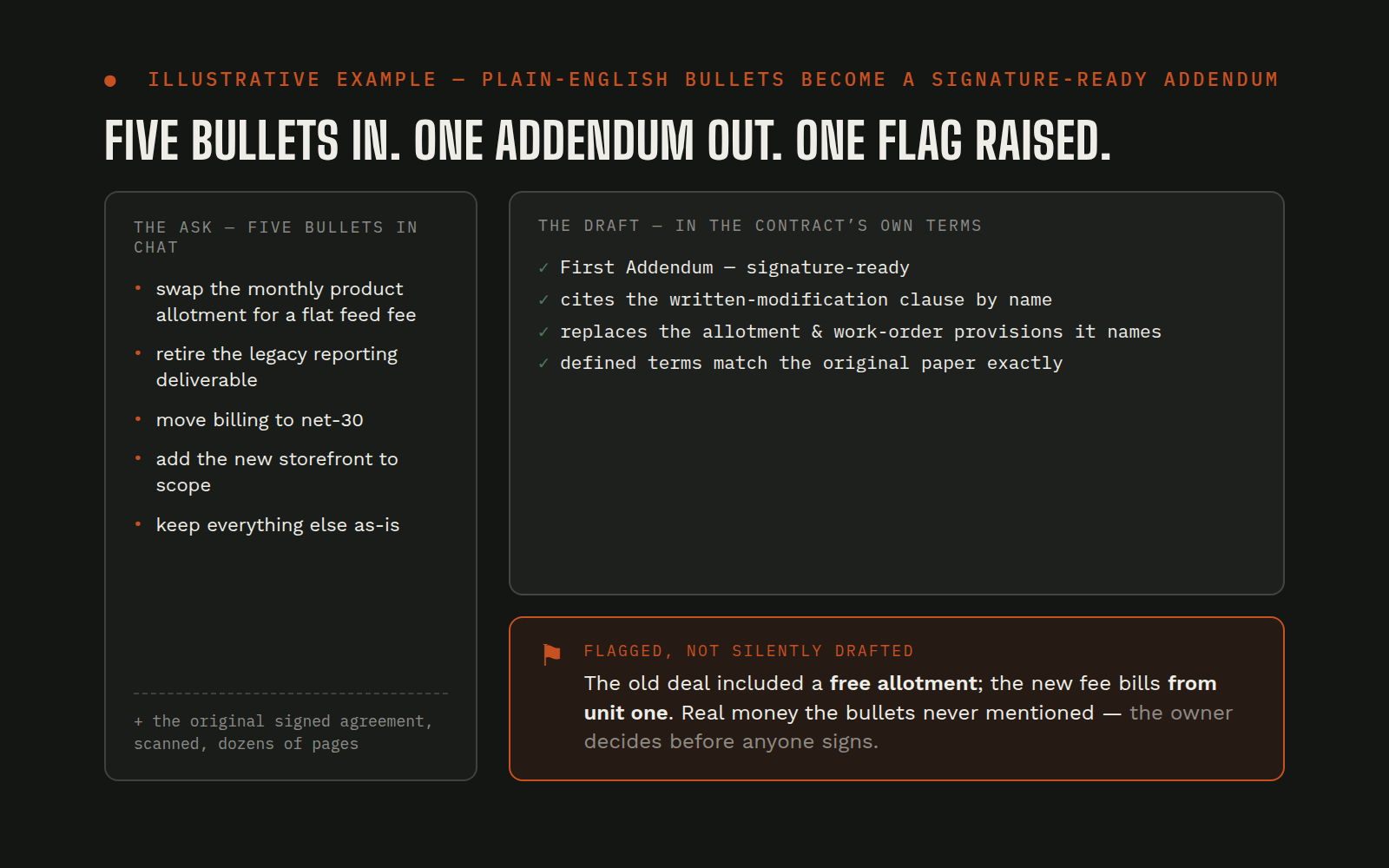 On demand
Five Plain-English Bullets → a Signature-Ready Contract Addendum, Drafted Against the Original Agreement
Commercial terms change in conversation, a pricing update, a service swap, a dropped allotment, and someone has to turn that into contract language. The original agreement is an old scanned document with its own defined terms, its own numbering, and a clause that says changes only count in writing. Drafted casually, an addendum references the wrong sections, invents terms the contract doesn't define, or, worst, changes the economics in ways nobody noticed because nobody re-read the original paper against the new terms.
Original agreement + work order (scanned)Drafting layerChange-bullet briefOwner reviewView workflow →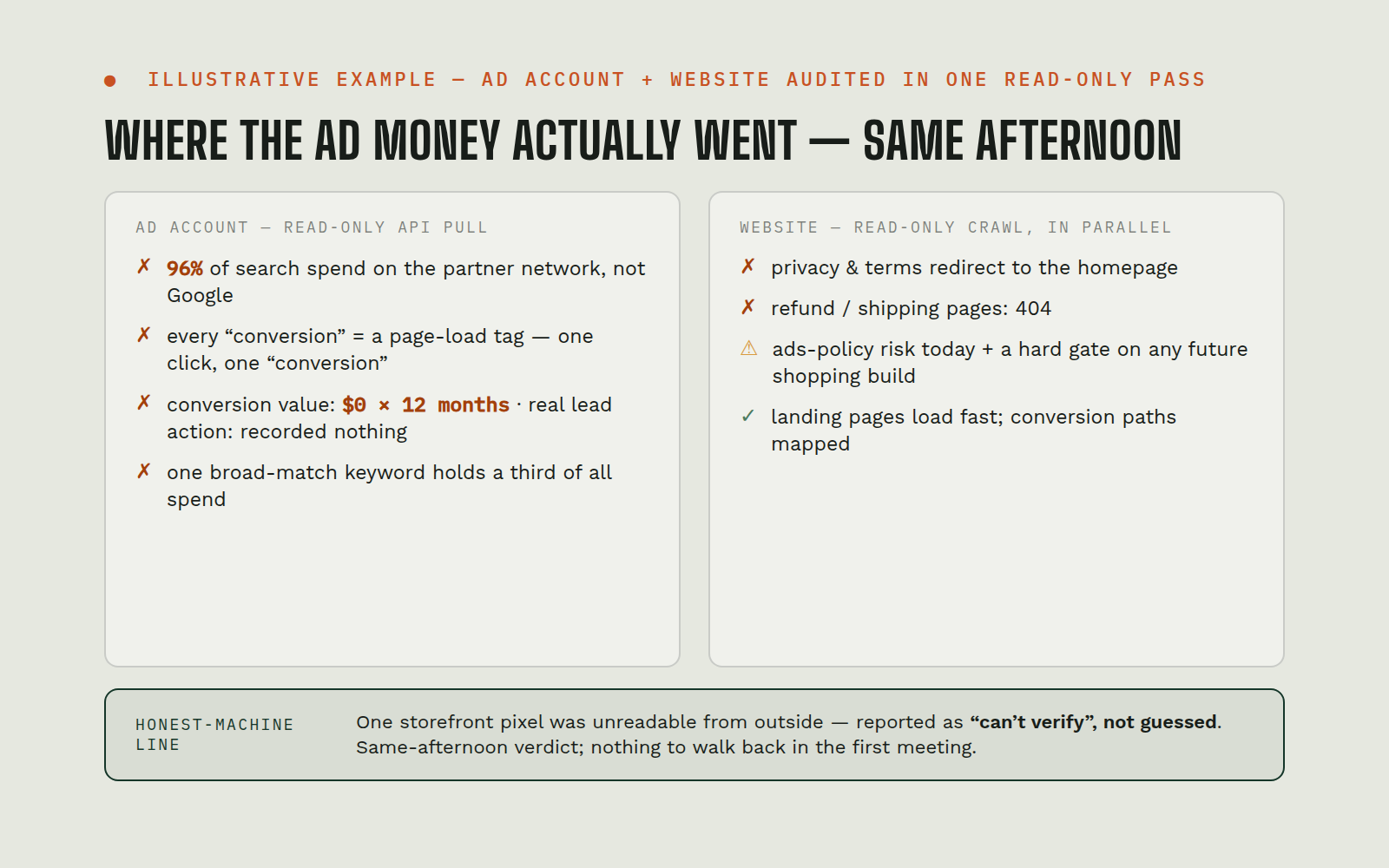 On demand
Google Ads Prospect Audit: Ad Account + Website Read in One Pass, Verdict the Same Afternoon
A prospect grants Google Ads access and asks for an assessment. The traditional audit splits across two people and several days: one combs the ad account screen by screen, another reviews the website, and the findings get reconciled into a deck sometime next week. Meanwhile the budget keeps spending, and the most expensive problems (wrong network, fake conversions, broken policy pages) are exactly the ones a screen-by-screen skim tends to miss.
Google Ads APIWebsite crawlerAnalysis layerAudit reportView workflow →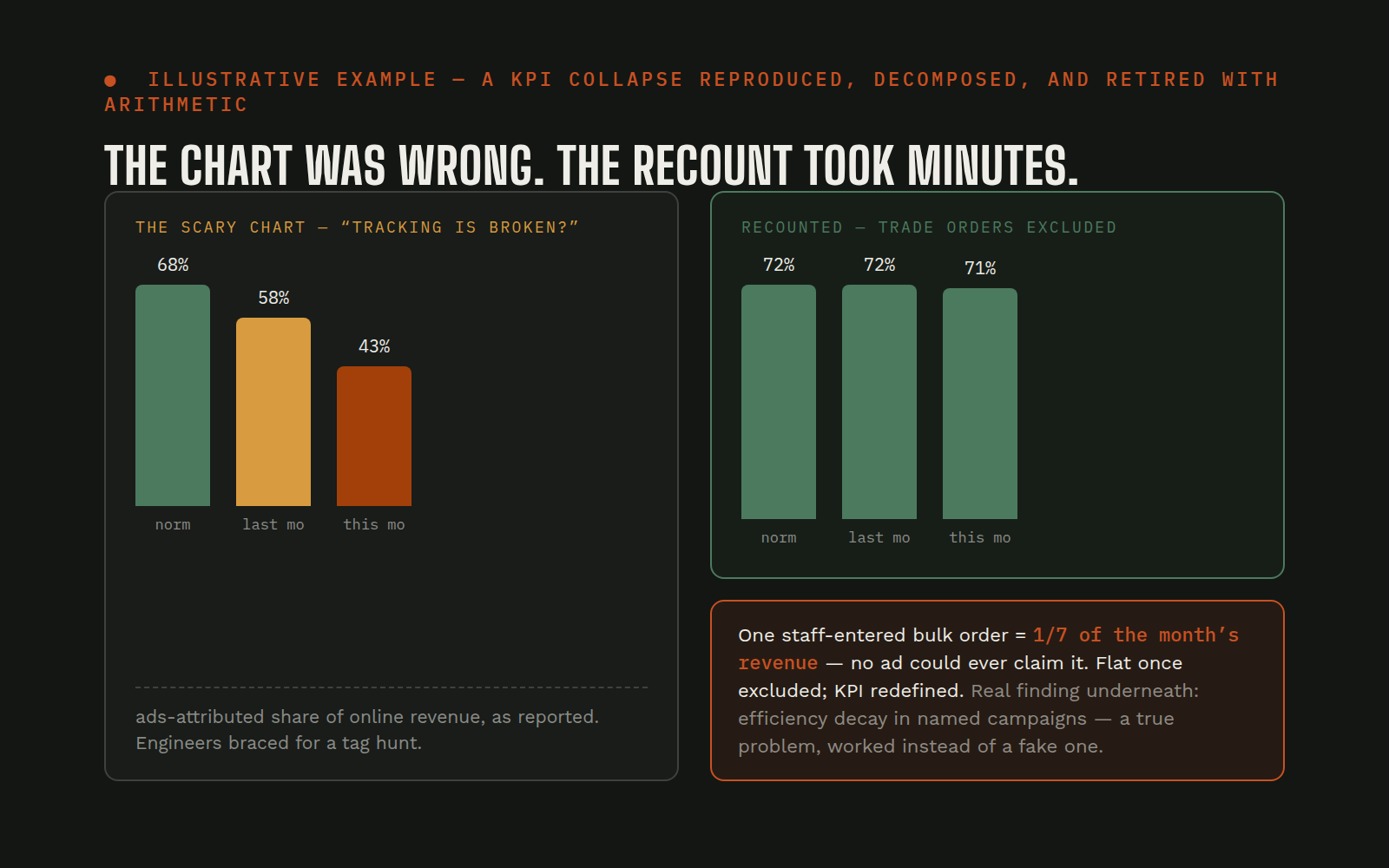 On demand
A KPI "Collapse" Traced to Order Mix, Not a Tracking Bug: Before the Team Chased the Wrong Problem
A trusted ratio, ad-attributed revenue as a share of total online revenue, drops from its long-running norm into territory that looks like a tracking disaster. The instinctive response costs real time: engineers audit tags, analysts re-pull reports, agencies get asked hard questions, and everyone operates on the assumption that measurement is broken. If the metric itself is the problem, if its denominator quietly absorbed something the numerator can never see, all of that effort chases a bug that doesn't exist.
Data warehouseAd platforms (×4)Storefront / order systemAnalysis reportView workflow →